





Things to note:
Sometimes you will encounter errors when downloading and installing Mac software. Now the editor of Huajun will sort out the more common error situations and provide answers. Friends who encounter errors can refer to the following solutions:
1. "The xxx software is damaged and cannot be opened. You should move it to the Trash"
2. "The xxx software cannot be opened becauseApple can't check if it contains malware"
3. "Cannot open... software because it is from an unidentified developer"
The solution is as follows:
1. Set up on your Mac computerOpen any source.
2. If the error cannot be resolved by opening any source, it means that the application is subject to Apple's restrictions on unsigned applications and needs to bypass application signature authentication by executing command line code. Execute command bypassiosnotarizationGatekeeper.
3. If neither of the above two methods works, then you need tocloseSIPSystem integrity protection.
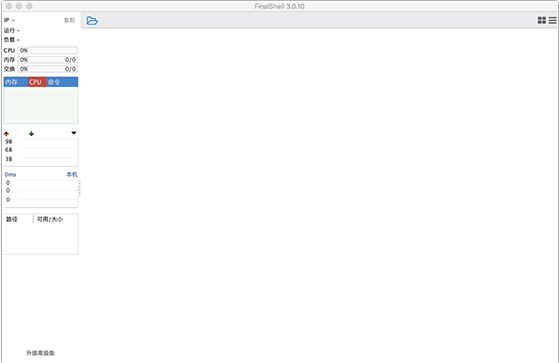
FinalShell for macFunction introduction
Multi-platform support Windows, macOS, Linux
Multi-label, batch server management
Supports login via ssh and Windows remote desktop
Beautiful smooth font display, more than 100 built-in color schemes
Terminal Sftp displays on the same screen and switches directories synchronously
Automatic prompts for commands, intelligent matching, faster and more convenient input
FinalShell for macSoftware features
sftp support, through various optimization technologies, faster loading, switching, and opening directories without waiting
Server network, real-time performance monitoring, no need to install server plug-ins
Bilateral acceleration function greatly improves the speed of accessing the server
Memory, Cpu performance monitoring, Ping delay packet loss, Trace routing monitoring
Real-time hard disk monitoring, process manager
Quick command panel, which can display dozens of commands at the same time
FinalShell for macSoftware advantages
Built-in text editor, supports syntax highlighting, code folding, search, and replace
Both ssh and remote desktop support proxy servers
Packaging and transmission, automatic compression and decompression
Support rz, sz (zmodem)
Multi-location ping monitoring
Command input box, supports auto-completion, command history
Customized command parameter function, which can dynamically generate commands based on input parameters
FinalShell for macHow to use
1. Double-click FinalShell to run, a dialog box will pop up asking you to enter your password, and Java support will be automatically called. After the software is opened, add an SSH connection.
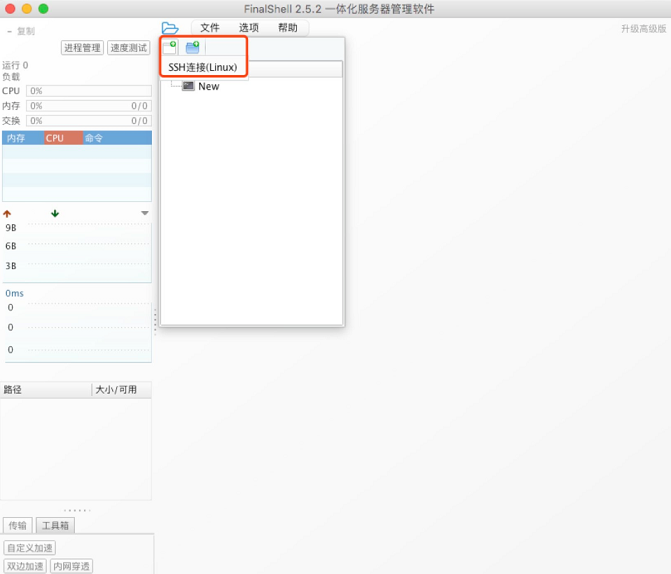
2. A new window will pop up here. I want to remind everyone to check the ports open for SSH connection on your VPS. Not everyone uses port 22, so it may not be able to connect.
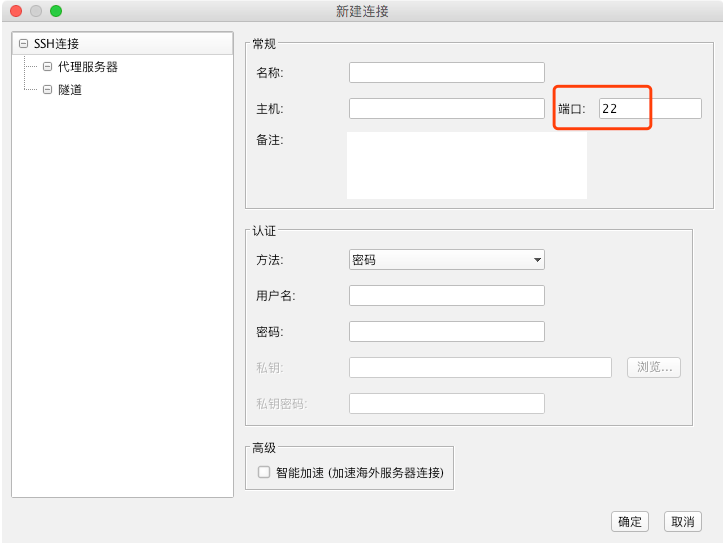
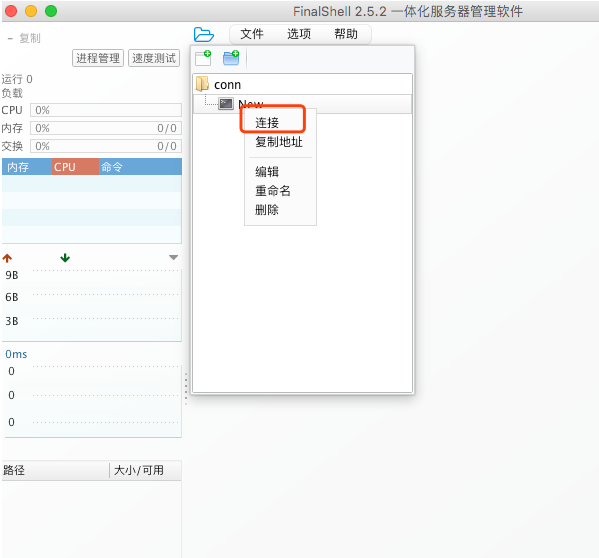
3. After everything is configured, just click OK. I will create a new connection with the name New here. Right click on it and connect
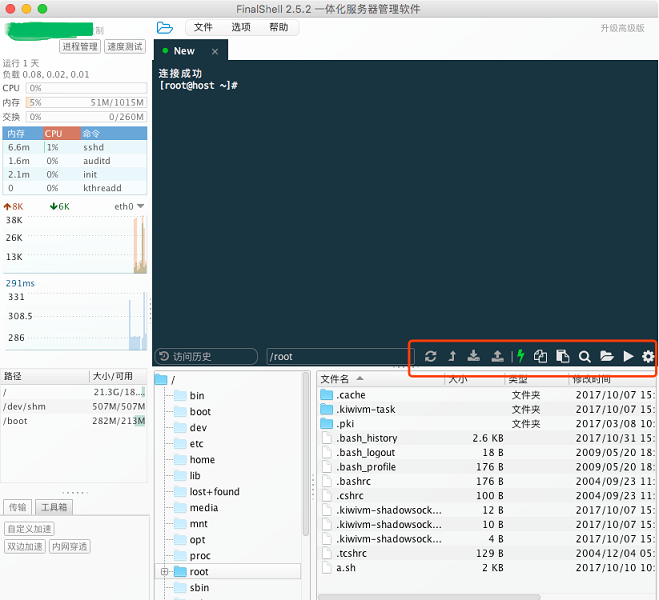
4. The interface after the connection is successful is as follows. The red box is that the software itself also integrates some FTP functions, and you can simply upload some of your files.
FinalShell for macChange log
Fix the problem of invalid clipboard in linux
Fix multiple bugs, optimize mac, linux adaptation
Huajun editor recommends:
FinalShell for mac is a software that is completely fool-proof and super simple to operate. In addition, the editor also recommends it.Google Chrome,windmill signature,Course opening cloud,PCSuite-Mobile Assistant,GreenTurtle Alibaba Cloud IoT AssistantDownload and use related software.




Useful
Useful
Useful