




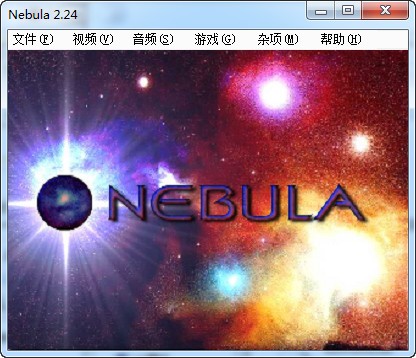
nebula emulatorSoftware introduction
The Nebula simulator is a professional arcade game simulator that can perfectly support CPS-1, CPS-2, NEOGEO, IGS, Konami and other series of games. It supports the setting of game parameters, such as video, audio, etc. With it, you can easily play classic PGM games such as War of the Three Kingdoms, Proud Sword and Mad Sword, Let's Come to Kick, Xingyiquan, and Journey to the West on your computer.
nebula emulatorBasic controls
F3=Reset game
F10=Save progress
F11=Loading progress
Tab=Screen menu
Pause=Pause the game
1=1P starts
2=1P coin
W/S/A/D/=↑/↓/←/→
J/K/U/I=A/B/C/D
O=B+C
L=A+B+C+D
nebula emulatorInstallation instructions
1. Download and unzip
2. Run Nebula229EX.exe to start the emulator and load the game
nebula emulatorInstructions for use
1. First load the Bios in the list, press the Tab key in the boot screen, and select CD Options and Select ISO in sequence. Image, reads the CUE format or ISO format image file in the directory where the game is located (it is recommended to load ISO files, because loading CUE files is sometimes one of the best arcade emulators. It is recommended that NEOGEOCD use this emulator, which perfectly supports NEO·GEO+NEO·GEO CD+IGS+CPS1+CPS2+KONAMI games.
2. How to read NeoGeo CD games: First load the Bios in the list, press the Tab key on the boot screen, and select CD Options and Select ISO in sequence. Image, reads the CUE format or ISO format image file in the directory where the game is located (it is recommended to load the ISO file, as errors may occur when loading the CUE file). After loading, press Esc twice to exit the main menu, and press the start key (default is 1) to enter the game.
nebula emulatorFAQ
Question: How does the Nebula simulator run NeoGeo or IGS games?
Answer: You need the bios of NeoGeo and IGS, which need to be placed in the rom folder.
Question: Why is my Nebula simulator not in Chinese?
Answer: If the language of the game file itself is non-Chinese, there is no other way to solve this problem. If the simulator's operating interface is in non-Chinese, you can select the language under the penultimate menu of the main interface to switch to other languages.
Question: How to adjust the game screen?
Answer: Resolution:: Video→Full screen mode→Resolution→600*480. Image enhancement: video → full screen mode → image enhancement → 2xSAI (smooth scan). This display method is already very good. If your machine is powerful enough, try other methods, and you may get amazing performance. If the game is running slowly, try Hardware Blit (works on 32 bpp) (hardware acceleration (applicable to 32-bit color depth)) mode, if it is still very slow, speed it up "Simulate → Quick Mode", if it's still very slow, borrow a hammer.
nebula emulator update log
1. Optimized some functions
2. Solved many unbearable bugs
Huajun editor recommends:
Nebula simulator This software was personally tested by the editor. The various functions are very simple and easy to operate. Even a new user like the editor can quickly master it. Big praise! There are similar software on this siteSuper God Assistant Simulator,Yiwan assistant,Blu-ray emulator,Tiantian Android emulator,MEmu Android Emulator, recommend everyone to download!













Useful
Useful
Useful