





Play more emulatorsSoftware features
1. The application market and simulator are perfectly synchronized and interoperable
2. Lightweight, stable and fast
3. Comprehensive auxiliary functions
4. Carefully customized buttons, you can enjoy them without setting up
Play more emulatorsInstallation steps
1. Double-click to open the downloaded .exe file and click Quick Install

2. Choose the appropriate installation location according to your needs
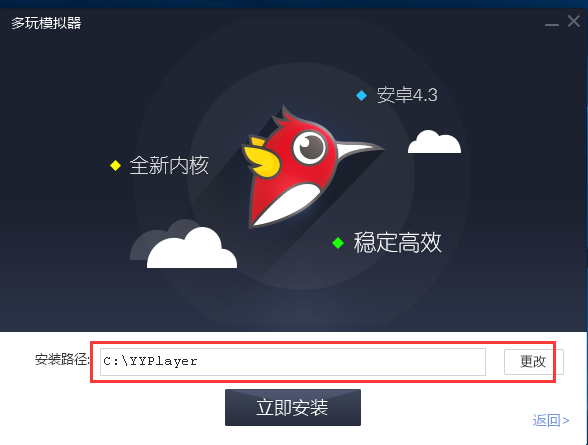
3. The installation does not take long, just wait patiently.

4. Installation completed

Play more emulatorsTips
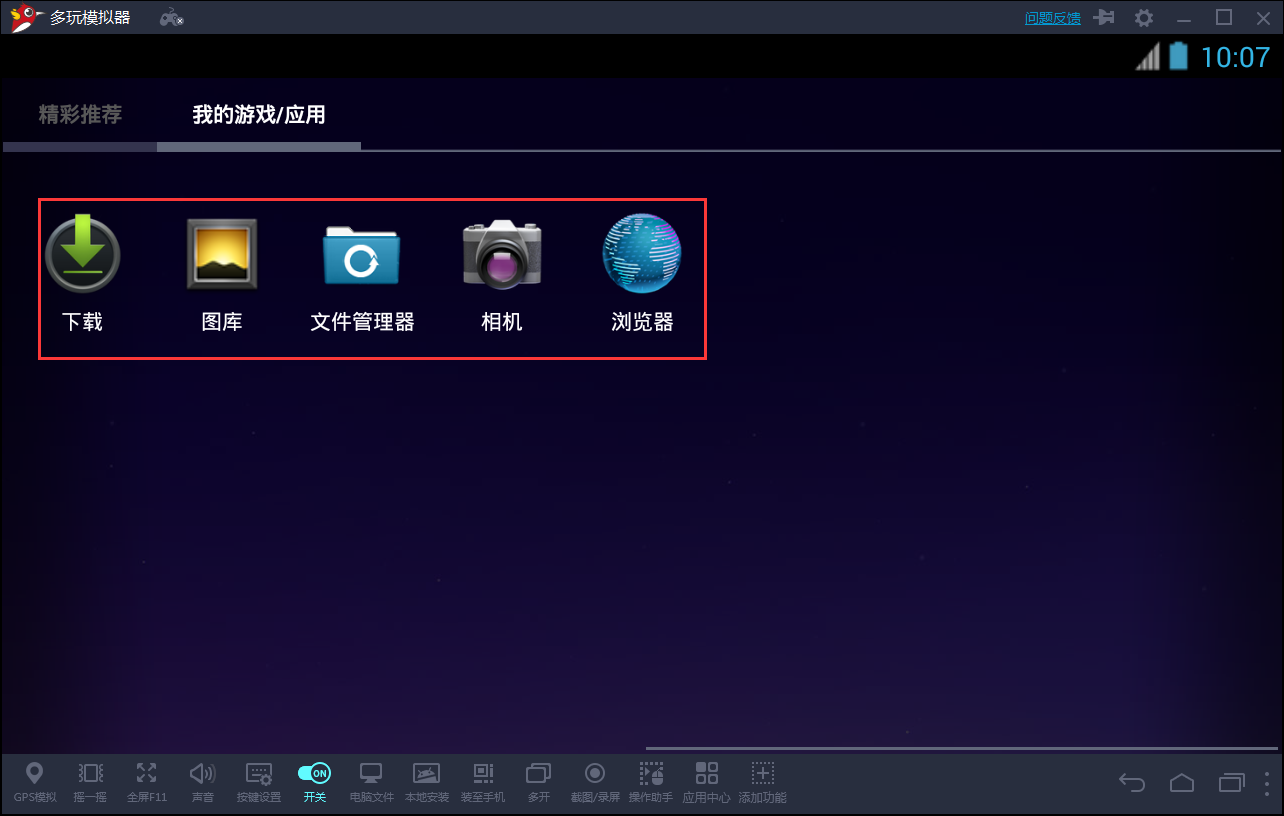
1. Double-click to open the installed software, click on your own games and applications
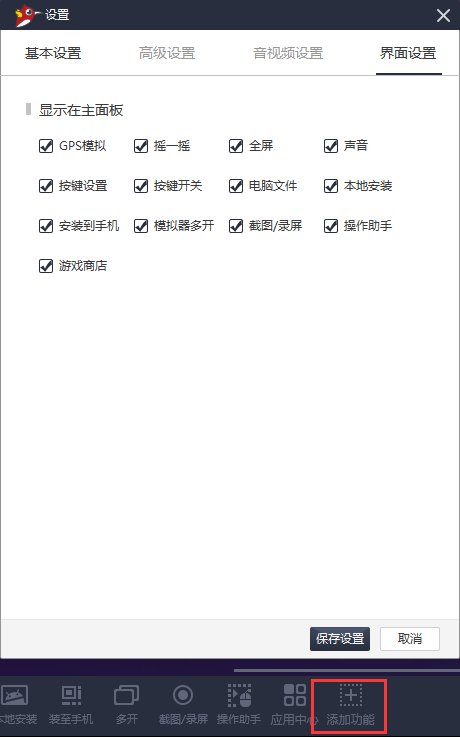
2. Click to add functions. Users can Tianji some applications they need.
Play more emulatorsFAQ
Question: How to solve the problem of lag when playing multiple emulators?
1. The computer configuration is not enough, causing the emulator to freeze. It is recommended to improve the computer configuration, or change to an emulator that has low computer requirements, such as the Ye Shen and Blue Stack simulators;
2. The simulator is not stable enough and often freezes; it is recommended to change to a better compatible simulator, such as Yeshen and Reliable;
3. If a certain game freezes but others are OK, try changing the game, or downloading the game from the emulator's application center. It may be much better.
Duowan emulator update log
1.Fix some bugs
2. Optimized some functions
Huajun editor recommends:
The editor of Duowan Simulator personally tested this software. Various functions are very simple and easy to operate. Even a new user like the editor can quickly master it. Big praise! There are similar software on this siteSuper God Assistant Simulator,51 simulator classic low-end version,Blu-ray emulator,Tiantian Android emulator,MEmu Android Emulator, recommend everyone to download!













Useful
Useful
Useful