





- Green versionView
- Green versionView
- Green versionView
- Green versionView

Wukong browser PC versionSoftware description
The browser is designed with "refreshing and efficient" as its design concept, and uses advanced kernel technology and GPU-accelerated rendering to achieve a "second-to-open" web page experience. The interface is simple and intuitive, supports multi-language switching (including 10 languages including Chinese, English, Japanese, and Korean), and accurately pushes hot news, free novels, and short video content through the ByteDance algorithm. Its core advantage is that it is "lightweight without simplification", the installation package is small in size and memory usage is low, and old devices can run smoothly.

Wukong browser PC versionSoftware function
Basic browsing tools: multi-tab management (supports mute and fixed), smart search (including voice input and association), download management (compatible with MP4/FLV format).
Content aggregation platform: Integrate real-time hot spots, original film and television works, and short video resources, and provide “selected websites” navigation to reach popular sites.
Efficiency enhancement features: plug-in extension center (supports ad blocking, translation tools), custom shortcut keys, cloud synchronization (bookmarks/favorites synchronized across devices).
Privacy and security protection: Incognito browsing mode (no history and form data recorded), encryption technology to ensure data security.
Designed for healthy use: night mode, eye-protecting color temperature adjustment, reducing visual fatigue caused by long-term browsing.
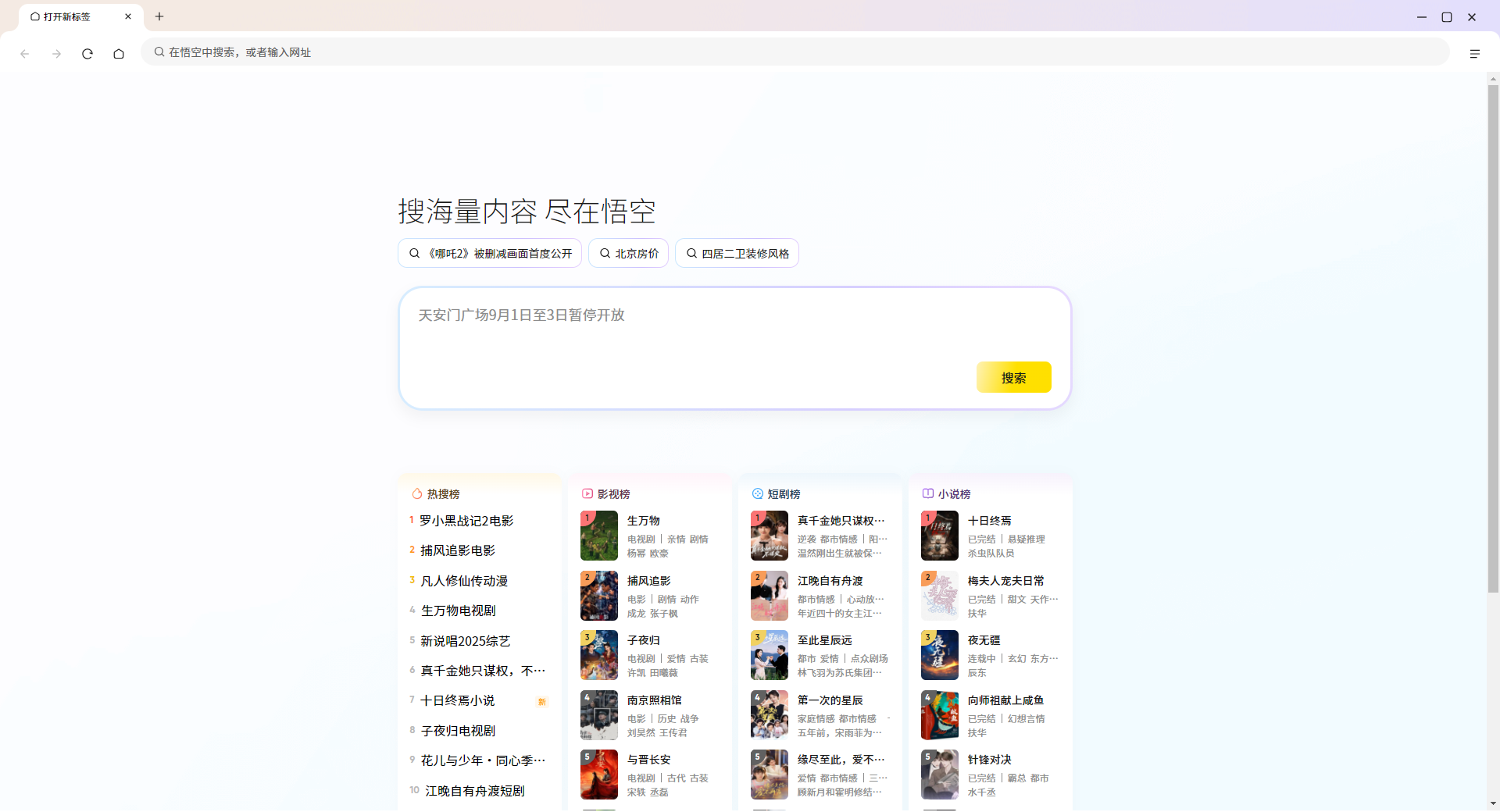
Wukong browser PC versionSoftware features
Lightweight and efficient: The installation package is small in size and memory usage is low. Combined with intelligent preloading technology, web page loading speed is increased by more than 30% compared to traditional browsers.
Advertising purification experience: Built-in intelligent filtering engine automatically blocks pop-ups, banner ads and video pre-rolls.
Cross-scenario adaptation: Supports Xbox cloud gaming function, can directly play 3A masterpieces, and provides developer tools (code review, network monitoring) to meet professional needs.
Personalized customization: Everything from the interface appearance to the functional modules can be customized, and the recommended content preferences can be adjusted according to browsing habits.
Wukong browser PC versionSoftware usage features
Convenient operation: It supports voice search, one-click video download and quick switching of incognito mode, and the shortcut key customization function adapts to different operating habits.
Performance optimization: Reduce lag through memory management technology, and maintain a stable frame rate even on high-resolution screens.
Content linkage: Relying on the ByteDance ecosystem, browsing data is partially interconnected with the mobile terminal to achieve a seamless experience of "watch half of the content on mobile phone and continue watching on computer".
Wukong Browser PC version installation steps
1. Download the Wukong Browser PC version installation package from this site.
2. Follow the prompts to select the installation address.
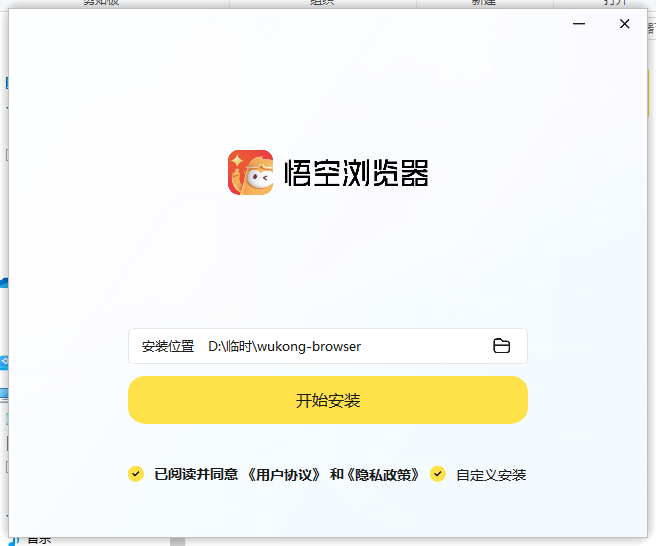
3. Wait for the installation to complete.

4. It can be used after the installation is completed.

Wukong browser update log:
1. Fixed other bugs;
2. Optimized software compatibility.
Huajun editor recommends:
Wukong Browser is very simple to install, has powerful functions, and has no installation garbage. It is specially recommended to everyone, and everyone is welcome to download it! This site also hasFirefox,Google Chrome,GooSeeker browser,Google Chrome,Maxthon Cloud Browser, available for you to download!




Useful
Useful
Useful