




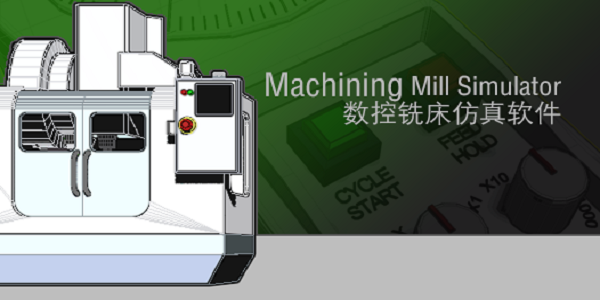
Machining CNC lathe simulation software software functions
Processing and operation full environment simulation:
- Detect the collision between the tool and the workpiece in real time during processing and generate an alarm, and over-travel alarm for each axis of the machine tool
- Machine tool processing sound effect simulation
- Machine Tool Coolant Simulation
- Display of three-dimensional tool path
- Real-time cutting and chip simulation of 3D workpieces
Whole process simulation of machine tool operation:
- CNC program automatic, MDI manual input, manual, editing and other operating modes
- Machine tool processing sound effect simulation
- Blank definition, reference tool setting, edge finder tool setting, tool installation, machine tool programming and manual operation
- Blank selection, including cylindrical blanks and cubic blanks
- The interpolation operations supported include arc interpolation and linear interpolation
CNC program processing:
- CNC machining G-Code analysis and validity test
- Supports importing CNC machining codes generated by other software
The supported CNC machining center machining tools are:
-Drills, boring tools, ball nose cutters, end mills, face milling cutters
Machining CNC lathe simulation software software features
Whole process simulation of machine tool operation:
CNC program automatic, MDI manual input, manual, editing and other operating modes
: back for the benchmark tool setting, edge finder tool setting, tool installation, machine tool programming and manual operation
Setting of system parameters such as tool compensation and coordinate system settings
Blank selection, including cylindrical blanks and cubic blanks
The interpolation operations supported include arc interpolation and linear interpolation
Processing and operation full environment simulation:
During processing, the collision detection between the tool and the workpiece is carried out in real time and an alarm is generated, and the overtravel alarm of each axis of the machine tool is
Machine tool coolant simulation
Real-time cutting and chip simulation of 3D workpieces
Display of three-dimensional tool path
Machine tool processing sound effect simulation
CNC program processing:
CNC machining G-Code analysis and validity inspection
Supports the import of CNC machining codes generated by other software
The supported CNC machining center machining tools are:
Drill bits, boring tools, ball nose cutters, end mills, face milling cutters
Machining CNC lathe simulation software installation steps
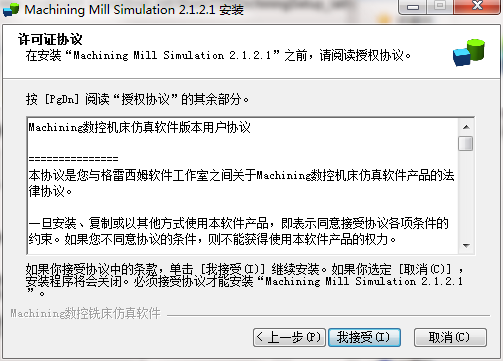
1. Download the Machining CNC lathe simulation software from Huajun Software Park and extract it to the current folder. Click on the Machining2.1.1.9.exe application to enter the license agreement interface. Click I accept.
2. Select the software installation location interface. Huajun editor recommends that users install it on the D drive, select the installation location and click Next.
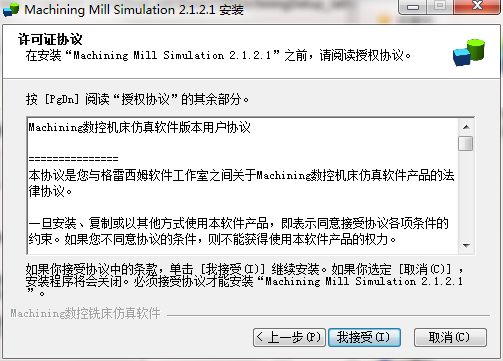
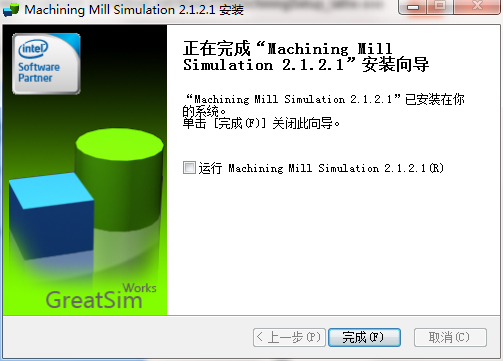
3. The installation of Machining CNC lathe simulation software is completed, click Finish.
Frequently asked questions about Machining CNC lathe simulation software
Question: What are the precautions for machining CNC lathe simulation software?
Answer: 1. Do not omit parameters in the first command after using tool offset.
2. The tool path display function is represented by a red line. If you want to display the tool, you must turn off this function.
3. Try not to refresh the screen while the code is running, otherwise it may affect the processing of the workpiece.
4. During manual jogging, if the mouse moves away from the button area when releasing the button, the tool holder will not be able to stop.
5. The custom tool function is still in the testing stage, so the function is not yet complete, please forgive me.
6. There cannot be a blank line between each line of code, otherwise the code after the blank line will not be executed.
7. If unknown syntax error warnings appear frequently, please restart the computer.
Question: How to uninstall Machining CNC lathe simulation software?
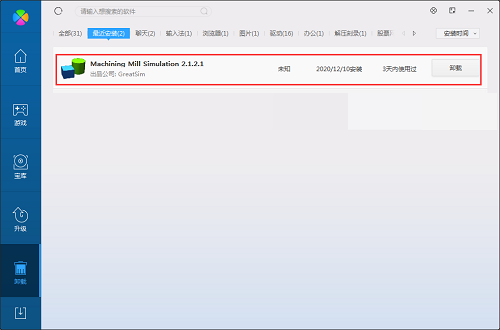
Answer: Method 1: Install and open the computer manager software, select the software management option, click the uninstall option, find the Machining CNC lathe simulation software in the list, and click uninstall
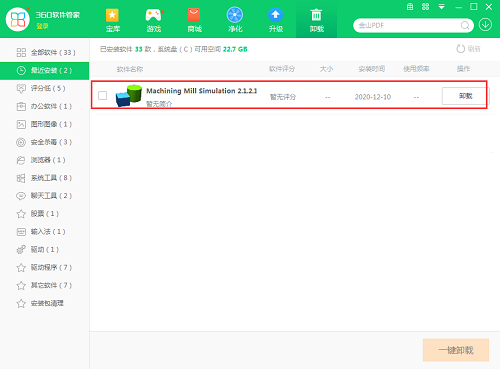
Method 2: Install and open360 software manager, find the Machining CNC lathe simulation software in the list of uninstall options, and click to uninstall.
Comparison of similar software
Siwa CNC simulation softwareIt is a CNC simulation software that is automatically downloaded and updated for free, developed by combining the actual processing and manufacturing experience of machine tool manufacturers and teaching and training in universities. Through SW CNC simulation software, students and operators can achieve the purpose of physical operation training, and can greatly reduce expensive equipment investment.
Cimatron CNC programming softwareThe latest version is a mold design tool often used by hardware mold manufacturers. The official version of Cimatron CNC programming software supports all current industry standard data information formats, including IGES, VDA, DXF, STL, Step, RD-PTC, CATIA, DWG, etc. Cimatron CNC programming software can also shorten mold design time by 70%, reduce mold costs by 16%, shorten injection molding cycles by 14%, and improve product quality overall.
Machining CNC lathe simulation software update log
1. Modify the problem of only recognizing END1 but not END01.
2. Modify the problem that IF GOTO cannot exit if it is nested in WHILE
3. Add an error message when END does not have a serial number
4. Modify the positive and negative feed directions of the handwheel
5. Cancel G75 repeated tool path
6. The error path caused by calling G54-G59 in the program segment after modifying Txxxx
7. It is forbidden to quickly locate problems when changing tools
8. Modify end turning tool collision detection
Huajun editor recommends:
Machining provides a real virtual environment for CNC operations, which can reduce risks such as accidents and machine tool losses during practical training. Word-of-mouth software, guaranteed to solve all your problems! The editor highly recommends it! If you are interested, you can download it!




Useful
Useful
Useful