





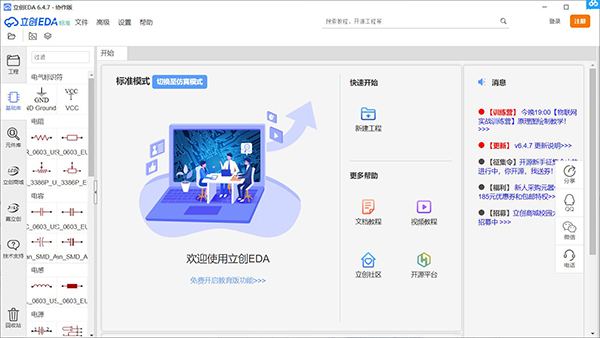
Introduction to Lichuang EDA software
Lichuang EDA is a powerful browser-based EDA (Electronics Design Automation: Electronic Design Automation) tool, started in 2010, was completely independently developed by Chinese people and has independent intellectual property rights. It is now an important department of Lichuang Mall. Lichuang EDA serves the majority of electronic engineers, educators, students, electronic manufacturers and enthusiasts. Committed to small and medium-sized schematic diagrams, circuit diagram drawing, simulation, PCB design and providing manufacturing convenience.
Lichuang EDA does not require the installation of any software or plug-ins. Easy EDA can be opened in any web browser that supports HTML5 and is compatible with standards. Please give priority to using the latest versions of Chrome and FireFox browsers. EDA will not adapt to other browsers for the time being.
Lichuang EDA software functions
1. Powerful circuit design functions
1. Schematic drawing
Draw schematics quickly and conveniently, and share your works easily
2. PCB design
Multi-layer boards and thousands of pads can still run quickly and the wiring is smooth and easy
3. Circuit simulation
Integrating a large number of simulation models, simulation before on-site debugging can save your time and R&D funds
4. PCB import file
Can import Eagle, Altium Designer, Kicad, LTspice design files and library files
2. Hardware design has never been so simple
1. Collaborative development
Invite partners to collaborate on engineering design
2. Circuit open source
Commonly used circuit open source modules developed jointly by the wisdom of thousands of electronic engineers, module reuse
3. Jointly build packaging library
More than 300,000 real-time updated components have been created, and you can also import your own commonly used package libraries
4. Sharing circuit
把你的设计分享给小伙伴,在论坛中讨论电路也就变得简单
5. Ultimate cloud development
No matter when and where, whether it is Windows, Linux, MAC or tablet, open the browser and log in to your exclusive account to enter the work mode and draw your innovative inspiration in the project.
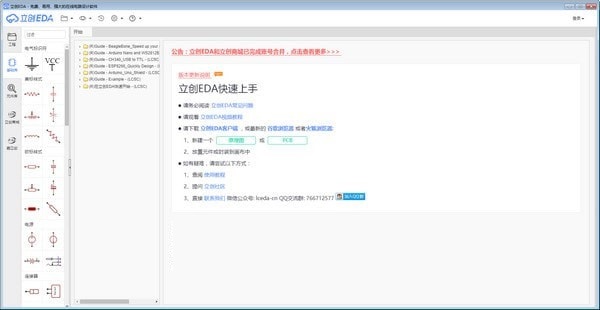
Features of Lichuang EDA software
1. The design interface of this software is in Chinese, which is more in line with the habits of domestic users.
2. It has multiple tutorials. You can view the official tutorials by starting the software.
3. Provide multiple line drawing tools to make it easier to connect components.
4. Supports the insertion of multiple components, and components can be added in the software.
5. Support wire addition, easily add wires to your schematic diagram.
6. There are many tools for designing circuits, and there are also many drawing tools.
7. Supports exporting BOM, and the designed content can be exported as BOM.
8. The easyeda source code can also be displayed in the software.
Lichuang EDA installation steps
1. Download the latest version of Lichuang EDA installation package from Huajun Software Park, double-click the exe program
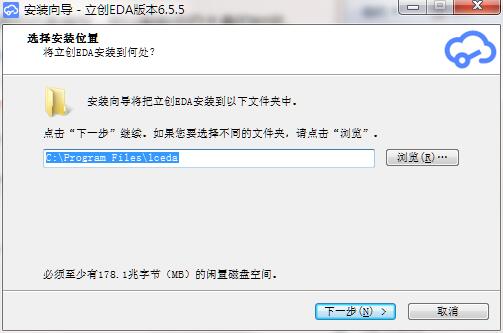
2. Enter the installation wizard, click "Browse" to select the installation folder. Generally, it is installed on the C drive of the computer by default. It is recommended to install on the D drive. Click Next.
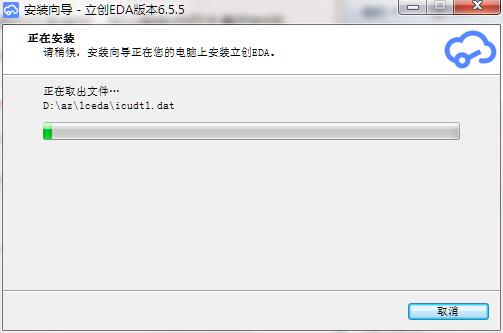
3. The software is being installed, please wait patiently.
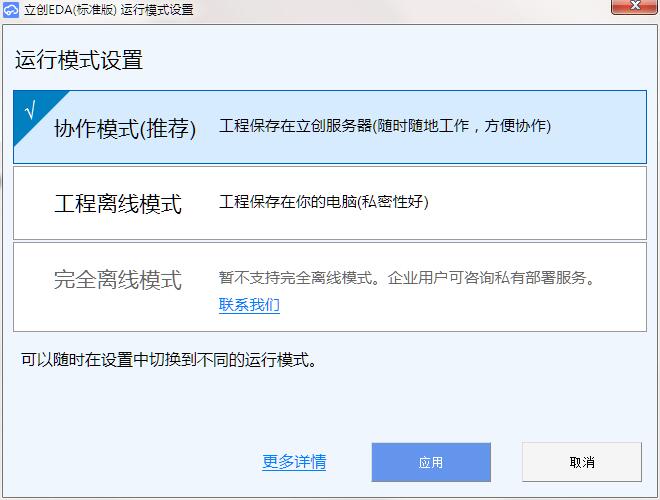
4. The installation of Lichuang EDA is completed, select the required operating mode and click Apply
Lichuang EDA update log
1. Optimized some functions
2. Solved many unbearable bugs
Huajun editor recommends:
Lichuang EDA has always been a commonly used mechanical and electronic software for most friends. It has such a dominant position in the minds of netizens. The editor of Huajun Software Park recommends users to download Lichuang EDA and use it. Come and download it. In addition, there areCruzr,FastCAM automatic programming nesting software,Material weight calculation,Green apple weighing software,Machining process quota calculatorAvailable for download.




Useful
Useful
Useful