





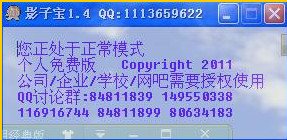
Shadow treasure software functions
[Shadow Treasure] The real name is [Completely free shadow system software] Free, compact, simple to use, but full-featured shadow system protection software. Suitable for Internet cafes/personal/enterprise/information security computers, It is an indispensable online tool for your daily work study and training. Applicable to 2000/XP/2003/Vista32/win7 and other systems.
Shadow treasure software functions
1: All shadow mode, this mode will protect all your hard drives and automatically restore all hard drives after restarting the system
2: C drive shadow mode, this mode only protects your C drive, and automatically restores the C drive after restarting the system
3: Normal mode, this mode will not protect you. In this mode, you can uninstall the software or perform system upgrades and modifications.
Shadow treasure installation steps
1. Download the installation package of the official version of Shadow Treasure from Huajun Software Park. After unzipping, double-click the exe program to enter the installation wizard and click Next
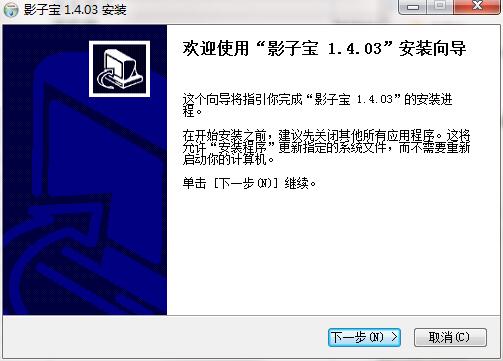
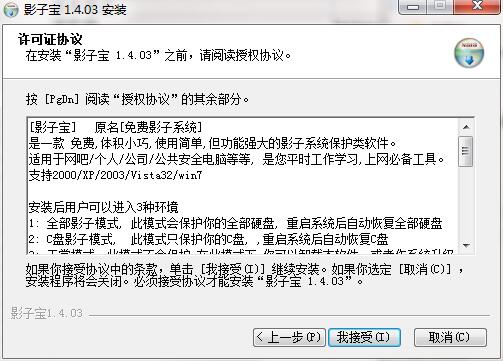
2. Read the license agreement and click I accept
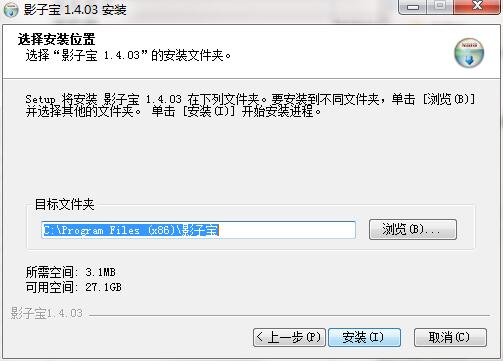
3. Click "Browse" to select the installation folder. Generally, it is installed on the C drive of the computer by default. It is recommended to install on the D drive. Click Install.
4. The software is being installed, please wait patiently.
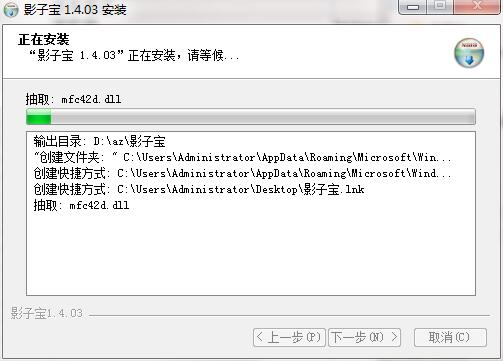
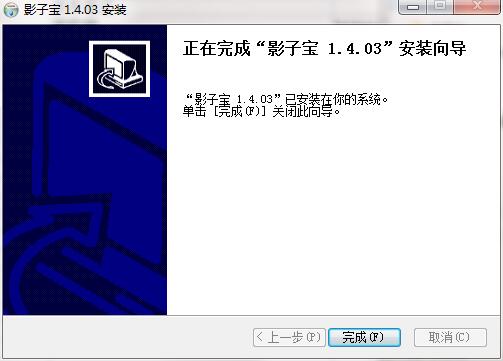
5. The installation of Shadow Treasure is completed, click Finish to exit the installation wizard
Shadow treasure update log
1. Optimized some functions
2. Solved many unbearable bugs
Huajun editor recommends:
Of course, in addition to a very convenient backup software such as Shadow Treasure, our Huajun Software Park also hasOne-click system restore,Ghost,Ghost Elf,U disk data recovery master,Seewo one-click recovery toolRelated software is available for download. If you need it, please click to download and use it.







Useful
Useful
Useful