





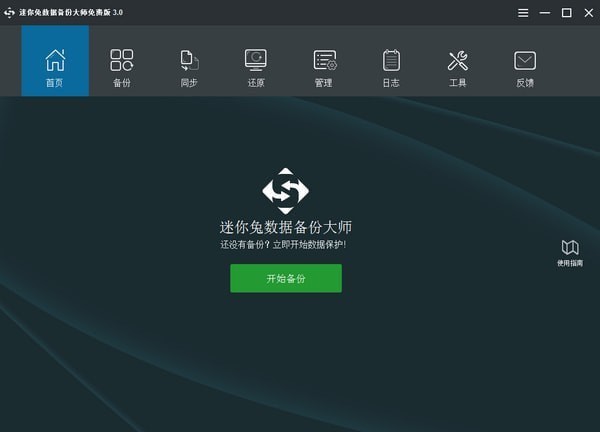
MiniTool ShadowMaker Pro software introduction
MiniTool ShadowMaker Pro can also use it for bare-metal and cross-machine restores. It also provides WinPE bootable media creation, added password protection and AES encryption functions. It is the best professional tool for you to prevent data loss and maintain hard disks. Professional backup! It allows users to have more backup plan choices, can help users restore data in various situations where system crashes and files are lost, and can also clone disks.
Features of MiniTool ShadowMaker Pro software
Quickly back up files and folders, systems and hard drives.
Image restoration
Bare metal and universal restore, restore the system from the system image without reinstalling the system.
WinPE bootable media
Create a bootable media based on the preinstallation environment.
Disk/partition cloning
Create an identical copy of the source disk or partition to the target disk or sector partition.
MiniTool ShadowMaker Pro software functions
Change data encryption method
MiniTool ShadowMaker not only provides password protection for your image files, but also provides two data encryption methods to protect image backup files.
Disk/partition backup
When many important files are saved in the same location, it is best to create a disk/partition backup image in this situation.
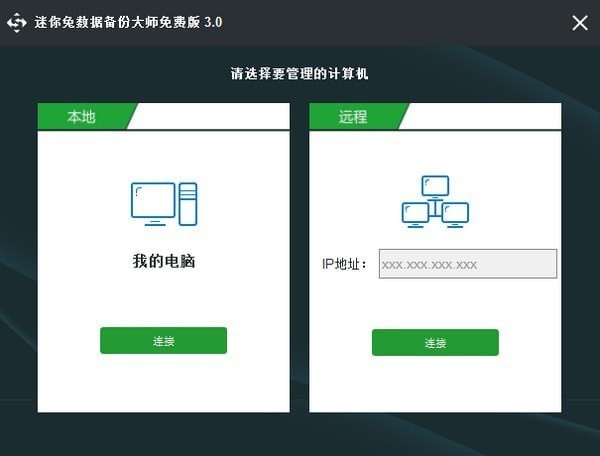
Manage remote computers
You can easily control and perform data protection tasks on your own computer by entering the computer's IP address on the same LAN.
Change backup scheme
After enabling the backup scheme, MiniTool ShadowMaker will perform full/incremental/differential backup tasks and manage disk space by deleting old backup image file versions.
System backup
The operating system may crash due to severe virus intrusion or unstable Windows updates. Regular system backups keep your PC running after restoration.
Customized backup plan
Customized backup plan. For example, set the software to back up daily, weekly, monthly, or when the user logs in or out of the operating system.
Universal Restore
If you want to restore a Windows system image to a computer with a different processor, motherboard, or chipset, Universal Restore ensures a successful boot.
File/folder backup
For those who care deeply about certain files or folders, file backup is definitely the best way to keep them safe.
Network startup
Set the client PC to boot from the same network. Once launched, all client PCs can be backed up and restored without installing MiniTool ShadowMaker.
MiniTool ShadowMaker Pro update log
1. The pace of optimization never stops!
2. More little surprises are waiting for you to discover~
Huajun editor recommends:
The editor guarantees that as long as you use MiniTool ShadowMaker Pro, if you don't like it, come and hit me! The editor has also prepared for youOne-click system restore,Ghost,Ghost Elf,U disk data recovery master,Seewo one-click recovery tool




Useful
Useful
Useful