
If you are looking for software to use, go to Huajun Software Park! software release AI product list

Hello, if there is a need for software inclusion, please package the software and attach the software name, software introduction, software-related screenshots, software icon, soft copy, business license (if you do not have a business license, please provide the front and back of the corresponding developer ID card and a photo of yourself holding the ID card), and send it to email http://softwaredownload4.com/sbdm/user/login

Close >>

Send to email:news@onlinedown.net

Close >>

Location: Home pageAndroid softwareApplicationsystem tools China Telecom

99.71%

0.29%
QR code

Scan the QR code to access the mobile version

Permissions: View

The following important permissions need to be called
uses-permission:'android.permission.READ_MEDIA_IMAGES'
uses-permission:'android.permission.DETECT_SCREEN_CAPTURE'
uses-permission:'android.permission.QUERY_ALL_PACKAGES'
uses-permission:'android.permission.POST_NOTIFICATIONS'
uses-permission:'android.permission.ACCESS_COARSE_LOCATION', allows the program to obtain the user's erroneous latitude and longitude information through WiFi or mobile base stations
uses-permission:'android.permission.ACCESS_WIFI_STATE', allows the program to obtain the current WiFi access status and WLAN hotspot information
uses-permission:'android.permission.INTERNET', allows the program to access the network connection, which may generate GPRS traffic
uses-permission:'android.permission.ACCESS_NETWORK_STATE', allows the program to obtain network information status, such as whether the current network connection is valid
uses-permission:'android.permission.REORDER_TASKS', allows the program to reorder the running tasks of the system Z axis
uses-permission:'android.permission.WRITE_EXTERNAL_STORAGE', allows the program to write to external storage, such as writing files on the SD card
uses-permission:'android.permission.READ_EXTERNAL_STORAGE', the program can read files in the device's external storage space (built-in SDcard and external SDCard)
uses-permission:'com.android.launcher.permission.READ_SETTINGS'
uses-permission:'com.android.launcher.permission.INSTALL_SHORTCUT', create a shortcut
uses-permission:'com.android.launcher.permission.UNINSTALL_SHORTCUT', delete shortcuts
uses-permission:'com.htc.launcher.permission.READ_SETTINGS'
uses-permission:'android.permission.READ_CONTACTS', allows the program to access contact address book information
uses-permission:'android.permission.WRITE_CONTACTS', writes contacts but cannot read them
uses-permission:'android.permission.CAMERA', allows the program to access the camera to take pictures
uses-permission:'android.permission.REQUEST_INSTALL_PACKAGES', allows access to installed applications from unknown sources
uses-permission:'android.permission.SYSTEM_OVERLAY_WINDOW'
uses-permission:'android.permission.MANAGE_ACCOUNTS', allows the program to manage the account list in AccountManager
uses-permission:'android.permission.ACCESS_FINE_LOCATION', allows the program to receive satellite positioning information through the GPS chip
uses-permission:'android.permission.CHANGE_NETWORK_STATE', allows the program to change the network status, such as whether it is connected to the Internet
uses-permission:'android.permission.GET_ACCOUNTS', allows the program to access the account Gmail list
uses-permission:'android.permission.VIBRATE', allows the program to vibrate
uses-permission:'com.ct.client.permission.JPUSH_MESSAGE'
uses-permission:'android.permission.RECEIVE_USER_PRESENT'
uses-permission:'android.permission.RECORD_AUDIO', allows the program to record sound through the microphone of the phone or headset
uses-permission:'com.ct.client.permission.MIPUSH_RECEIVE'
uses-permission:'com.coloros.mcs.permission.RECIEVE_MCS_MESSAGE'
uses-permission:'com.heytap.mcs.permission.RECIEVE_MCS_MESSAGE'
uses-permission:'com.huawei.android.launcher.permission.CHANGE_BADGE'
uses-permission:'com.android.launcher2.permission.READ_SETTINGS'
uses-permission:'com.android.launcher3.permission.READ_SETTINGS'
uses-permission:'com.ct.client.manual.dump'
uses-permission:'com.ct.client.matrix.permission.PROCESS_SUPERVISOR'
uses-permission:'android.permission.SYSTEM_ALERT_WINDOW', allows the program to display the system window
uses-permission:'android.permission.BLUETOOTH', allows the program to connect to paired Bluetooth devices
uses-permission:'android.permission.MODIFY_AUDIO_SETTINGS', allows the program to modify the sound setting information
uses-permission:'android.permission.CHANGE_WIFI_STATE', allows the program to change the WiFi state
uses-permission:'android.permission.FOREGROUND_SERVICE'
uses-permission:'android.permission.WAKE_LOCK', allows the background process to still run after the phone screen is turned off
uses-permission:'android.permission.NEARBY_WIFI_DEVICES'
uses-permission:'android.permission.BLUETOOTH_ADMIN', allows the program to discover and pair new Bluetooth devices
uses-permission:'android.permission.BLUETOOTH_SCAN'
uses-permission:'android.permission.BLUETOOTH_CONNECT'
uses-permission:'android.permission.BLUETOOTH_ADVERTISE'
uses-permission:'android.permission.WRITE_SETTINGS', allows the program to read or write system settings
uses-permission:'com.sec.android.provider.badge.permission.READ'
uses-permission:'com.sec.android.provider.badge.permission.WRITE'
uses-permission:'com.htc.launcher.permission.UPDATE_SHORTCUT'
uses-permission:'com.sonyericsson.home.permission.BROADCAST_BADGE'
uses-permission:'com.sonymobile.home.permission.PROVIDER_INSERT_BADGE'
uses-permission:'com.anddoes.launcher.permission.UPDATE_COUNT'
uses-permission:'com.majeur.launcher.permission.UPDATE_BADGE'
uses-permission:'com.huawei.android.launcher.permission.READ_SETTINGS'
uses-permission:'com.huawei.android.launcher.permission.WRITE_SETTINGS'
uses-permission:'android.permission.READ_APP_BADGE'
uses-permission:'com.oppo.launcher.permission.READ_SETTINGS'
uses-permission:'com.oppo.launcher.permission.WRITE_SETTINGS'
uses-permission:'me.everything.badger.permission.BADGE_COUNT_READ'
uses-permission:'me.everything.badger.permission.BADGE_COUNT_WRITE'
uses-permission:'com.ct.client.DYNAMIC_RECEIVER_NOT_EXPORTED_PERMISSION'
uses-permission:'com.ct.client.permission.PROCESS_PUSH_MSG'
uses-permission:'com.ct.client.permission.PUSH_PROVIDER'
uses-permission:'com.meizu.flyme.permission.PUSH'
uses-permission:'com.meizu.flyme.push.permission.RECEIVE'
uses-permission:'com.ct.client.push.permission.MESSAGE'
uses-permission:'com.meizu.c2dm.permission.RECEIVE'
uses-permission:'com.ct.client.permission.C2D_MESSAGE'
uses-permission:'android.permission.MOUNT_UNMOUNT_FILESYSTEMS', allows the program to mount and unmount external file systems
uses-permission:'andorid.permission.CHANGE_CONFIGURATION'
uses-permission:'android.permission.FLASHLIGHT', allows access to flash

China Telecom 12.0.0

Special area
Software size:145.5MB
software language:Simplified Chinese
Software rating:
Software type:Domestic software
Software licensing:free software
Update time:2025-05-19
Application platform:Android
Software classification:system tools
version:12.0.0
Registration number:Beijing ICP No. 12007914-5A
Software vendor:China Telecom Co., Ltd. Omni-channel Operation Center

Software introduction Related topics FAQ Other versions Download address

Basic introduction
China Telecom segment first LOGO
China TelecomThe Palm Business Hall is aSmartfor mobile phone usersSelf-serviceService software. With automatic recognitiontelecommunicationsUser identity function, no input requiredAccount numberYou can log in with your password; the thoughtful and concise interface design makes the information clear at a glance, making the operation more convenient and faster; and it also collects discountsPromotion, self-serviceQuery, recharge and payment, playing with 3G, business processing, help and support, etc. 6 most commonly usedtelecommunicationsThe service function allows you to check, do whatever you want, recharge whenever you want, play whenever you want, and enjoy the convenient service of one-click processing anytime and anywhere. Huajun Software Park provides you with the latest version of China Telecom’s mobile business hall to download. Friends in need should download it quickly!

Screenshot of China Telecom

inChina Telecom Mobile Business HallOfficial introduction


China Telecom’s mobile business hall is China Telecom Group’s [official] only designated mobile phone store.InternetThe user's self-service client allows you to query and handle various services anytime and anywhere. Download Telecom immediately.Business hall, master the latest promotions and enjoy the most thoughtful telecommunications services!

inChina Telecom Mobile Business HallFeatures


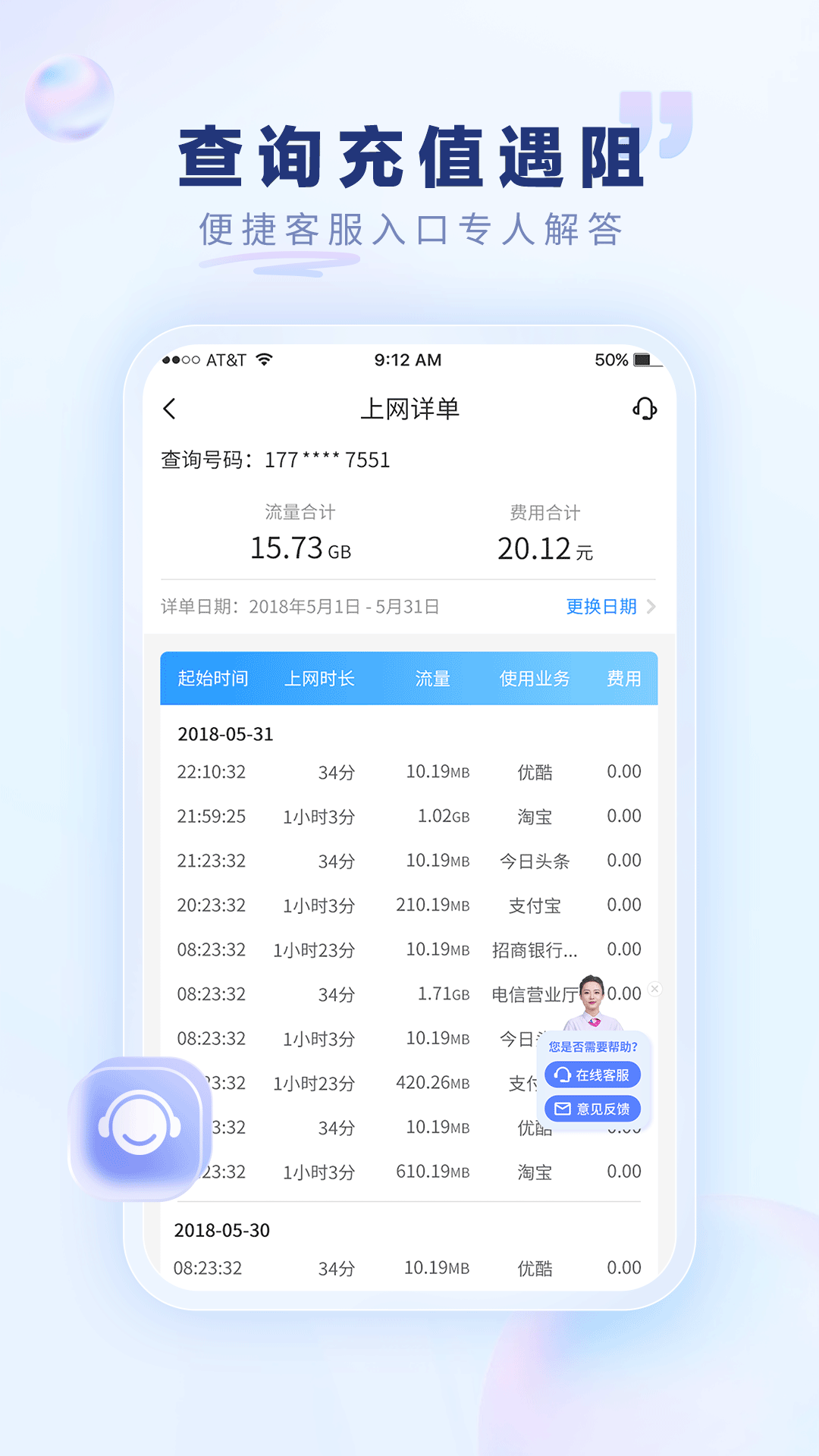
1. Cost inquiry: check phone charges, check bills, check traffic, checkFor set mealsThe amount and charges are clear at a glance!
Screenshot of China Telecom

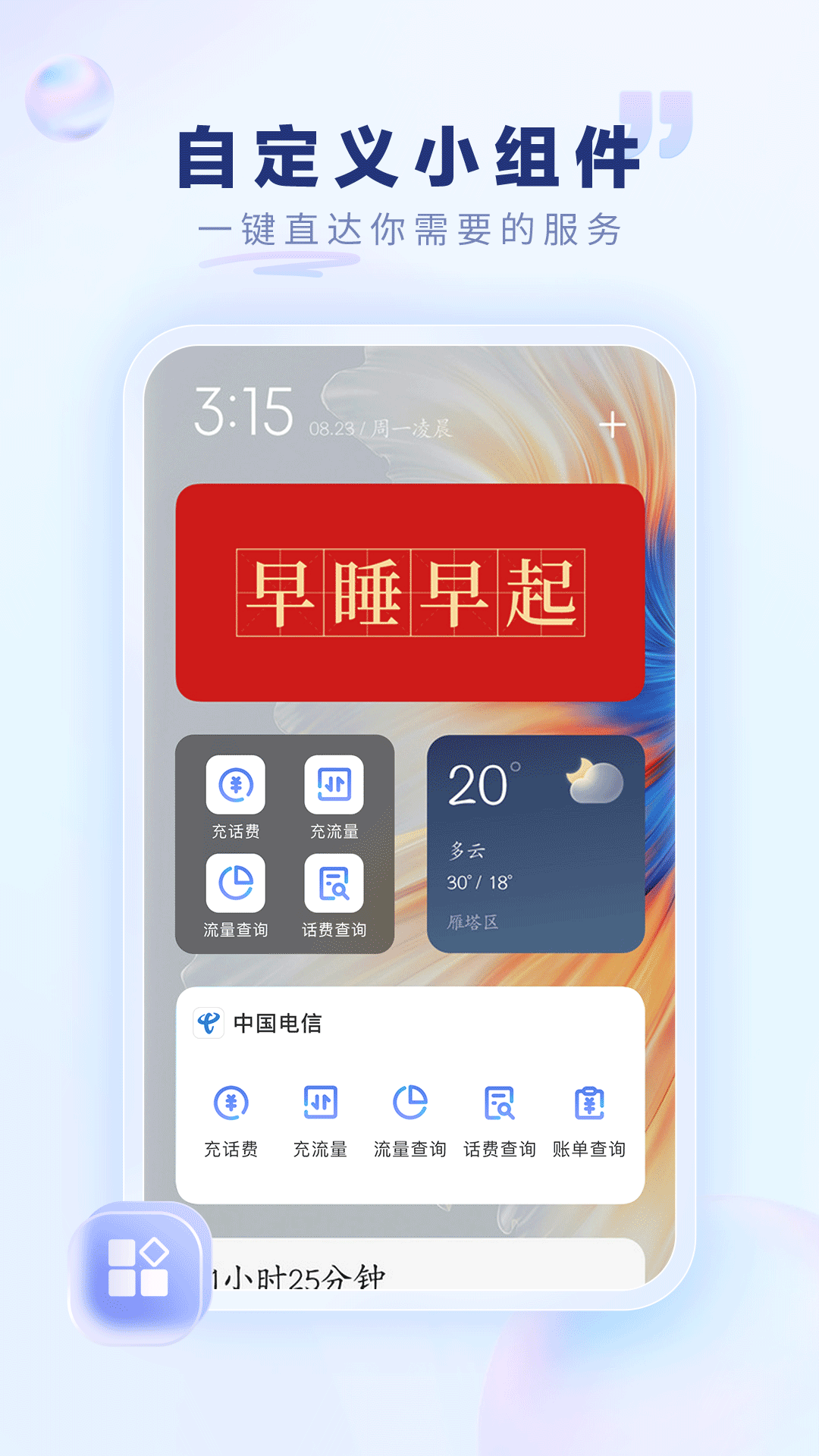
2. Business processing: rechargePay, package processing, points redemption, mobile phone, beautiful account,trafficBuy with convenience at your fingertips!
Screenshot of China Telecom

3. Human services: address bookbackup, traffic theft prevention, number ownership query, search nearbyWIFIHot spots and nearby business hallsoutletsAnd broadband resources, online customer service, service is around you!

4. Special function: Intelligent identification of the location of the login number, no need to switch manually anymore! NewLive broadcastAssistant, quick reply to live broadcast questions
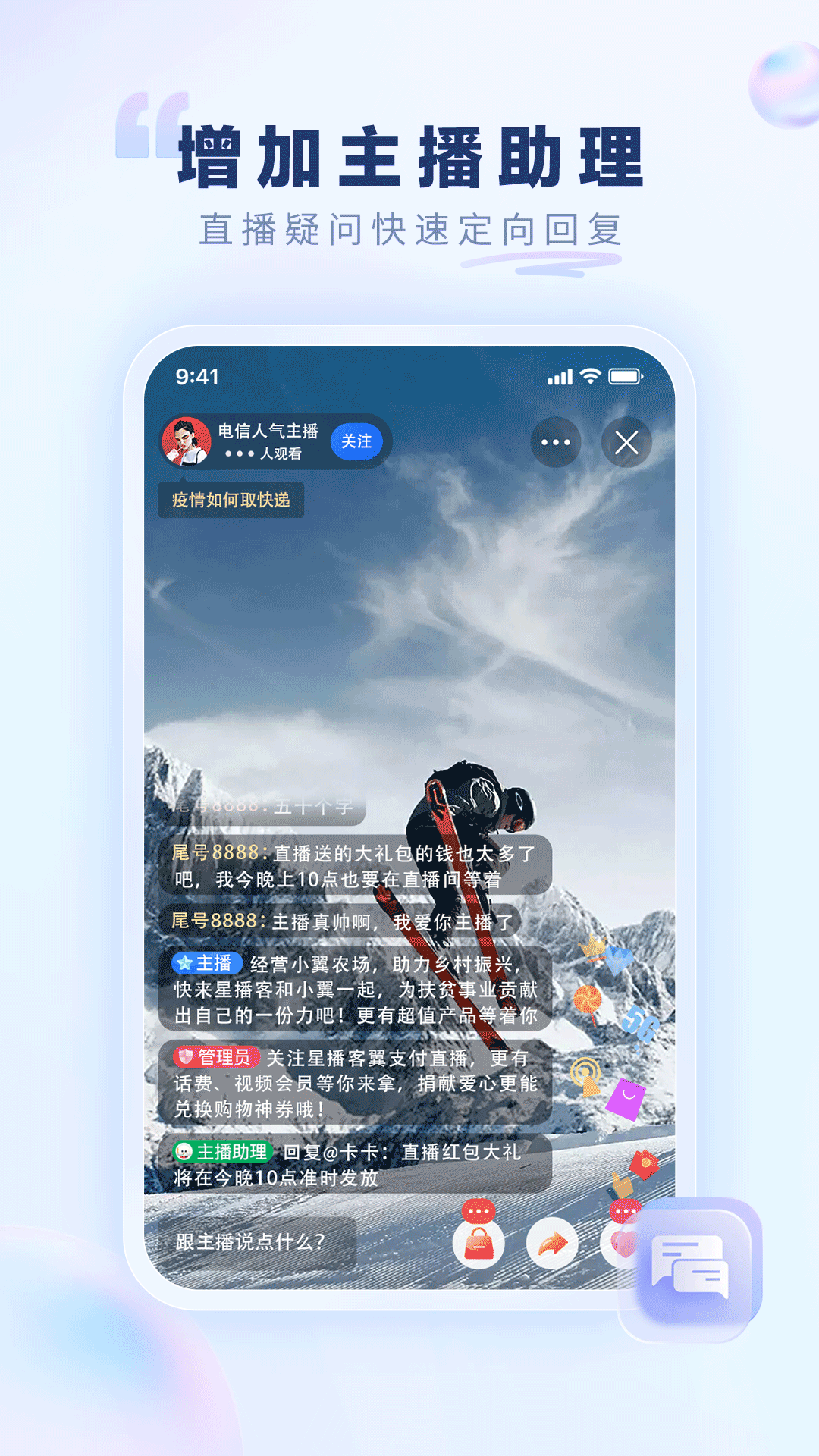
Screenshot of China Telecom

5. More functions are waiting for you to decipher

Warm reminder


China Telecom electronic channels include onlineBusiness hall, mobile phone business hall, mobile client App, can be conducted through electronic channelsphone billInquiry, payment, purchase of bare metal, contract phone, recharge card and 3GNetwork traffic card, handle self-service business, choose China Telecom - the world is at your fingertips!

Screenshot of China Telecom

inFrequently Asked Questions about China Telecom Mobile Business Hall


How to queryPoints?

Users can log in to the China Telecom Mobile Business Hall APP and check their points balance in "My Points" or similar functions.

How to get points?

Points are mainly obtained through consumption, participation in activities, etc. The specific method of obtaining it can be viewed in the APP or consult customer service.

How to use points to redeem gifts?

Users can find "Points"Mall" or similar function, select the gift that needs to be redeemed, and follow the prompts to confirm and pay (if you need to pay part of the cash).

inChina Telecom Mobile Business HallUpdate log:


Working day and night just so you can be happier

Mummy, Mummy, coax~all the bugs are gone!

Huajun editor recommends:

China Telecom's handheld business hall software occupies small memory, has stable performance, is free of any bundles, is green and safe, and is truly a conscientious software! This site also hasHero Creative,Bipbip,Deep Recovery Master,Korean drama TV,Master Lu 2021, available for you to download!


Related topics

  • China Telecom Wing software download

    China Telecom Wing software download

  • China Mobile Online Business Hall Area

    China Mobile Online Business Hall Area

  • Complete list of China Mobile online business halls

    Complete list of China Mobile online business halls

  • Jiangsu Mobile Mobile Business Hall Special Topic

    Jiangsu Mobile Mobile Business Hall Special Topic

FAQ

Associated version