




 You may like



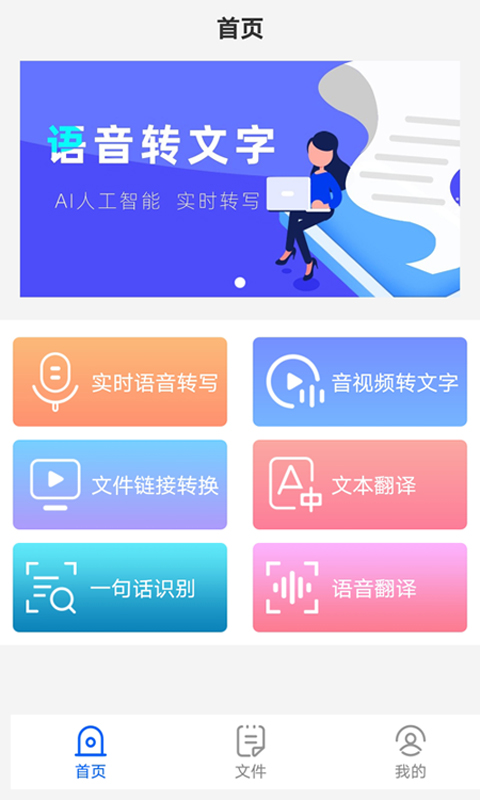
Introduction to iFlytek voice-to-text software
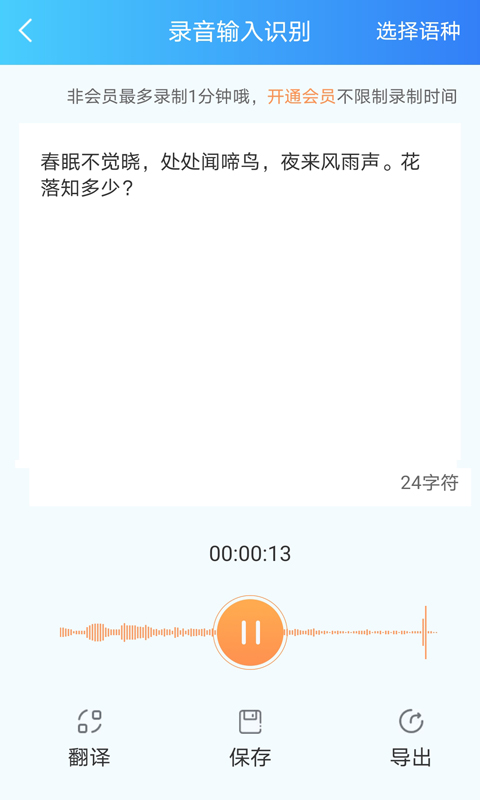
iFlytek voice-to-text app is a free voice-to-text mobile application. The iFlytek voice-to-text app is interoperable with iFlytek's website account. It relies on iFlytek's world-leading intelligent voice and language technology to provide efficient voice-to-text services. The recognition rate of iFlytek voice-to-text app is as high as 95%+, and a 1-hour audio can be published in as fast as 5 minutes!
而且讯飞语音转文字软件支持录音转写和音频导入转写,一站式回听、编辑、导出,高效工作从此开启。
Use iFlytek speech-to-text app to solve audio transcription problems in various scenarios such as daily meetings of enterprises and institutions, media conferences, education and training, media dissemination, etc. iFlytek speech-to-text software can meet the speech-to-text needs of the majority of text workers and is committed to improving the efficiency of knowledge management in an all-round way. Welcome to experience it!
Highlights of iFlytek speech-to-text software
Professional speech-to-text platform, intelligent professional speech-to-text
Can recognize a variety of audio and video formats and quickly organize recordings into text
Can solve daily meetings of enterprises and institutions, media conferences,
Audio transcription issues in various scenarios such as education and training, media communication, etc.
Advantages of iFlytek speech-to-text software
1. Recording arrangement, fast and convenient
Supports recording first and then converting to text and importing audio in multiple formats to convert to text. 1 hour of audio can be produced in 5 minutes, which is fast and accurate.
2. Intelligent error correction and accurate identification
Real-time preview of the text conversion effect, intelligent error correction and accurate identification, with an accuracy rate of up to 95%+.
3. Correct while listening, and publish the manuscript in one stop
Supports sentence-by-sentence listening, synchronous editing and modification, and quick text export.
Come and experience it now~
Introduction to iFlytek’s voice-to-text function
1. Machine transcription
1. The transcription speed is fast, one hour of audio, and about 5 minutes to complete the manuscript;
2. Smoothing function, VIP users enjoy the text smoothing function, and can obtain smoother and more friendly transcription results;
3. Dual-engine transcription, VIP users enjoy a better transcription engine;
4. High transcription accuracy, clear sound quality, standard Mandarin audio, and the transcription accuracy rate can reach 90%+;
5. Affordable price, 1 hour of audio only costs 19.8 yuan.
2. Manual services
1. Various services, including manuscripts, subtitles, roles and timestamps;
2. The transcription accuracy is high, and the transcription accuracy rate can reach 98%;
3. The transcription speed is fast, the manuscript is delivered in 3 hours, and the subtitles are delivered in 5-8 hours;
4. Strong confidentiality, the audio file is divided into multiple small fragments, effectively protecting user privacy.
Features of iFlytek speech-to-text software
1. Fast transcoding speed
1 hour of audio can be completed in about 10 minutes, improving your work efficiency.
2. iFlytek voice to text
The audio is converted into text in seconds, and the webpage is listened back to the final text.
3. Target a wide range of groups
For users such as journalists, lawyers, and stenographers who need to convert audio to text.
4. Good transcription effect
Uploading clear Mandarin audio without echo, with a high accuracy of transcription.
5. Paid transcription
Personalized vocabulary customization, high accuracy, professional team service, efficient, fast and safe, what are you waiting for, come and try it!
iFlytek Voice to Text Frequently Asked Questions
Export or share questions
Problem description:
When trying to export or share converted text, you encounter difficulty or fail to complete.
Solution:
Check the export options: In the iFlytek speech-to-text software, check the export or share option settings to ensure that the correct format and storage location are selected.
Try other methods: If there is a problem with the software's built-in export or share function, you can try other methods (such as copy to clipboard, send to email, etc.) to export or share.
View the help documentation: Refer to the help documentation or user guide of the iFlytek speech-to-text software to learn the specific steps for exporting or sharing.
iFlytek voice-to-text update log
1. Fixed BUG, the new version has a better experience
2. Some pages have been changed
Huajun editor recommends:
As a time-tested system tool, iFlytek Speech-to-Text has been updated in versions again and again, bringing users a very high experience. It is highly recommended for users who need it to download the experience. It is also recommendedQuickShortcutMaker,Hero Creative,Deep Recovery Master,Korean drama TV,Master Lu 2021Download and use related software.













Useful
Useful
Useful