





 You may like





Highlights of ROOT-free automated assistant
One-click macro recording: automatically record user operation processes (such as game hangup/application batch operations)
Scheduled tasks: preset conditions trigger scripts (such as fixed-point rush purchases, automatic reply to messages)
Cloud script library: automated solutions for sharing user creations (such as automatic likes on Douyin/anti-withdrawal on WeChat)
Low-power operation: continuous work in the background and does not occupy system resources
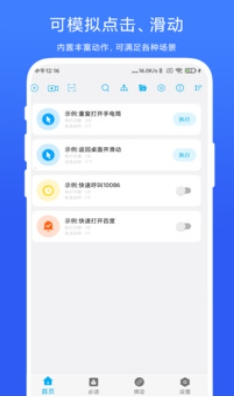
Features of ROOT-free automated assistant
Improved operational stability
Fixed aiming point coordinate errors, automatic cross-running and other issues, optimized horizontal and vertical screen switching adaptation, and reduced the probability of crashes and freezes.
Added the function of displaying the click position during execution to improve operation transparency and debugging efficiency.
Interface and interaction optimization
It adopts a minimalist design, no advertising interference, and the operation process is intuitive and easy to understand.
The function of the floating ball has been enhanced: pressing up can interrupt automated tasks, and pressing down can wake up the voice assistant, improving the convenience of one-handed operation.
Privacy and Data Security
Strengthen the privacy policy description, optimize the permission application process, and ensure the security of user data.
Supports local data backup and recovery to avoid the risk of automated script loss.
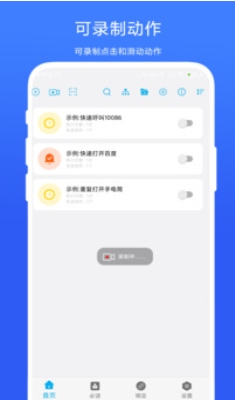
ROOT-free automated assistant function
No ROOT permission
Users do not need to unlock the phone system permissions, but only need to apply for auxiliary function permissions to use automated scripts, avoiding security risks and warranty issues caused by ROOT.
Supports mainstream Android models, has wide compatibility, and adapts to different brands and system versions.
Automated task management
Customized commands: Users can freely combine simulated clicks, slides, long presses and other gesture operations to create personalized automated processes (such as opening health codes with one click, speed dialing).
Scheduled tasks: Supports setting timed trigger conditions (such as clocking in at 8 a.m., muting at noon) to reduce repeated operations.
Suspended Menu: Provides shortcut gestures such as left swipe, right swipe, and click to perform automated tasks without opening the APP.
Intelligent interaction and scene adaptation
Voice Control: Supports wake words such as "Little R Little R", users can start automated processes (such as voice dialing, playing music) through voice commands.
Multi-scenario coverage: Suitable for game hang-up, ad skipping, APP automated testing, assisting the elderly and children in using mobile phones, etc.
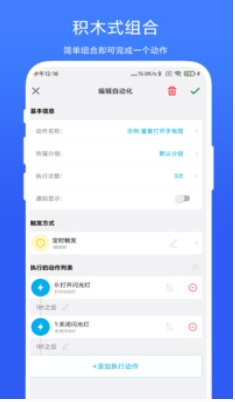
ROOT-free automated assistant frequently asked questions
The script cannot be run (prompt "Accessibility service is not turned on" or "Insufficient permissions")
Common reasons:
The accessibility service is not turned on (automated operations rely on this service to simulate clicks and slides).
System restrictions (for example, Android 10+ tightens background permissions, and manufacturers such as Huawei/Xiaomi customize system interception).
The app has not obtained the floating window permission (if required to display the control panel).
Solution:
To manually enable accessibility services:
Go to mobile phone settings → Accessibility (or accessibility) → Find the Automation Assistant App → Enable the service.
If you can't find the entrance, use the "One-click jump" button in the App to jump directly to the system settings.
Turn off battery optimization:
Go to Phone Settings → Battery → Battery Optimization → Select Automation Assistant App → Change to "No Optimization".
Grant floating window permissions:
Go to Phone Settings → Application Management → Permission Management → Floating Window → Enable Automated Assistant permissions.
ROOT-free automated assistant update log:
1. Fixed several bugs;
2. Optimize details;
Huajun editor recommends:
It is highly recommended to download the ROOT-free automated assistant. Who knows who uses it? Anyway, I have already used it. In addition,QuickShortcutMaker,Hero Creative,Deep Recovery Master,Korean drama TV,Master Lu 2021It is also a good software. Welcome to click to download and experience it!

































Your comment needs to be reviewed before it can be displayed