





Features of WinISO
1.WinISO is the world’s first software that can directly edit BIN/ISO or almost all formats of CDROM image files!
2. WinISO is the world’s best software that can directly process the boot information of a boot disc. You can directly add/delete/obtain boot information in all iso files.
3. You can convert almost all image file formats, including BIN, and save them into standard ISO format files.
4. Specially supports bin files, which can convert various complex BIN files into ISO/WAV/dat files.
5. Supports converting ISO files into BIN files.
6.WinISO supports almost all known CD-ROM image files, including some virtual optical drive image files.
7. You can create an ISO file from CD-ROM, with two unique support modes.
8. You can select some files or directories and create a standard ISO image file from these files.
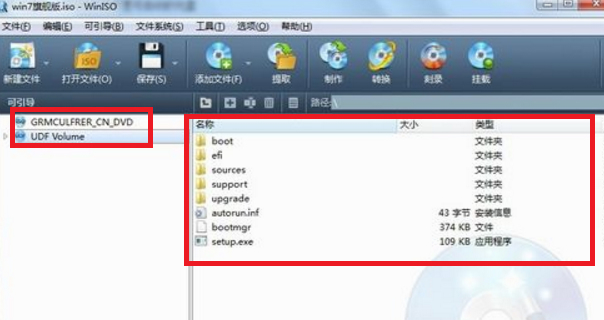
9. Ability to open an image file, display the file directory tree, and then run the file inside the image file, which makes it easy to view/run the file. Special support for installing software directly from ISO files.
10. Due to its file association, you can open the ISO file in Windows Explorer by double-clicking it directly.
11. Simple to use interface, but its functions are very powerful!
12. Support multiple languages.
WinISO installation steps
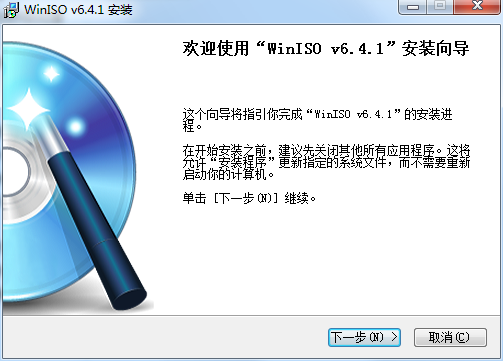
1. Download WinISO from the PC Download Network and extract it to the current folder. Click the winiso6.4.1.6137.exe application to enter the installation wizard interface, and then click Next.
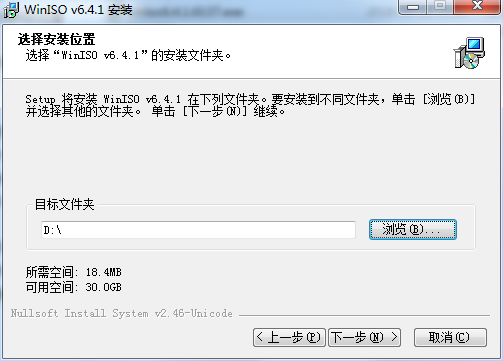
2. Select the software installation location interface. The editor of PC Download Network recommends that users install it in the D drive, select the installation location and click Next.
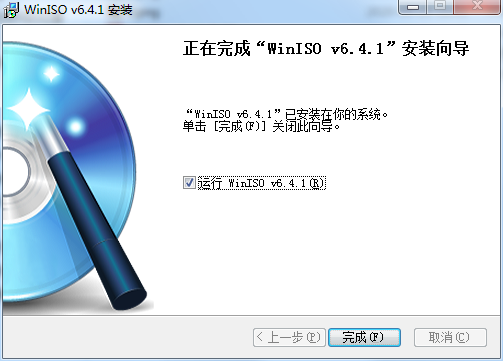
3. The WinISO installation is completed, click Finish.
How to use WinISO
How to change the language of WinISO?
1. When running WinISO, you can see the options button, then click on it or use Alt + O
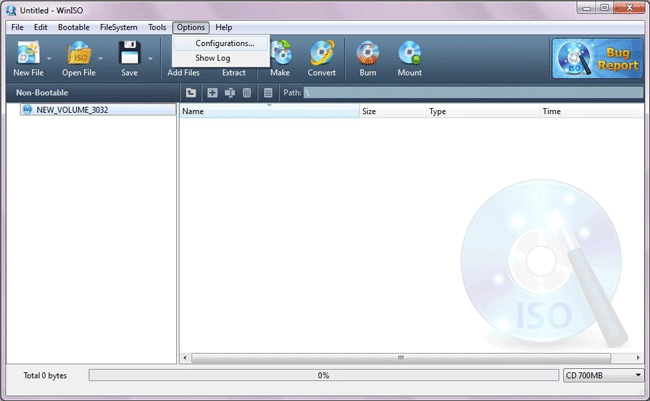
2. You will see the configuration, then click on it. Select your target language here:
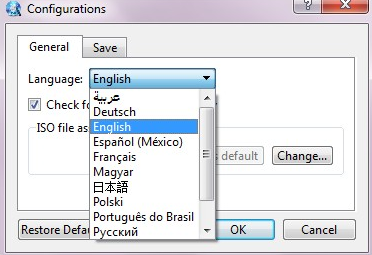
3. After selecting the target language, click "OK". Then change it to your target language successfully.
Can I change the file names to lowercase letters using WinISO?
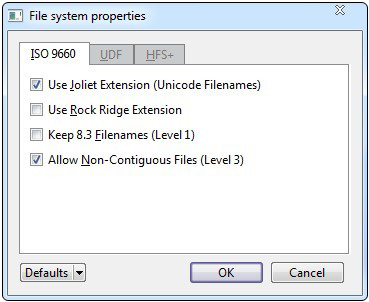
WinISO supports “Joliet extension”, which can distinguish between uppercase and lowercase letters in file names. File names are distinguished by default. In addition, support for "Rock Ridge extension", "Preserved 8.3 filenames" and "Non-contiguous files". Making any changes is very easy. Here are tips for making file names uppercase: Click File System (Toolbar) -> File System Properties. Then "uncheck Joliet extension" and you will get what you want. Give it a try.
WinISO FAQ
Question: How to create an image using winiso software?
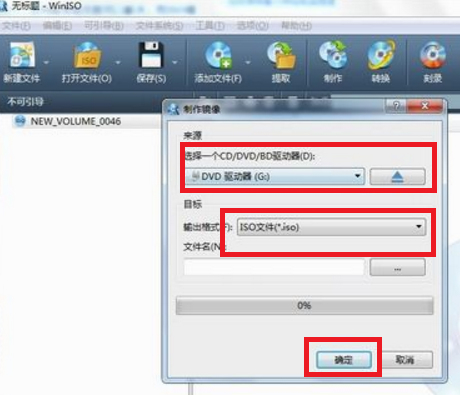
Answer: 1. When you open the software and create an image file, you only need to put the CD you want to create the image file into the CD-ROM drive, then click "Create", set the output address, and click "OK" after the setting is completed to start the conversion.
Question: How to edit image files in winiso?
Answer: After the production is completed, use the "Open" command to open the ISO file. You can add or delete it just like the operation in the resource manager, and then save it.
Comparison of similar software
Allison Storage Device Mirroring ToolThe official version is a very good and professional data recovery tool. The official version of Jiajia Storage Device Mirroring Tool has excellent image recovery functions, and also supports the recovery of USB flash drives and memory cards, so that everyone no longer has to worry about accidental data loss, giving everyone a different feeling and experience.
Disk precision image copy toolThe physical sectors of the disk can be quickly made into image files and saved. It has a high-speed replication engine, supports a variety of storage devices, supports the replication of multiple file systems in logical partitions, supports the reading of multiple storage devices, and maximizes the backup of damaged area data.
Huajun editor recommends:
WinISOThe official version not only supports most formats, but also supports format conversion. The most important thing is that it can edit iso: add and delete files and directories. WinISO, the software is a very practical software. After continuous optimization, its functions are very good. It is highly recommended for users who need a download experience.









Useful
Useful
Useful