




- Green versionView
- Green versionView
- Green versionView
- Green versionView
- Green versionView
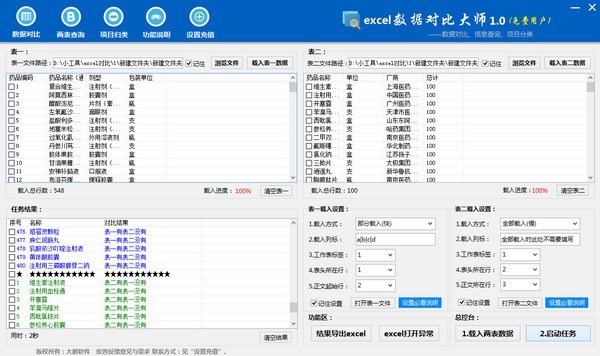
Features of Excel Data Comparison Master software
1. Excel Data Comparison Master provides a simple data comparison function, which can easily compare data
2. The software can compare data immediately and display the results in the software interface
3. Supports export of result data, you can check the data that needs to be exported.
4. Supports data query, you can query the data you need in the results interface
5. Provide setup instructions and view the official setup tutorial on the software interface.
6. Support short video tutorials, you can view the Excel data comparison master operation tutorial
7. The software can be used for free to help users become familiar with the operating procedures of the software in advance.
Introduction to functions of Excel Data Comparison Master
1. Data comparison.
We often encounter the need to compare two excel work sections at work. This software will solve the comparison of excel data and find out the differences between the two tables. For example, get the missing information about a person or a product series. Export the results to excel for easy summary.
Example: Table 1 has the header "Drug Items", which contains: "Band-Aid", "Povidone Iodine", "Hawthorn Pills". Table 2 has the header "drug name", and the content is: "iodophor", "Band-Aid", "cotton swab". This function can filter out the differences between two tables and generate a report form. For example: "Hawthorn Pills: Table 1 is present but Table 2 is not", "Cotton swab: Table 2 is present but Table 1 is not"
2.Two table query function:
Query based on the information in one table to obtain the information corresponding to another table.
Example: Table 1 has two items: "drug name" and "batch number"; Table 2 has two items: "drug name" and "manufacturer". You can use this function to query the "manufacturer" corresponding to the "drug name" in Table 1, and generate a new form in the task result, which will have three items: "drug name", "batch number", and "manufacturer".
3. Project classification function:
Classify and filter the data loaded into Table 1.
Example: There are two gender items in a form: male and female. You can use this function to classify and filter all "male" or "female" items. Please see the official website or software video for specific operations.
How to install Excel Data Comparison Master
Download the Excel Data Comparison Master computer version software package from the Huajun Software Park download website

Extract to the current folder
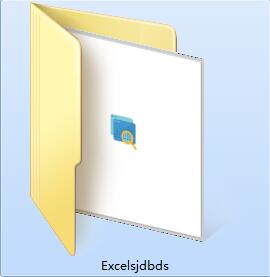
Double-click to open the application in the folder
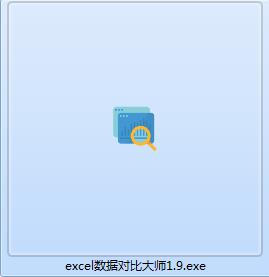
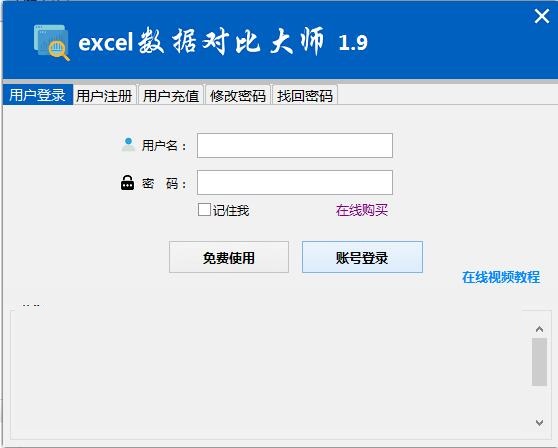
This software is green software and can be used without installation.
Excel data comparison master update log
Excel Data Comparison Master 1.9 Update Instructions
1. After exporting the data, the WPS software opens the data accumulation problem.
2. Fixed the problem of blank columns when finding duplicate groups.
3. Modify the "line where the text is located" in the loading settings to "the line where the column names are located." "The row where the column name is located" is the row where the name of each column is located. For details, please see the loading setting instructions.
4. Optimized other issues.
Huajun editor recommends:
After official continuous improvements, Excel Data Comparison Master can meet all your needs. Come download and experience it. Of course, this site has also carefully prepared for youToday's goal,Hanwang Attendance Management System,Aimo mind map,NTKO large file upload control,Kuai Dao Ke platform software




Useful
Useful
Useful