



- Green versionView
- Green versionView
- Green versionView
- Green versionView
- Green versionView
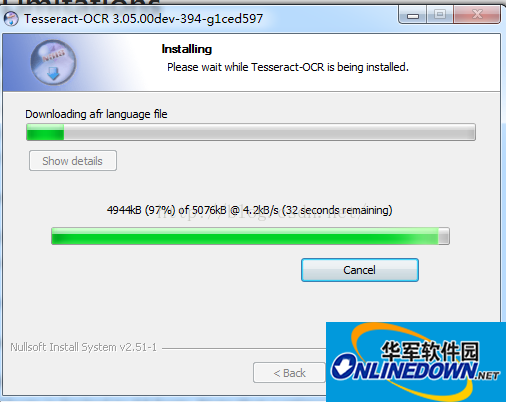
Installation under windows is very simple, just install the executable program directly. When you choose to install various languages, you need a slightly time-consuming waiting operation, such as the information shown in the figure below:
Tutorial on installation and use of tesseract-ocr Chinese version:
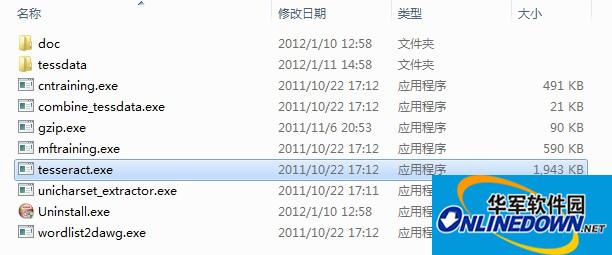
After downloading, install it. By default, the installation program will configure the system environment variables for you to point to the installation directory (you can then run tesseract in any directory through the DOS interface). After the installation is complete, the directory is as follows:
Appendix:
The tessdata directory stores language font files and files corresponding to parameters that may be used in the command line interface. This installation program includes the English font library by default.
Use Tessract-OCR engine to identify verification codes
Open the DOS interface and enter tesseract:
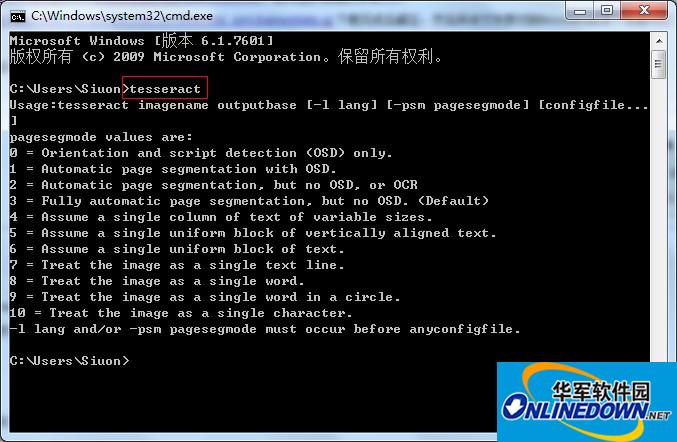
If the above output appears, it means the installation is normal.
I prepared a verification code code.jpg and placed it in the root directory of drive D. , pictured above:
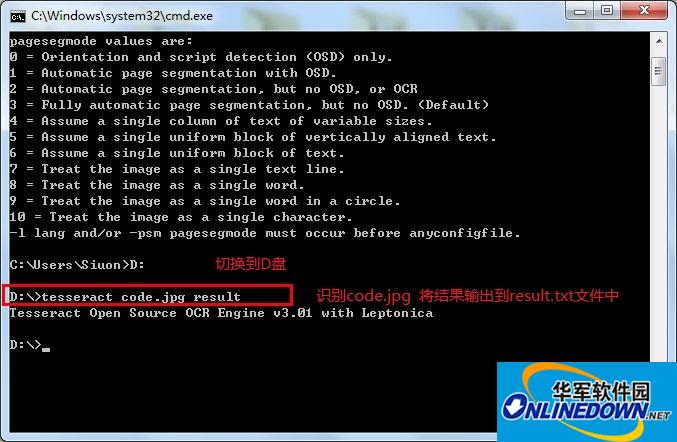
The result is:
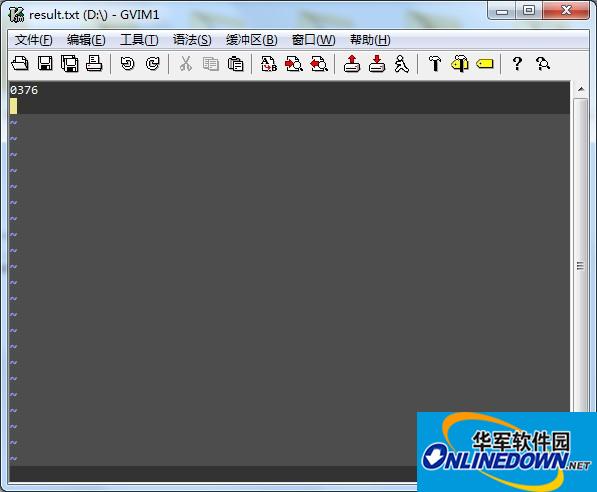
Appendix:
Usage:tesseract imagename outputbase [-l lang] [-psm pagesegmode] [configfile...]
pagesegmode values are:
0 = Orientation and script detection (OSD) only.
1 = Automatic page segmentation with OSD.
2 = Automatic page segmentation, but no OSD, or OCR
3 = Fully automatic page segmentation, but no OSD. (Default)
4 = Assume a single column of text of variable sizes.
5 = Assume a single uniform block of vertically aligned text.
6 = Assume a single uniform block of text.
7 = Treat the image as a single text line.
8 = Treat the image as a single word.
9 = Treat the image as a single word in a circle.
10 = Treat the image as a single character.
-l lang and/or -psm pagesegmode must occur before anyconfigfile.
tesseract imagename outputbase [-l lang] [-psm pagesegmode] [configfile...]
tesseract image name output file name -l font file -psm pagesegmode configuration file
For example:
tesseract code.jpg result -l chi_sim -psm 7 nobatch
-l chi_sim means using the Simplified Chinese font library (you need to download the Chinese font file, decompress it, and store it in the tessdata directory. The font file extension is .raineddata and the Simplified Chinese font file name is: chi_sim.traineddata)
-psm 7 tells tesseract that the code.jpg image is a line of text. This parameter can reduce the recognition error rate. The default is 3
The configfile parameter value is the file name in the tessdataconfigs and tessdatatessconfigs directories.




Useful
Useful
Useful