
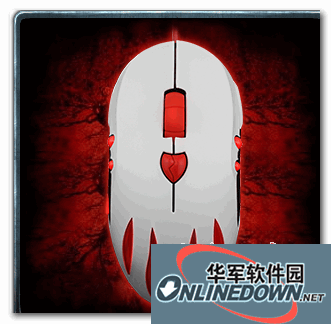



Product features: The optical engine of the Wolf Spider Love Gu gaming mouse can bring users a resolution of up to 2500DPI. At the same time, through the DPI adjustment button behind the scroll wheel, you can switch between 1000-1500-2000-2500. The conventional design is relatively convenient to use. Official data claims that the return rate of the Wolf Spider Love Gu gaming mouse can reach 500Hz. We tested it through the software.
After actual testing, the average return rate of the Wolf Spider Love Gu gaming mouse was 498, and it remained between 490-520 throughout the entire process. It was not very different from the official data, and it was relatively stable throughout the process. In the return rate test, the Wolf Spider Love Gu gaming mouse performed well and passed the test.
The Wolf Spider Qinggu gaming mouse is an entry-level gaming mouse. Although its appearance is a bit different, in terms of feel and gaming experience, its performance is very good, and its performance is finally worthy of this positioning.
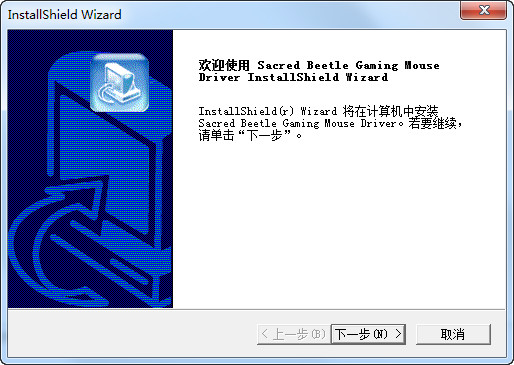
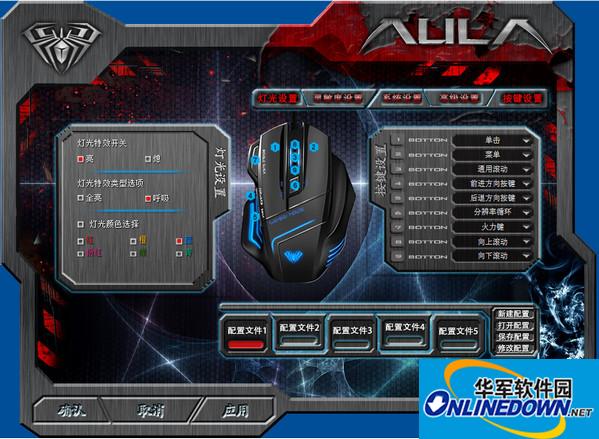
Driver installation: 1. Insert the Wolf Spider Gaming Mouse into the USB port of the computer and it will be recognized normally.
2. Click setup.exe driver installation program.
3. The Installer screen will appear. Click "Next".
4. Select the program folder where the driver will be stored. Click "Next".
5. The installation screen will appear. The software will load automatically.
6. Finally a screen will appear indicating that the installation is complete. Click "Finish".
Similar software
Release Notes
Software address
- Green versionView
- Green versionView
- Green versionView
- Green versionView









Useful
Useful
Useful