





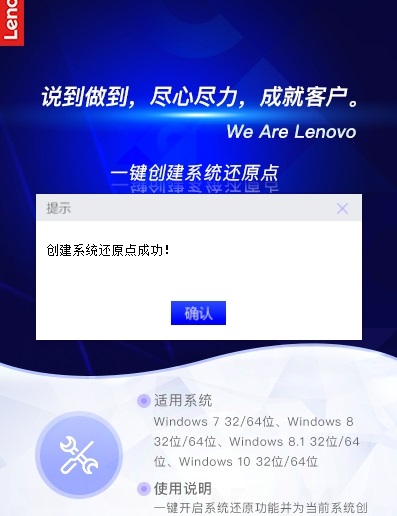
Lenovo Quick Fix one-click creation of system restore point software highlights
pure green version
Run it directly after downloading, without installation, to avoid system residue or advertisement bundling.
Strictly comply with the Lenovo service tool license, there is no malicious code, and the core files of the system are not modified during operation.
Deep integration with Windows systems
The created restore points are fully compatible with the system restore function of Windows. Even if the tool is uninstalled, it can still be used directly through the control panel.
Safe and reliable
The operating environment requires more than 2GB of memory, and the conflicting process of third-party anti-virus software needs to be closed to ensure operational stability.
The default storage path is C drive. It is recommended to back up data before important operations to prevent accidental loss.
Lenovo Quick Fix one-click creation of system restore point software features
One-click operation:
Users only need to click the "One-click creation" button to automatically turn on the system restore function and create restore points, greatly reducing the operating threshold.
The restore point name displays the creation time by default and supports manual modification (such as "Before updating the driver") to facilitate quick identification in multiple restore point scenarios.
High compatibility:
Supports mainstream operating systems (32-bit/64-bit) from Windows 7 to Windows 11 and adapts to different hardware environments.
Compatible with Lenovo and other brands of computers, but non-Lenovo computers require payment (one payment is free if you have an activation code).
Safe and reliable:
Strictly comply with the Lenovo service tool license, there is no malicious code, and the core files of the system are not modified during operation.
The created restore points are fully compatible with the system restore function of Windows. Even if the tool is uninstalled, it can still be used directly through the control panel.
Green installation-free:
Pure green version, run directly after downloading, no installation required, avoiding system residue or advertisement bundling.
Lenovo Quick Fix one-click creation of system restore point software function
Create system restore points with one click
Users only need to click the "One-click creation" button to automatically turn on the system restore function and create restore points, greatly reducing the operating threshold.
The restore point name displays the creation time by default and supports manual modification (such as "Before updating the driver") to facilitate quick identification in multiple restore point scenarios.
System restore point management
View restore points: After creation, you can view all restore points in "System Protection → System Restore", including timestamps and descriptions.
System recovery: Use restore points to return the system state to a normal point in time to avoid data loss or the tedious operation of reinstalling the system.
Compatibility and adaptability
Supports mainstream operating systems (32-bit/64-bit) from Windows 7 to Windows 11 and adapts to different hardware environments.
Compatible with Lenovo and other brands of computers, but non-Lenovo computers require payment (one payment is free if you have an activation code).
FAQ
Failed to create restore point:
Reason: The system is not activated, insufficient permissions or intercepted by anti-virus software.
Solution: Make sure the system is activated, run the tool as administrator, and temporarily turn off antivirus software.
Restore point cannot be used:
Cause: The restore point is corrupted or system protection is not enabled.
Solution: Check the drive protection status in the System Protection tab and make sure it is Enabled. If the restore point is damaged, just create it again.
Lenovo Quick Fix creates system restore point update log with one click
1. Optimized some functions
2. Solved many unbearable bugs
Huajun editor recommends:
Lenovo Quick Fix creates a system restore point with one click. The operation steps of this software are very simple and very fast, so users can use it with confidence. Also recommendedOne-click system restore,Ghost,Ghost Elf,U disk data recovery master,ODBC data source repair toolDownload and use related software.




Useful
Useful
Useful