




Driver Expert Highlights
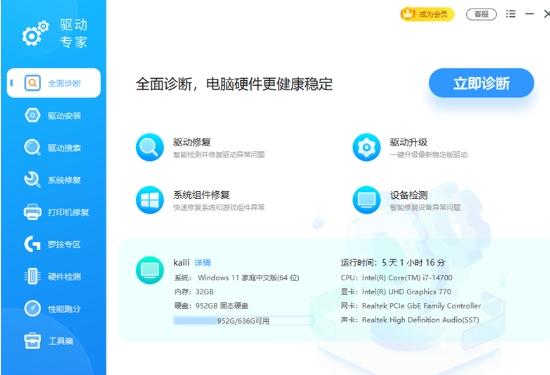
Driver management:
Covers common hardware brands on the market, such as HP, Logitech, Canon, Lenovo, Thinkpad, NVIDIA, Razer, Asus, Epson, etc.
Hardware detection:
Comprehensively detect computer hardware configuration and provide detailed hardware information.
The performance benchmark function allows you to understand the hardware performance with one click.
Monitor computer temperature to prevent hardware from running at high temperatures.
Driver Expert Features
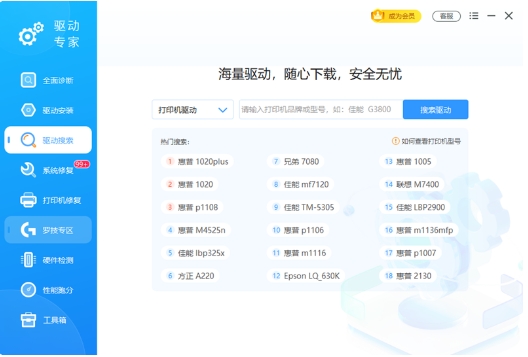
Driver search and download:
Convenient driver search function allows users to find the required driver according to their needs.
Updated and more complete official driver library, intelligent classification, flexible and fast search.
Download drivers at high speed with one click, no speed limit, no advertisements.
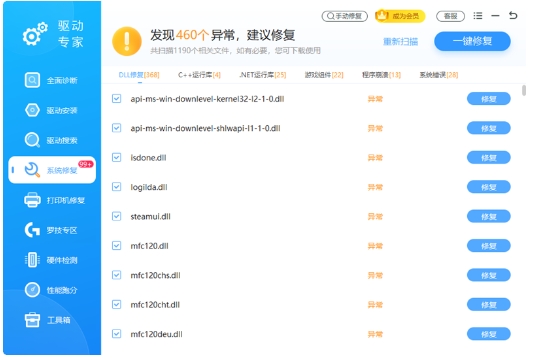
System repairs and optimizations:
Intelligently repair system and game anomalies and solve various error reporting problems.
Provides an ultra-full system file library to repair missing Dll files and various runtime library abnormalities.
Practical toolbox, including graphics cards, disk analysis tools, and various hard drive evaluation tools.
Driver Expert Function
Comprehensive diagnosis and one-click solution:
Comprehensively detect computer hardware and driver status to accurately identify and repair problems.
One-click operation saves time and worry, and quickly solves hardware and driver problems.
Intelligent recommendations and updates:
Intelligent recognition recommends the latest or stable version of the official driver to ensure the best hardware performance.
Updated and more complete driver library to meet user needs for different versions of drivers.
High-speed downloading and pure experience:
Download and install drivers at high speed without speed limit, improving user experience.
Pure, no ads, no bundled promotions, keeping the interface clean.
Professional customer service and technical support:
Manual customer service is online in real time, providing one-to-one service from technical experts.
Solve difficult problems and provide users with considerate technical support.
Driver Expert FAQ
Driver detection is inaccurate
Problem Description: Driver experts may not be able to accurately identify certain hardware devices or driver versions when detecting hardware drivers.
Solution: Make sure Driver Expert is up to date and try rescanning the hardware driver. At the same time, you can manually check the model and driver version of the hardware device and compare it with the detection results provided by the driver expert. If there is indeed an error, you can try to download and install the correct driver manually.
Driver update failed
Problem description: When trying to update a hardware device driver, the update may fail or the device may not work properly after the update.
Solution: Before updating the driver, it is recommended to back up the current driver. If the update fails, you can restore the backed up driver. Also, check whether the network connection is stable and whether there is enough storage space to download and install new drivers. Also, make sure updated drivers are compatible with your current operating system version and device model.
Driver Expert update log:
1. Optimized some functions
2. Solved many intolerable bugs
Huajun editor recommends:
A very good driver expert, easy to use and powerful, don’t miss it if you need it. This site also providesVirtual optical drive tool,Hard disk serial number reading tool,fat32 formatting tool FAT32formatter,Hard disk virtual partition wizard,Laomaotao USB boot disk creation toolAvailable for you to download.
















Your comment needs to be reviewed before it can be displayed