




Take a look at the features of Meitu:
1. Extremely low system resource usage: MeituKanKan is the image viewing tool with the lowest memory usage among similar software.
2. Supports a variety of image formats: Meitukankan supports all mainstream image formats and can directly browse original images in RAW format from digital camera manufacturers.
3. Quick batch editing of pictures: View beautiful pictures quickly and easily, convert picture sizes in batches, change picture formats and modify picture names.
4. Avatar recognition function: Meitu Kankan can filter out pictures with portraits with one click for easy management.
Take a look at the installation steps:
1. Download the Meitu Viewing software from this site, unzip it and double-click the .exe to enter an installation interface and click "Install Now"

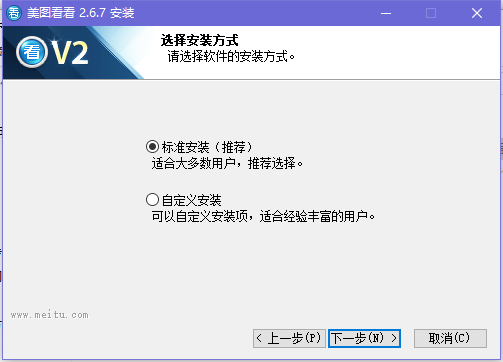
2. Select the installation method of Meitukankan. The first standard installation is selected by default. Click "Next" to continue.
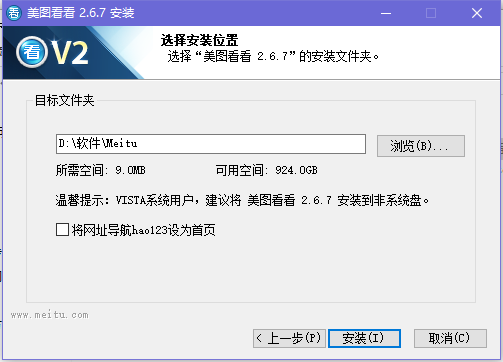
3. It is recommended to install the software on the D drive, or install it on the C drive by default. Just click "Install".
4. Meitukan is being installed. The process is very fast. Please wait patiently.

5. After Meitu has completed the installation, click "Finish" to close the wizard.

Take a look at how to use the beautiful pictures:
1. You can organize the pictures you want to browse in a folder
2. Open the downloaded beautiful picture and look at it. In the directory selection area, find the path to store the picture.
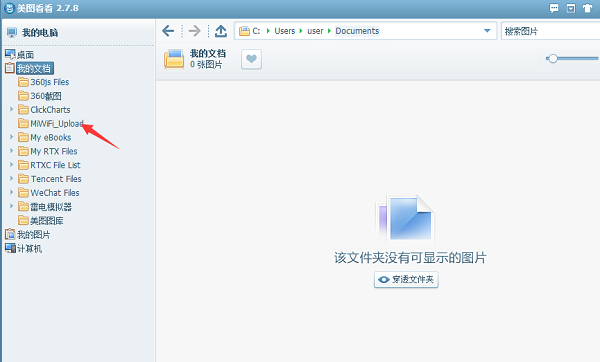
3. After clicking to select and confirm the directory, you can see the picture content you want to browse in the picture display area.
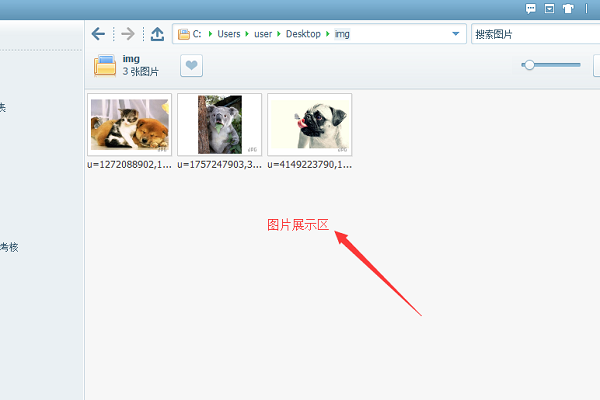
4. Click on any picture and double-click to open it, and you can view and browse the pictures with beautiful pictures.
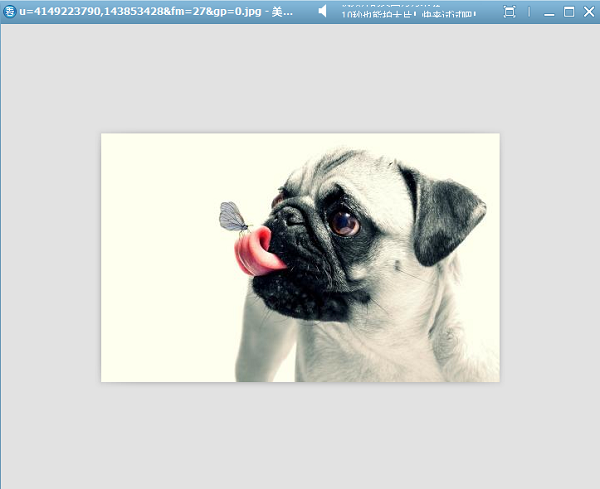
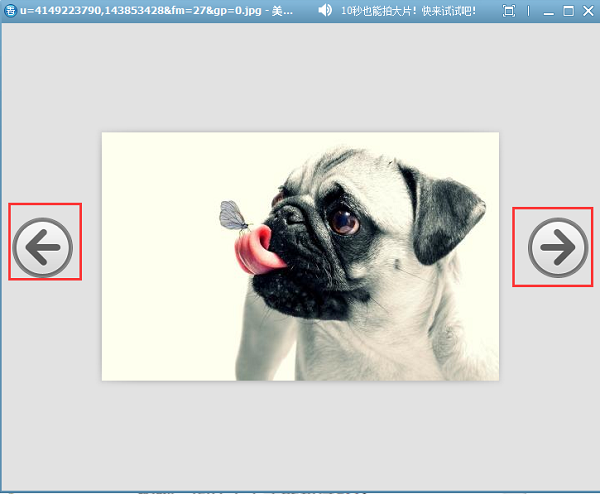
5. In the beautiful picture view, slide the mouse to the right edge of the picture and you will see a backward arrow. Click to browse to the next picture.
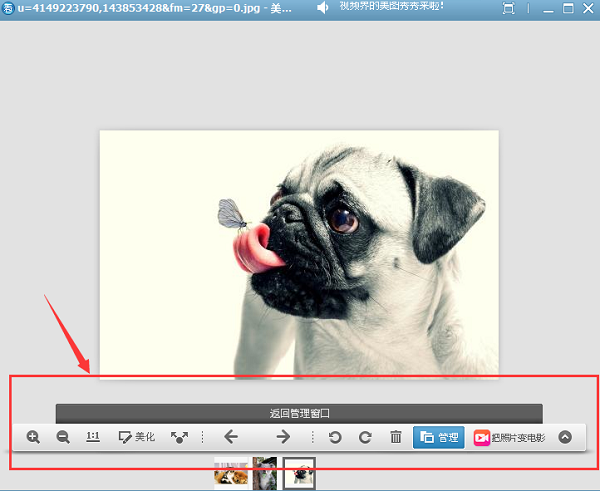
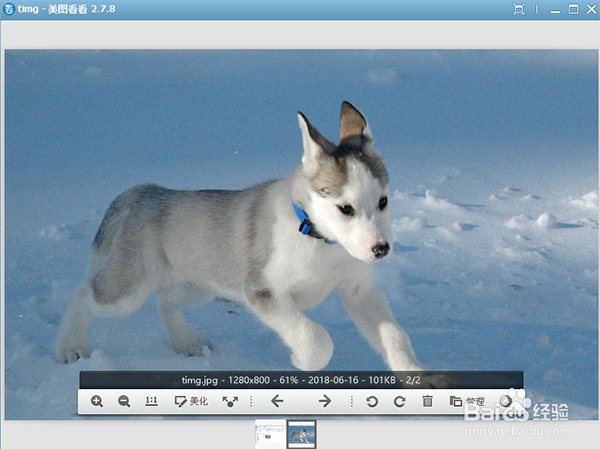
6. When you slide the mouse to the bottom of the image and hover, you will see some small tools appear. You can enlarge, reduce, beautify, rotate, etc. the image. You can choose the appropriate tool according to your needs.
Take a look at the frequently asked questions:
1. How to change the background color of Meitu?
1) After opening the beautiful picture and taking a look, click the drop-down arrow in the upper right corner
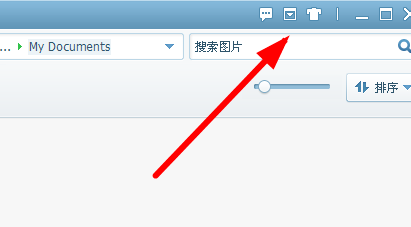
2) Click Tools in the drop-down and find the options

3) The beautiful picture viewing settings panel will appear, switch to the picture viewing window option on the left

4) After selecting the picture viewing window, you can find the option of window background color
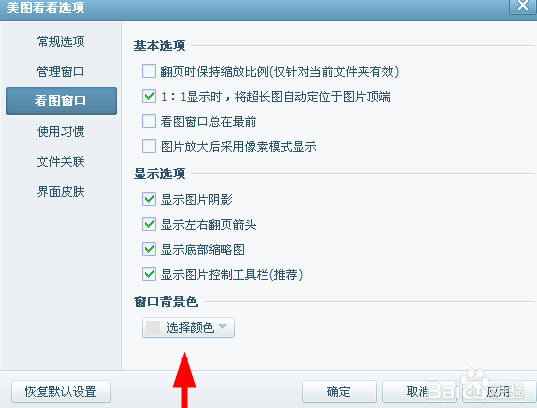
5) After setting up the picture viewing window of Meitu Kankan, click OK.

2. How to change the picture size in Meitu?
1) Find the modified picture, use Beautiful Picture to view and open it
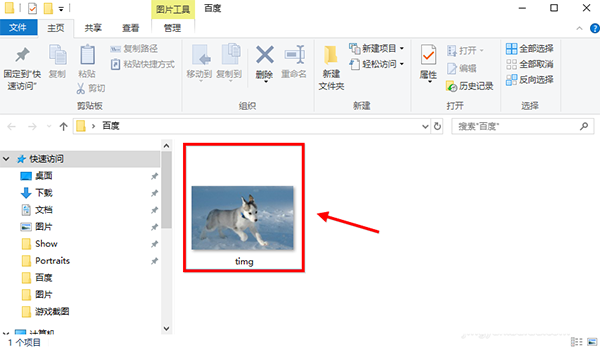
2) Place the mouse on the picture and there will be a toolbar where you can make some simple settings.
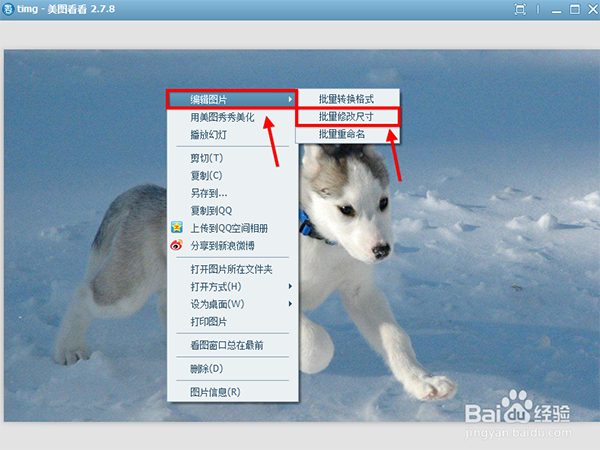
3) Right-click on the image and select Edit, then select Batch Modify Size
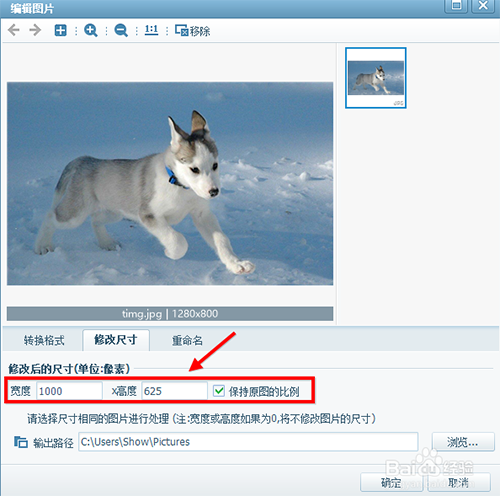
4) Enter the two parameters you want to set
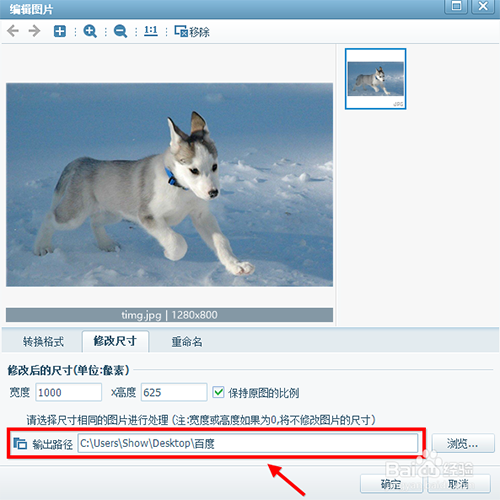
5) Set the save path. The default is C drive, or you can choose the file path yourself.
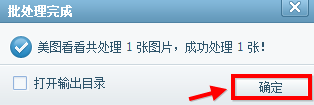
6) Meitukan has successfully processed a picture, click OK to close the page
Let’s take a look at Meitu to see which one is better compared with similar software:
Meitu Kankan is perfectly compatible with all mainstream image formats and has received high praise from users. Meitu Kankan is the smallest and fastest image viewing software, which can achieve extremely fast image viewing. Moreover, it has extremely low system resource usage and supports a variety of image formats.
2345 Picture Viewing King brings people ultra-high-definition perfect picture quality and brings you a real high-definition picture viewing effect. 2345Kantuwang supports page turning, zooming, and printing of pictures in folders, and exclusively supports the playback and single-frame saving of multi-frame pictures such as GIF.
Universal Picture Viewer is a simple and pure universal picture viewing software that supports various commonly used image formats, as well as professional image formats such as RAW. It has dual interfaces in Chinese and English, and comes with a screenshot function, making it easier for you to view pictures.
These three picture viewing software are recommended to everyone by the editor. They each have their own advantages and you can download them yourself.
2345Kantuwang download address: http://softwaredownload4.com/soft/579552.htm
Download address of Universal Picture King:http://softwaredownload4.com/soft/587860.htm
Take a look at the update log for Meitu:
Meitu has modified some known crashes
|
The editor of Huajun recommends them to everyone. They each have their own advantages. You can download them yourself. 2345Kantuwang download address: http://softwaredownload4.com/soft/579552.htm |





Useful
Useful
Useful