





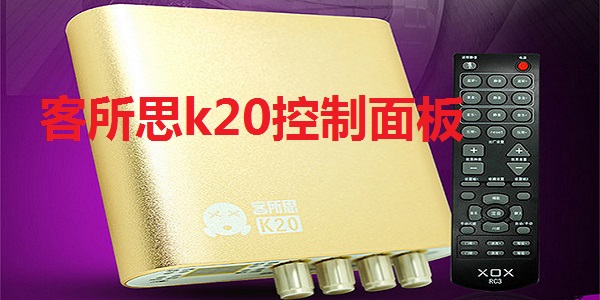
Kesuosi k20 control panel software functions
Kesuosi k20 completely eliminates recording and playback noise. The sound is purer.
It provides a high-quality recording mode for condenser microphones, which can provide the best quality dry voice recording, making it possible for customers to perform vocal recording, dubbing and other purposes.
Equipped with digital line input and compatible with electronic keyboard, electric guitar and other musical instrument input interfaces, entertainment is more exciting.
Equipped with a high-grade hardware compression circuit to provide the best compression effect, and combined with a professional-grade microphone amplifier circuit, it provides customers with an authentic sound experience.
It provides a line input interface without turning on the system sound, which provides the convenience of line recording for friends who make audio files.
The fully functional remote control and desktop console are powerful and easy to operate. The remote control fully performs all settings and adjustments of the sound card.
Kesuosi k20 control panel software features
1. The K20 sound card continues the driver-free design, plug and play, and easy to operate.
2. Innovative and professional anti-pop sound pressure limiting technology to avoid popping to the greatest extent.
3. With 16 adjustable hardware sound effects, you can sing how you want.
4. Innovative dodge function: manual dodge and automatic dodge can be realized.
5. K20 provides digital tube display, which makes the display content more intuitive and richer.
6. The new infrared sensor control is synchronized with the PC control panel, greatly enhancing playability.
Kesuosi k20 control panel installation steps
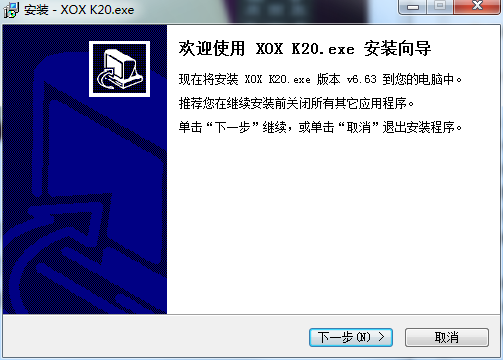
1. Download the Kesuosi k20 control panel from the Huajun Software Park, unzip it to the current folder, and click the XOX in it K20-V1.2-SETUP.exe application, enter the installation wizard interface, and then click Next.
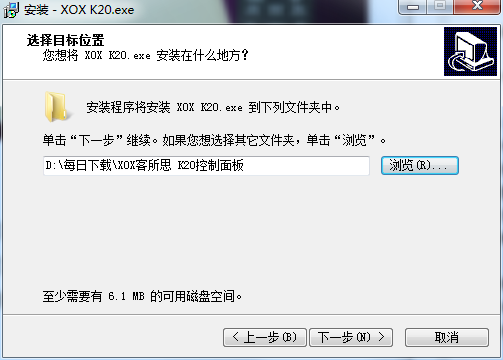
2. Select the software installation location interface. Huajun editor recommends that users install it on the D drive, select the installation location and click Next.
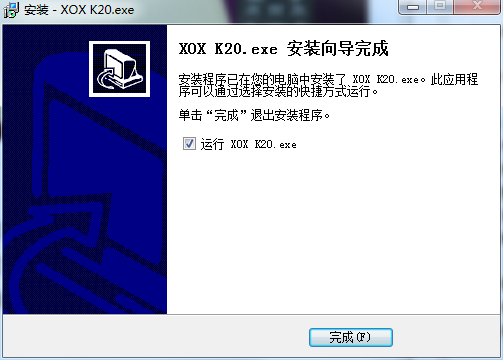
3. The installation of the Kesuosi k20 control panel is completed, click Finish.
Instructions for use of Kesuosi k20 control panel
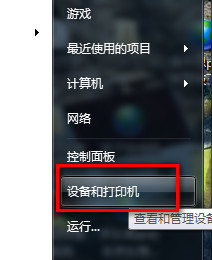
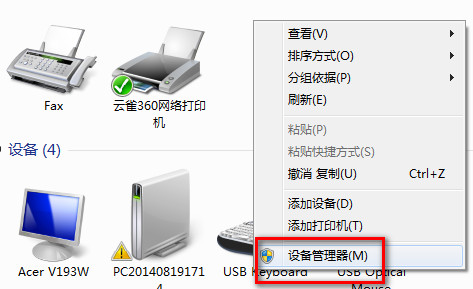
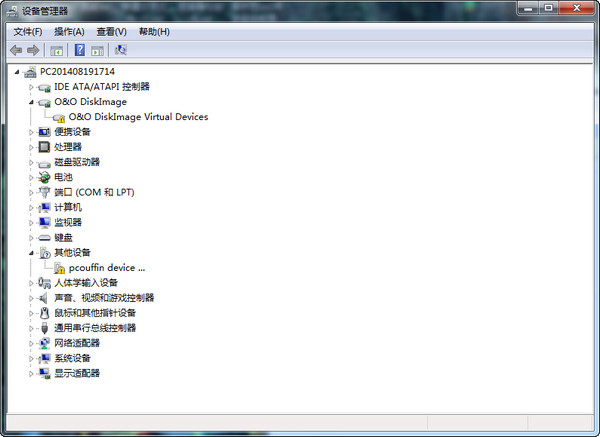
Open the downloaded software, then find the Kesuosi sound card in the device manager, right-click to update the driver
Select "Install from list or specified location", then select "Don't search", and finally select Install from disk and find the path you just unzipped.
Things to note about Kesuosi k20 control panel
Driver update content:
1、录音/音乐静音同时勾选,勾选后取消,重复两遍以上,音乐没有声音(频繁点击静音按钮,状态与实际功能不一致
2. After uninstalling the driver, open the program to automatically repair it. After repairing, restart the computer, open the program again, and switch to "I Want to Sing" and "Howling"
3. After uninstalling the driver, when it is automatically repaired, it shows that the repair failed. Exit the program and reopen it, and it can be used normally.
Frequently asked questions about Kesuosi k20 control panel
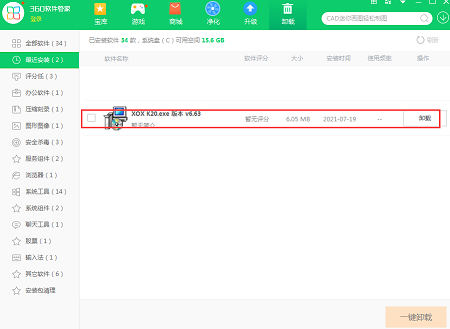
Question: How to uninstall Kesuosi k20 control panel software?
Answer: Method 1: Install and open the computer housekeeper software, select the software management option, click the uninstall option, find the Kesuosi k20 control panel software in the list, and click uninstall
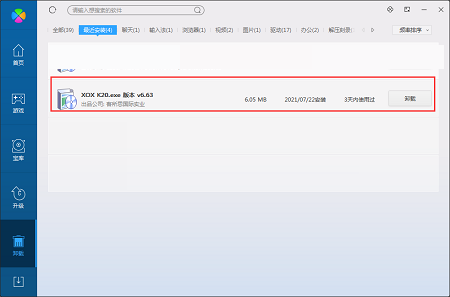
Method 2: Install and open360 software manager, find the Kesuosi k20 control panel software in the list of uninstall options, and click to uninstall.
Comparison of similar software
Kesuosi k10It is the latest series of online singing stations officially developed by Kesuosi. Through the Kesuosi k10 control panel, you can debug the sound effects of music listening, host shout-out, karaoke and other platforms.
Intel My WiFi Dashboardis an intuitive application that allows you to quickly search and connect to locally nearby computers and other devices over wired and wireless connections. Use WiFi Direct lets you connect and chat wirelessly with multiple users, transfer files, and launch a personal hotspot to share Internet access. Hotspots allow you to create a network of personal devices connected to your computer.
Huajun editor recommends:
Kesuosi k20 control panelIt provides a high-quality recording mode for condenser microphones, which can provide the best quality dry voice recording. It provides customers with the possibility to perform vocal recording, dubbing and other purposes. The Kesuosi k20 control panel is one of the best software in the industry. I believe many friends will use it. If you don’t use it anymore, it will be OUT.











Useful
Useful
Useful