






Realtek Realtek HD Audio official sound card driver software introduction
In the traditional AC97 audio chip market, Realtek's products have won most of the market share with their excellent cost performance, and after Intel officially launched "High Definition (High Definition)" After Definition Audio)" audio system, Realtek also quickly followed up and released several HD models such as ALC880/ALC882/ALC260/ALC861. Audio audio chip continues to maintain its leading position in the field of onboard sound cards.
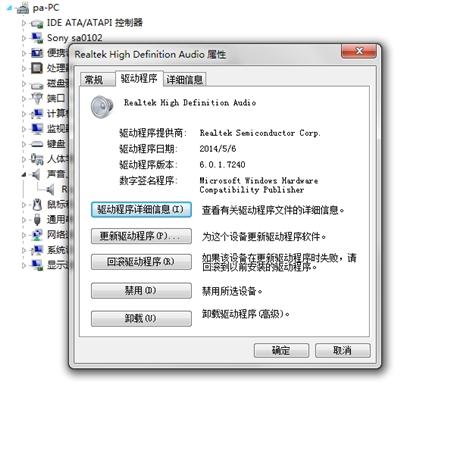
Realtek Realtek HD Audio official sound card driver supports sound card models
-alc882, alc883, alc885, alc886, alc887, alc888, alc889, alc892,
—ALC899, ALC861VD, ALC891, ALC900
-ALC660, ALC662, ALC663, ALC665, ALC667, ALC668, ALC670, ALC671,
-alc672, alc676, alc680
—alc221, alc231, alc233, alc235, alc236, alc255, alc256, alc260,
—alc262, alc267, ALC268, ALC269, ALC270, ALC272, ALC273, ALC275, ALC276, ALC280,
-alc282, alc283, alc284, alc286, alc288, alc290, alc292, alc293, alc298, alc383
Realtek Realtek HD Audio official sound card driver adapts to hardware
Realtek ALC861/ALC880/ALC882/ALC883/ALC885/ALC887/ALC888/ALC889/ALC260/ALC262/ALC268/ALC272/ALC273/ALC662/ALC663/ALC665 HD Audio audio chip
Realtek Realtek HD Audio official sound card driver installation steps
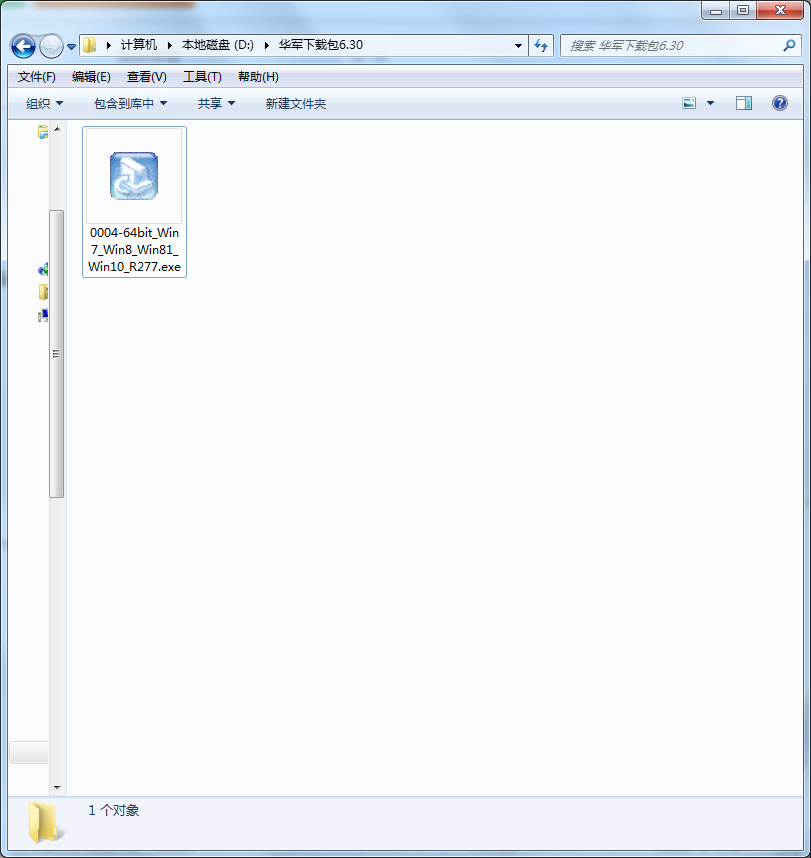
1. Realtek Realtek HD will be installed in Huajun Software Park Download the Audio official sound card driver, unzip it to the current folder, and click the 0004-64bit_Win7_Win8_Win81_Win10_R277.exe application.
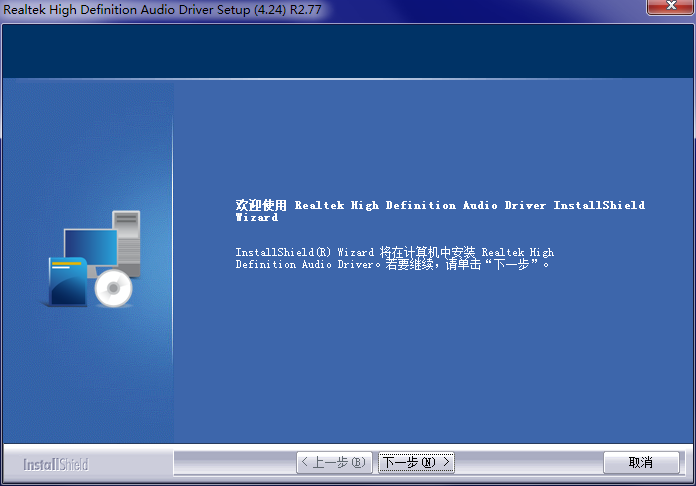
2. Enter the welcome interface, we need to click Next.
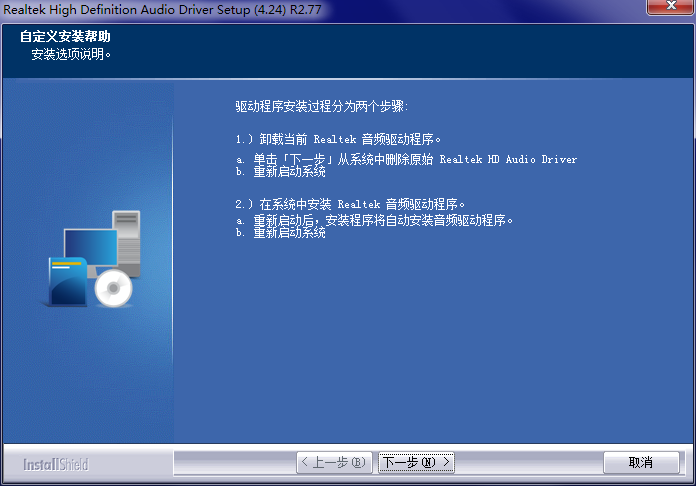
3. Customize the installation help interface, we continue to click Next.
4. The official Realtek HD Audio sound card driver is being installed, please wait patiently for a while.
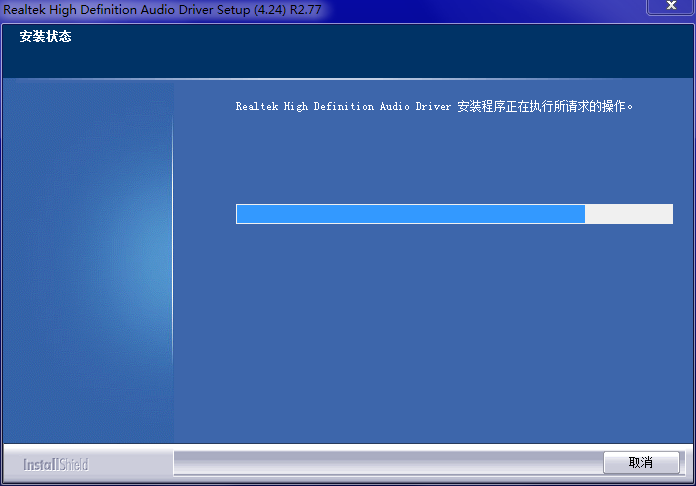
5. Realtek HD Audio official sound card driver installation is completed.
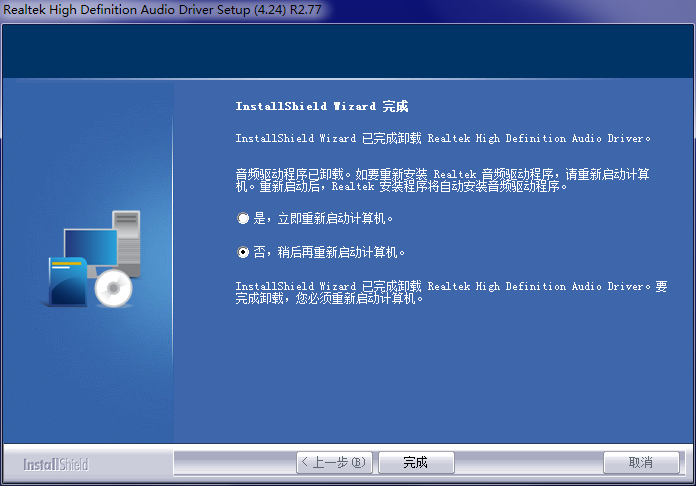
How to use Realtek Realtek HD Audio official sound card driver
1. First bring up the Realtek HD audio manager
Method: Enter the control panel, select "Sounds, Voice and Audio Devices", and then bring up the "Realtek High Definition Audio Configuration" interface
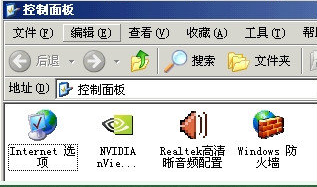
2. Enable the rear microphone function
Select "Mixer", deselect "Rear Pink in" and increase the volume to maximum
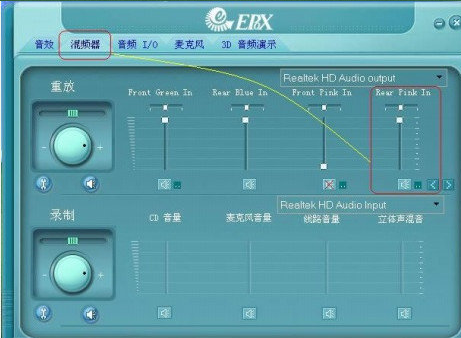
Select "Mixer" and turn the "Record" rotary volume to maximum
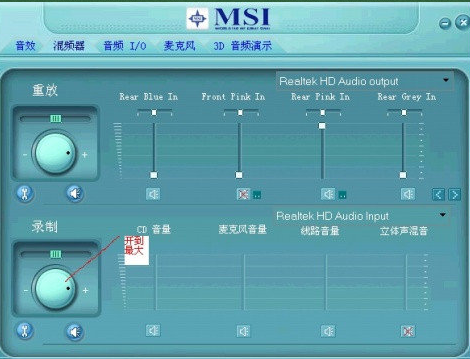
3. Disable the front panel jack detection function.
Method: Select "Audio I/O" and click the "wrench icon" on the upper right side of the management panel. In the pop-up interface, check "Disable front panel jack detection" and click the "OK" button to confirm.
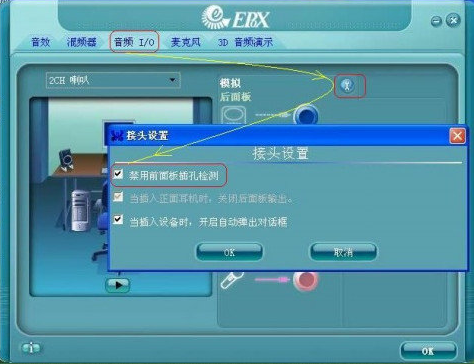
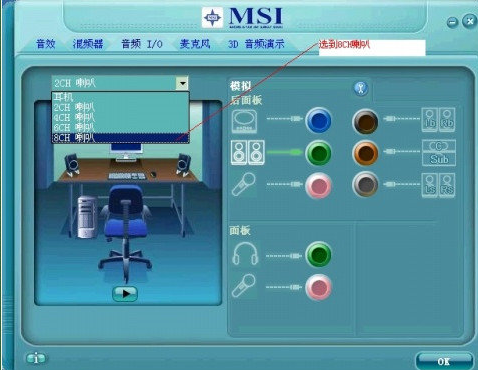
4. Release the volume of the HD sound card and use your headphones as a sound system
1. Select "Audio I/O", click on the drop-down arrow and change "2CH Speaker" to "8CH Speaker". This can solve the problem of low sound in the game.
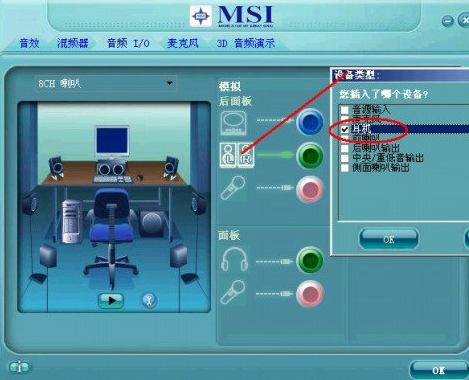
2. Select "Audio I/O" and change the default "Speaker Output" for the sound output on the rear panel to "Headphones". This step is the most critical step in the entire HD sound card setup and must not be forgotten.
Realtek Realtek HD Audio official sound card driver FAQ
Question: What should I do if there is no sound after installing the Realtek HD Audio official sound card driver?
Answer: Try opening the red speaker pattern (high-definition audio configuration) in the control panel. In Audio/IO, click the small wrench on the upper right and turn it on.
Just check the checkbox to disable front panel jack detection.
Realtek Realtek HD Audio official sound card driver comparison with similar software
Realtek HD Audio sound card driverVersion 6.0.1.5936For Win7-64/Win8-64/Win8.1-64 (Added on May 30, 2014) Apple MacBook Air/MacBook The Realtek sound card driver required when Pro/iMac and other computers are installed with 64-bit Win7/Win8/Win8.1. If after installing Windows, you find that there is no sound icon in the lower right corner, the computer has no sound, and Realtek appears in the device manager interface. Audio yellow exclamation mark and other situations, you can try to install this Realtek sound card driver to solve the problem.
realtek high definition audioIt can solve the problem of no sound on the computer. Recently, my computer always has no sound. I opened the device manager and found realtek High definition audio is marked with a yellow question mark. After installing this sound card driver, the problem will be solved.
Realtek Realtek HD Audio official sound card driver update log
1. Sweep the bug out and carry it out to the end
2. The most stable version in history
Huajun editor recommends:
After official continuous improvements, Realtek HD Audio official sound card driver can meet all your needs. Come download and experience it. Of course, this site has also carefully prepared for youRME Fireface UC audio device driver,Realtek Realtek HD Audio audio driver,Win7 sound card one-click repair,Realtek sound card driver,IDT High Definition Audio sound card driver



















Useful
Useful
Useful