
If you are looking for software to use, go to Huajun Software Park! software release AI product list

Hello, if there is a need for software inclusion, please package the software and attach the software name, software introduction, software-related screenshots, software icon, soft copy, business license (if you do not have a business license, please provide the front and back of the corresponding developer ID card and a photo of yourself holding the ID card), and send it to email http://softwaredownload4.com/sbdm/user/login

Close >>

Send to email:news@onlinedown.net

Close >>

Location: Home pagePC softwaremanagement softwareOffice software Yijie Examination Classification Examination Room Grouping Competition Grouping Software
Yijie Examination Classification Examination Room Grouping Competition Grouping Software

EasyExam Classification Examination Room Grouping Competition Grouping Software 1.1

QR code
  • Software licensing: shareware
  • Software size: 0.39MB
  • Software rating:
  • Software type: Domestic software
  • Update time: 2024-12-26
  • Application platform: Winxp/vista/win7/win8/2000/2003
  • Software language: Simplified Chinese
  • Edition: 1.1

Download the service agreement at the bottom of the page

Software introduction Related topics FAQ Download address

Basic introduction
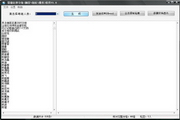
Yijie Examination Classification Examination Room Grouping Competition Grouping Software Section First LOGO
Yijie competition grouping and teaming sorting software is widely used in various sports competitions, competitive sports, debates and other random sorting and teaming occasions. The operation is simple, the functions are easy to use, and the output is supported for word typesetting and printing.
Similar software
Release Notes
Software address

If the existing functions cannot meet your needs, you can also pay for custom development.

This software is suitable for: exam placement, admission placement, invigilator placement, various competitions, etc.

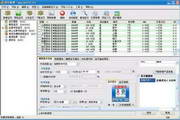
How to use: Click to run the "Easy Competition Grouping.exe" software, select the txt data to be loaded (one message per line, you can refer to the test data in the software directory), select "Number of people in each group", click "Generate", the software can automatically randomly form teams according to the set number of people.

Examples of application scenarios:

1. How to sort by drawing lots: Set "Number of people in each group" to 1 and click "Generate";

2. How to group the Mahjong game: Set the "Number of people in each group" to 4 and click "Generate"; set the "Number of people in each group" to 2 in the chess game and click "Generate".

3. Only divide into 2 groups: first estimate the number of people in each group, fill in the "Number of people in each group", and click "Generate".

4. For other application scenarios, please contact Wangwang customer service for details.

Related topics

  • Yisai official website

    Yisai official website

  • Complete collection of personality groups

    Complete collection of personality groups

  • Group encyclopedia

    Group encyclopedia

FAQ

Yijie Examination Classification Examination Room Grouping Competition Grouping Software

EasyExam Classification Examination Room Grouping Competition Grouping Software 1.1

Close