





PPT to PDF converter software features
It can batch convert PowerPoint (PPT, RTF, TXT, JPG) formats to PDF, saving time, and supports multi-core CPU, making your conversion process faster and more effective.
Open passwords can be set for individual or all output PDFs.
The software is available in multiple languages, including English, Chinese, German, French, Italian, and Japanese.
PPT to PDF converter installation steps
1. First, you need to find the download address on this page and select any address to download the PPT to PDF converter (PowerPoint to PDF converter) software package to your local computer. After downloading, double-click and decompress the .EXE format program in the package to run.
2. After double-clicking the installer, the following interface will appear: Please select the language mode that suits you in this interface.
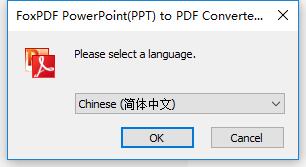
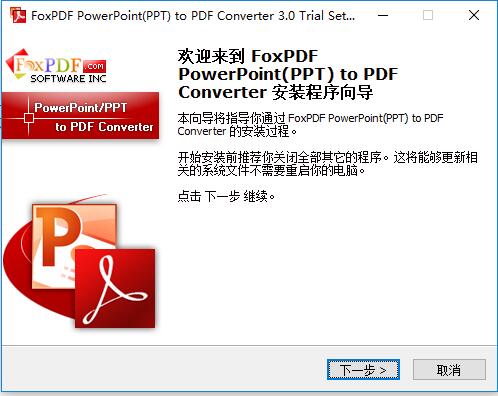
3. After selecting, enter the first interface of the formal installation of the PowerPoint to PDF converter (PPT to PDF converter), and select [Next].
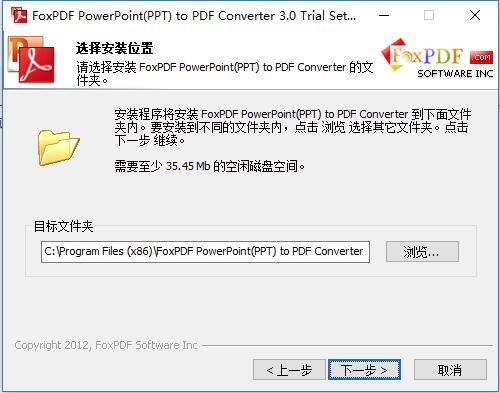
4. After starting the installation, enter the PowerPoint to PDF converter (PPT to PDF converter) installation path setting interface, please select [Browse] to set.
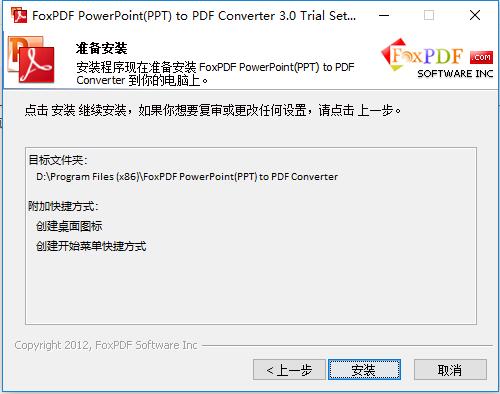
5. After selecting settings, enter the PowerPoint to PDF Converter (PPT to PDF Converter) installation information confirmation interface, and continue [Installation] without any errors.
6. Continue the installation and enter the PowerPoint to PDF converter (PPT to PDF converter) installation progress bar interface. Just wait patiently in this interface.
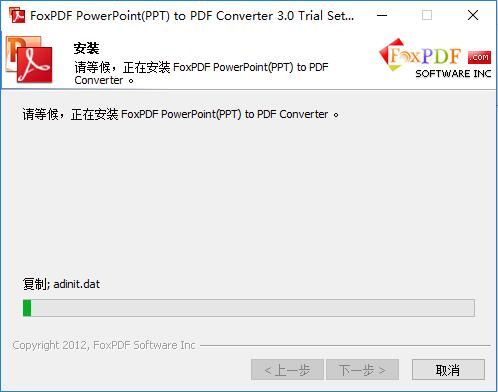
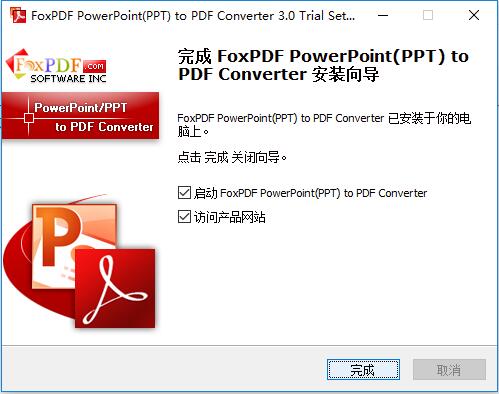
7. Finally, the PowerPoint to PDF converter (PPT to PDF converter) is installed. Click [Finish] to start the experience.
PPT to PDF converter tutorial
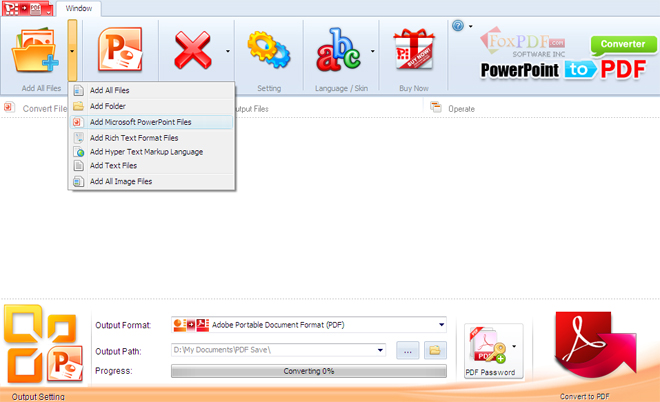
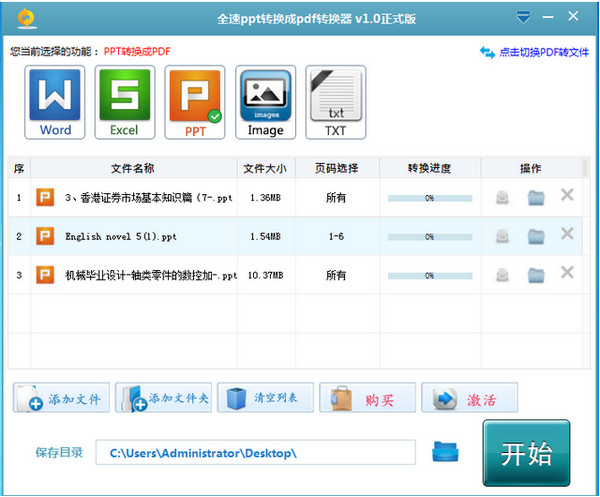
1. First, you need to run and open the PPT to PDF converter (PowerPoint to PDF converter), and then select the document that needs to be converted. Enter the selection from the location indicated in the picture:
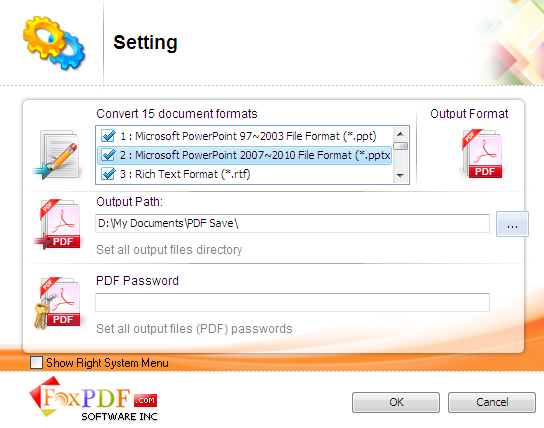
2. After selecting, we need to set the final output directory of the converted document. Select the settings according to the figure below. You can also set PDF page information in the conversion interface of the PPT to PDF converter (PowerPoint to PDF converter).
3. Then select the ppt file that needs to be converted into the converter and select the [Start] button to convert.
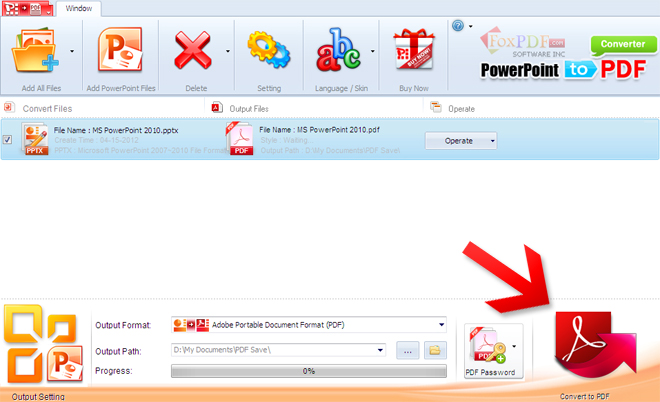
4. Finally, the PPT to PDF converter (PowerPoint to PDF converter) successfully converted the document. Please go to the set directory to check the conversion results.
PPT to PDF converter update log
Update some functions
Fix known bugs
|
Huajun editor recommends: If you are looking for a PPT to PDF converter that is simple, convenient and takes up little memory space? The editor here recommends this PowerPoint to PDF converter. This PDF conversion tool not only supports converting ppt format documents to pdf, but also supports converting pptx format documents to pdf format. And the PPT to PDF converter can also be compatible with various versions of Windows for use. In addition, the editor of Huajun has also collected and compiled other [pdf conversion] tools for you to choose and download, such as: PDF to Word converter, pdf to jpg converter, etc. |










Useful
Useful
Useful