





- Green versionView
- Green versionView
- Green versionView
- Green versionView
- Green versionView
Bilibili Evolved Highlights
Multi-browser compatible
Written based on JavaScript, it supports the extension mechanism of mainstream browsers such as Chrome, Firefox, and Edge.
It needs to be installed and used through a user script manager such as Tampermonkey or Violentmonkey (not compatible with Greasemonkey and AdGuard).
Modular design
Functions exist in the form of independent modules, and users can enable or disable them as needed to avoid wasting resources.
Developers can easily add new modules to extend script functionality.
Easy installation and configuration
Provide domestic CDN installation addresses (such as jsDelivr) to facilitate domestic users to download quickly.
The settings panel is divided into search bar, classification label and configuration area, and supports online installation, local import and batch addition of components.
Software features
1. Open source and customizability
Open source framework: The code is completely open, allowing users to modify or extend functions, and supports secondary development.
Modular design: Functions are divided by modules (such as video, style, dynamics, etc.), and users can freely enable or disable specific modules.
Cross-platform compatibility: supports mainstream PC browsers, and some functions are adapted to mobile terminals (browser extensions are required).
2. Core enhancements
Interface customization:
Modify the theme color of Station B (such as replacing the default pink with blue), and adjust the player layout, fonts and colors.
Customize the order and display of top bar icons and hide redundant buttons (such as the "Big Member" button).
The dynamic bar adopts waterfall flow design to improve the efficiency of information browsing.
Video function enhancements:
Download videos: Support downloading videos, subtitles, covers and barrages in optional formats (such as FLV), and can be exported to aria2 for unlimited download speed.
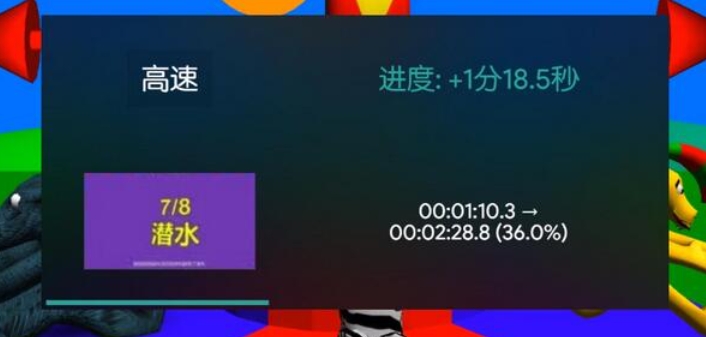
Playback control: Provides 2.5x speed and 3x speed playback options, supports double-click full screen, and remembers the last playback speed.
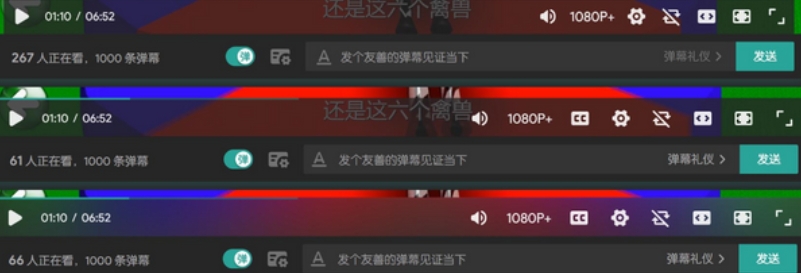
Barrage management: Automatically block irrelevant barrages and skip the "Charging Acknowledgments" page at the end of the video.
Advertising and distraction filtering:
Remove homepage ads and live broadcast room ads, and block video recommendations for specific tags (such as the "Let's xx" tag).
Night mode support reduces visual fatigue during long-term viewing.
3. Practical tool integration
Batch operation: Export cached videos in batches, sorted by alphabetical order or custom rules.
Data tracking: record movie viewing history, search history, and generate personalized recommendations.
Script extension: Supports the import of custom JavaScript scripts to further expand the functional boundaries.
Core functions
Theme and interface customization
CSS style control: Users can freely adjust the color, layout, fonts, etc. of the player, and even introduce custom skins to create unique visual effects.
Layout optimization: Supports adjustment of homepage information flow density, streamlined navigation bar (hide rarely used buttons), and video card style modification (compact/standard/extended mode) to improve page neatness.
Video playback enhancement
Double speed playback: Breaking through the official 2x speed limit of Bilibili, supporting higher speed playback to meet the needs of fast viewing.
Image quality adjustment: Allows free switching between different resolutions to ensure device compatibility.
Memory playback speed: Automatically save the last playback speed, eliminating manual adjustment steps.
Picture-in-picture mode: Supports video playback in a small window, allowing you to browse other content while watching videos.
Double-click full screen: Simulate the "Uaiteng" habit, double-click the video window to play full screen.
Barrage management
Keyword filtering: Use regular expression matching to block irrelevant comments.
Style adjustment: Customize the font size, color, and transparency of the barrage to improve the visual experience.
Automatic blocking: intelligently filter duplicate or low-quality comments to keep the comment area clean.
Video downloading and processing
Format and resolution selection: Supports MP4, FLV and other formats, as well as HD, SD and other resolutions to meet different needs.
Intelligent breakpoint resumption: Automatically pause when the network is unstable, and resume downloading after resumption to avoid repeated operations.
Barrage download: Video barrages can be downloaded separately for offline viewing or secondary editing.
Advertising and distracting content blocking
Ad removal: Automatically block video pre-roll ads, page banner ads, etc. to improve the smoothness of watching movies.
Charging acknowledgment skip: Automatically skip the "charging acknowledgment" link at the end of the video to save time.
Script expansion and secondary development
Open API: Supports users to write and import custom JavaScript scripts to expand functional boundaries.
Modular structure: Each function is an independent module, reducing code coupling and making it easier for developers to maintain and add new features.
Frequently asked questions and solutions
Installation and compatibility issues
Problem: The script cannot be installed or prompts "i is not iterable" error.
Solution:
Make sure your browser has the Tampermonkey or Violentmonkey plugin installed and the Bilibili Evolved script enabled.
Check whether the script version is the latest (such as v2.0.2). The unofficial version needs to be downloaded over the wall.
Clear the browser cache, or change to mainstream browsers such as Chrome and Edge for testing.
Bilibili Evolved update log:
1. Optimize content
2. The details are more outstanding and bugs are gone.
Huajun editor recommends:
Bilibili Evolved with91 Assistant,Certificate manager,Duobaoshi multimedia visual training system,PDFdo TXT To PDF,SEP WriterThese are all very good software, welcome to my site to download and experience!




Your comment needs to be reviewed before it can be displayed