





Basic introduction to Ansys 15
Ansys 15 official version is a highly professional software. It is a limited analysis software launched by the American ANSYS company and is the fastest growing computer-aided engineering software in the world. For beginners, it is not recommended to search for information on the Internet endlessly. As for the messy tutorials on the Internet, unless your level reaches a certain level, you can quickly find what you want by just seeing a video tutorial. For beginners, those tutorials require beginners to learn here and there, which is very difficult to get started quickly, and also wastes a lot of time and energy. This product is a large-scale general-purpose finite element analysis tool that integrates structure, fluid, electric field, magnetic field, and sound field analysis. Leading modern product development technology in terms of CAE functions, the content involved includes: advanced analysis, meshing, optimization, multi-physics and multi-body dynamics, which can be applied to aerospace, automotive industry, biomedicine, bridges, construction, electronic products, heavy machinery, micro-electromechanical systems, sports equipment and other industrial fields.
Ansys 15 software features
1. Efficient and flexible workflow
Fluent is fully integrated into the ANSYS Workbench environment, which enables efficient and flexible workflows, CAD connectivity, and powerful geometry modeling and meshing capabilities. The built-in parameter manager makes it easy to quickly explore multiple design options.
2. Build for multiphysics
Gain deeper insights into the complex and often counterintuitive interactions caused by multiphysics such as fluid-structure interaction (FSI). ANSYS Fluent is fully integrated with ANSYS Workbench, providing complete two-way interaction with ANSYS Mechanical, ANSYS Maxwell and other simulation technologies.
3. Solve complex models with confidence
ANSYS Fluent can solve sophisticated and complex models for multiphase flow, chemical reactions and combustion. Even viscous flows, turbulence, internal and external flows, flow-induced noise prediction, heat conduction with and without radiation can be easily modeled.
4. Radio frequency and microwave
HFSS has long been used by RF and microwave engineers to design high-frequency components in communications systems, radar systems, satellites, smartphones, and tablet devices. The technology achieves high simulation accuracy and solves a wide range of challenging RF and microwave engineering problems, all of which benefit greatly from automatic meshing capabilities. The end result is the highest solution accuracy and best solution time.
5. Complete geometric modeling
You need to select the level of geometric detail required for your analysis. For quick analysis, a basic sketch of a blade may be sufficient. But when maximum accuracy is required, ANSYS BladeModeler software includes detailed 3D solid modeling geometry components. Depending on the design process and needs, advanced ANSYS fluid dynamics or ANSYS structural mechanics products can be used to analyze the aerodynamic or mechanical performance of blade geometries.
6. Signal integrity
Using HFSS, engineers can easily design and evaluate signal integrity and electromagnetic interference performance in connectors, transmission lines and vias on printed circuit boards (PCBs), high-speed components used in computing servers and storage devices, multimedia computers, entertainment systems and telecommunications systems. Engineer teams around the world are leveraging ANSYS tools to give their designs a competitive edge.
7. Interactive blade design
ANSYS BladeModeler defines your design as multiple 2D sketches (in spanwise or user-defined locations) and instantly and interactively generates a complete 3D design, providing quantitative information such as blade angle and throat area. The software uses meridional views to define flow paths and offers two modes to define blade shapes. You can specify blade wrap angle (blade angle) and thickness distribution using Angle/Thickness mode, commonly used in radial machine designs. Alternatively, you can separately describe the curves for the pressure and inlet sides of the blade using Pressure Side/Inlet Side mode, commonly used in axial machine designs.
Ansys 15 function introduction
1. Can realize the function of parallel network distribution. Simulation models usually consist of dozens or hundreds of parts. Sequential meshing of each part is very time-consuming. However, using parallel meshing technology, the mesh of parts can be meshed at the same time, improving the efficiency of simulation.
2. In terms of contact analysis, fast analysis of bolt threads is achieved without the need for detailed thread geometry models, thereby reducing calculation time. In addition, the function of nonlinear adaptive meshing has been added, so that automatic mesh segmentation and deformation make the problem solvable. Moreover, the nonlinear adaptive meshing technology is nonlinear adaptive based on standard criteria, supports unit distortion, average strain energy and contact status, and can define load steps and component/region specific rules.
3. In terms of fracture mechanics analysis, R15 supports T-stress calculation, which helps predict stability and whether cracks will deviate from the original plane. In addition, in Mechanical, crack growth simulation based on VCCT (Virtual Crack Closure Technology) now supports crack analysis based on layering.
4. Shape memory alloy materials can be used for beams, shells and plane strain. It supports the implicit creep of CHABOCHE kinematic hardening, and also supports users to establish hierarchical models using the CZM criterion. In addition, options to control the resulting output data of user state variables can help reduce the size of the RST file.
5. Distributed ANSYS solving performance. The improved R15.0 domain decomposition step is reflected in faster performance (better scalability) when using more cores.
In addition, the functions of ANSYS fluid products mainly include single-phase, non-chemically reactive flow, heat transfer, free surface flow (multiphase flow), discrete multiphase flow (droplets, bubbles, solid particles), chemical reaction flow, turbine machinery, shape optimization, high rheological properties materials, cooling of electronic components, HPC for fluid simulation, fluid-solid coupling, multi-physics coupling: flow-thermal-electromagnetic-structural functions.
6. In general, ANSYS 15.0 on the one hand strengthens its simulation analysis and processing capabilities for complex problems, and at the same time its collaborative simulation environment Workbench is highly integrated, making comprehensive solutions more feasible. In addition, it uses advanced technology to achieve efficient parallelism and accelerate convergence. The improvement in operating efficiency is believed to enable enterprises to have a better operating experience.
Ansys 15 installation method
1. Download the Ansys 15 official version software package from Huajun Software Park, unzip it and find "ACP-15.0-r18901-win64.exe", double-click to run;

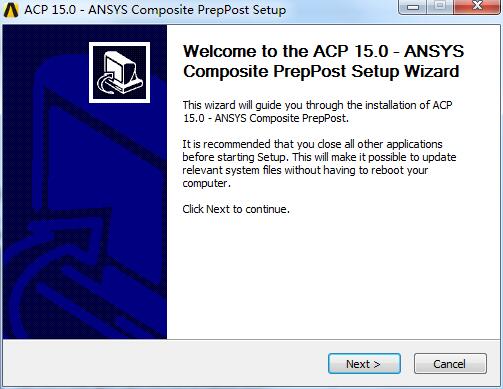
2. Enter the software installation wizard exit and click Next to continue the software installation;
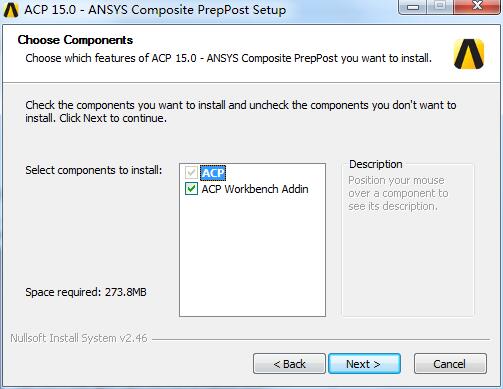
3. Complete the selection of additional tasks, uncheck those that are not needed, and click Next;
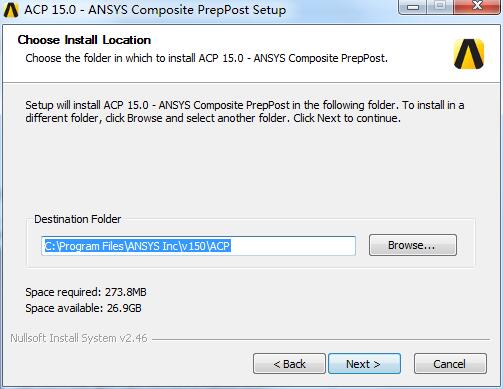
4. Quickly select the installation location of the software. The default is "C:Program FilesANSYS Incv150ACP". Click Next to continue;
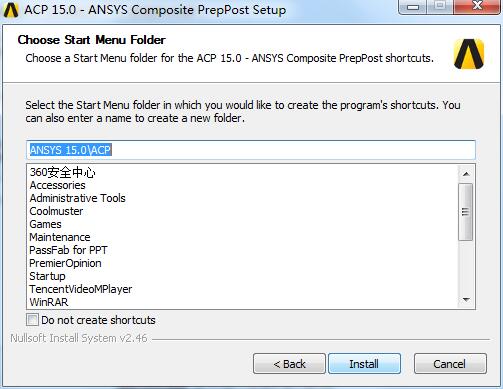
5. Select the shortcut folder of the software. The default is "ANSYS 15.0ACP" and click Install;
6. The software installation is being completed. Please wait patiently for the software installation to be completed;

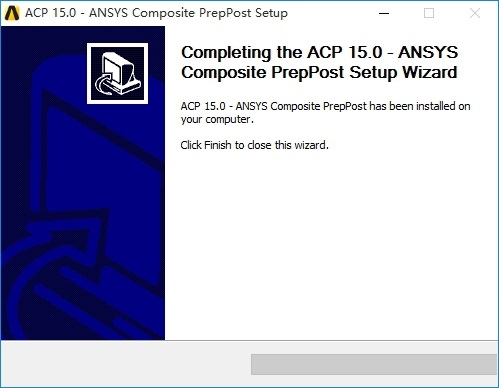
7. The software has been successfully installed, click Finish;
8. Enter the relevant main installation interface, click ANSYS150_WINX64_Disk1.iso to enter the relevant application interface, after starting, click the first item to install;

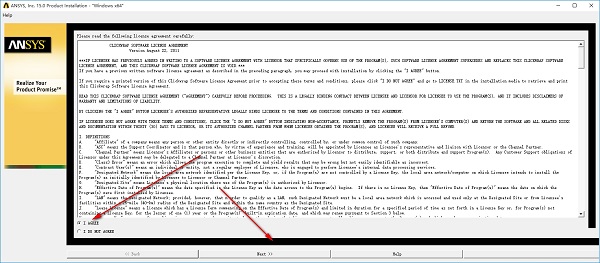
9. Enter the exit of the license agreement, select I AGREE to accept, and click Next to continue the software installation;
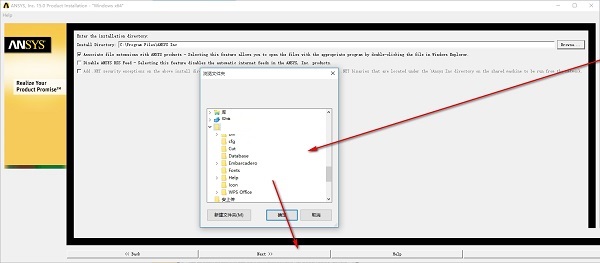
10. For the selection of the main software installation location, it is recommended to install the D drive, click Next to continue;
11. Quickly select the attachments and click Next to continue the installation;

12. Select the relevant components and click Next to continue;
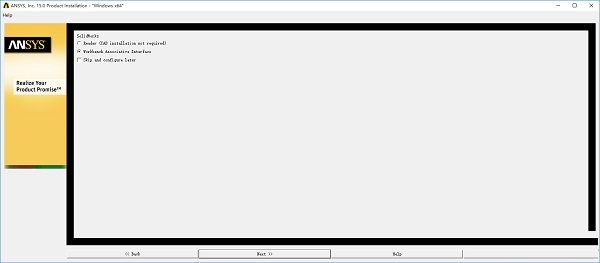
13. When you are ready to install, click Next to continue;

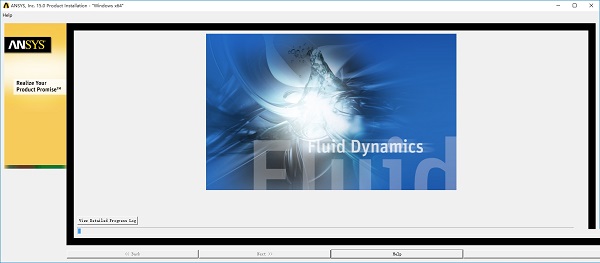
14. The software is being installed quickly, and it will be installed successfully in a moment;
Ansys 15 change log
1. Fix bugs in the previous version
2. Optimize some functions
Huajun editor recommends:
It is one of the best among them. With its comprehensive functions and simple operation, it has won unanimous praise from users. Come and download it and give it a try. The editor has also prepared for youFang Guanjia ERP real estate agency management software,Concrete mix ratio calculator,Southern total station transmission software,Aiyifang login platform,Changfeng rental software




Useful
Useful
Useful