If you are looking for software to use, go to Huajun Software Park! software release AI product list

Hello, if there is a need for software inclusion, please package the software and attach the software name, software introduction, software-related screenshots, software icon, soft copy, business license (if you do not have a business license, please provide the front and back of the corresponding developer ID card and a photo of yourself holding the ID card), and send it to email http://softwaredownload4.com/sbdm/user/login

Close >>

Send to email:news@onlinedown.net

Close >>

Location: Home pagePC softwaregraphic imagePSD material Ink Art Photoshop Action photo to ink art painting action plug-in
Ink Art Photoshop Action photo to ink art painting action plug-in

Ink Art Photoshop Action photo to ink art painting action plug-in green version

QR code
  • Software licensing: free software
  • Software size: 1.7MB
  • Software rating:
  • Software type: Domestic software
  • Update time: 2024-12-30
  • Application platform: Win All
  • Software language: Simplified Chinese
  • Edition: Green version

Software introduction Related topics FAQ Download address

Basic introduction
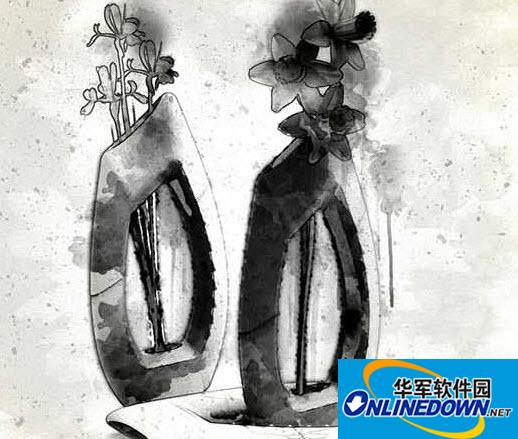
Ink Art Photoshop Action photo to ink art painting action plug-in segment first LOGO
Ink Art Photoshop Action photo to ink art painting action plug-in is a photo to ink art painting action Ink Art Photoshop Action download, is an action plug-in tool in Photoshop, the function is very powerful, it is a special effects tool for doing Chinese classical ink art.

How to use

1. Open the English version of PS, double-click to import the "Ink Art PhotoShop Action.atn" ink action and "Ink Art Brushes.abr" ink brush;

2. Open the picture, confirm that the picture is the background layer, then create a new blank layer and name it "brush". Select the appropriate brush in the brush layer and choose a color to apply on the area you want to process.

3. Open the action panel and run the Ink Art PhotoShop Action.
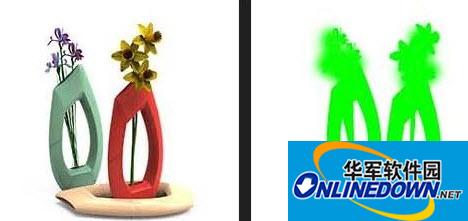
Ink Art Photoshop Action photo to ink art painting action plug-in screenshot

Ink Art Photoshop Action photo to ink art painting action plug-in screenshot

Note: This action requires the English version of Photoshop

How to quickly convert the Chinese version of Photoshop to the English version

Open your PS installation directory, find tw10428.dat under Localeszh_CNSupport Files and rename it to tw10428bak.dat (any character can be used for "bak"), then reopen PS and it will become the English version.

To change back to the Chinese version of Photoshop, just rename "tw10428bak.dat" back to "tw10428.dat".

If you think this method is more troublesome, you can also directly use Photoshop CC 2017 Chinese and English bilingual version

How to use Ink Art Photoshop Action

Applicable to the English version of Photoshop CS3 and above. Please test other versions yourself.

Suggestions

1. The photo size is 1500px (2000px is recommended);

2. Photo resolution between 240-300dpi (300pdi recommended);

3. Photos must be in RGB and 8-bit color mode;

4. Use PS image processing software CS3, CS4, CS5, CS6, CC, CC2014, cc2015 English version, cc2017;

5. The image being processed must be the background layer.

FAQ

Ink Art Photoshop Action photo to ink art painting action plug-in

Ink Art Photoshop Action photo to ink art painting action plug-in green version

close