




Software features
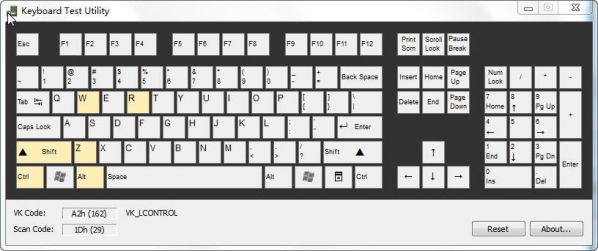
Full key coverage detection
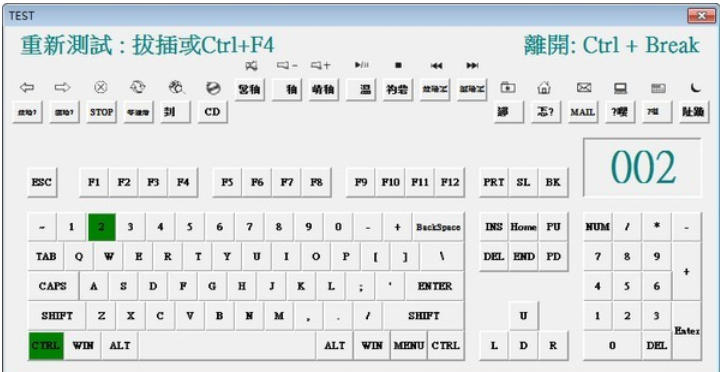
Supports 104-key full keyboard detection, including standard keys, function keys (F1-F12), multimedia keys and composite keys (such as .COM, .WWW keys).
Special key processing: Special tests are provided for extended keys such as Win key and menu key, and filtering system keys (such as Sleep key) can be customized.
High performance parametric evaluation
Response time measurement: with an accuracy of 0.01 seconds, quantitatively evaluate button sensitivity.
Repetition rate and stability test: Test the performance under rapid and continuous tapping to avoid key jamming or missing keys.
Software function
Basic button test
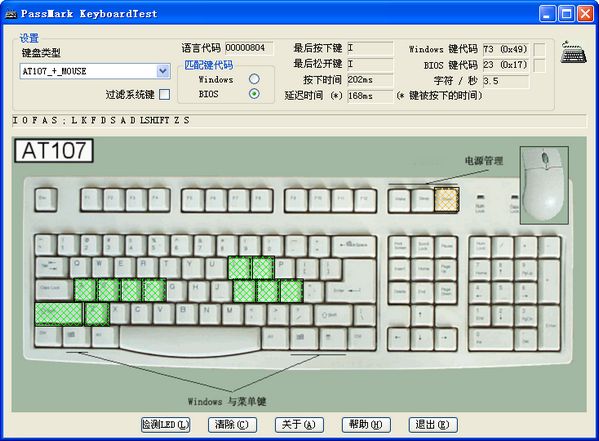
Key-by-key scanning: real-time display of key numbers, characters and response time.
Fault mark: Unresponsive keys are prompted in red, and an error log is generated for subsequent analysis.
Advanced performance testing
Long press endurance test: Continuously press the button to test the hardware life and rebound performance.
Automatic repeat test: set a period to automatically repeat key presses to verify stability (such as combo requirements in game scenarios).
Customization and batch processing
Custom layout: Supports the creation of personalized keyboard layouts to adapt to special key positions or non-standard keyboards.
Batch test mode: The production line environment can record the keyboard serial number, operator ID and test results to facilitate quality management.
Data recording and reporting
Screenshot saving: Manually capture the test results to facilitate comparison of the performance of different keyboards.
Detailed log: records key response time, number of errors and other data, and supports export analysis.
FAQ
Computer cannot detect keyboard
Possible reasons:
The keyboard device shows up in Device Manager as "Unknown Device" or with an exclamation mark (driver issue).
The keyboard connection is loose or the wireless keyboard battery is low.
Solution:
Update the keyboard driver (visit the manufacturer's official website to download the latest driver).
Check the keyboard connection to make sure the interface is secure; for wireless keyboards, make sure the receiver is plugged in correctly.
After uninstalling the keyboard device, restart the computer and let the system reinstall the driver.
Keyboard test software update log:
1: Brand new interface, refreshing, simple and efficient
2: Performance is getting better and better
Huajun editor recommends:
Of course, in addition to the keyboard test software, a very convenient keyboard and mouse software, our Huajun Software Park also hasSee9 computer mouse automatic point connecter,Logitech SetPoint (32-bit),Boss Key,mouse clicker,Keyboard lock kingRelated software is available for download. If you need it, please click to download and use it.






Your comment needs to be reviewed before it can be displayed