If you are looking for software to use, go to Huajun Software Park! software release AI product list

Hello, if there is a need for software inclusion, please package the software and attach the software name, software introduction, software-related screenshots, software icon, soft copy, business license (if you do not have a business license, please provide the front and back of the corresponding developer ID card and a photo of yourself holding the ID card), and send it to email http://softwaredownload4.com/sbdm/user/login

Close >>

Send to email:news@onlinedown.net

Close >>

Location: Home pagePC softwareNetwork softwareDial tool Zhejiang City University Broadband Client
Zhejiang City University Broadband Client

Zhejiang City University Broadband Client v1.0 Free Version

QR code
  • Software licensing: free software
  • Software size: 0.65MB
  • Software rating:
  • Software type: Domestic software
  • Update time: 2024-12-30
  • Application platform: winall
  • Software language: Simplified Chinese
  • Edition: v1.0 free version

Dial-up tool reputation rankings

Download the service agreement at the bottom of the page

Software introduction Related topics FAQ Download address

Basic introduction
Zhejiang City University Broadband Client Duanshou LOGO
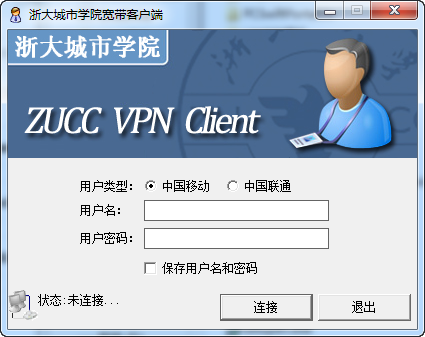
Zhejiang City College Broadband Client is a client specially provided for Zhejiang City College broadband users. It has powerful and practical functions and supports the login authentication of China Mobile and China Unicom Broadband, which can ensure that students of Zhejiang City College can log in and access the Internet smoothly.

Screenshot of Zhejiang City University broadband client

How to use

1. Method 1:

Use the system's own network settings to connect to the virtual private network

Set up a virtual WiFi

Then share the virtual private network to the virtual WiFi

2. Method two:

Download a Cheetah free wifi or buy a 360WIFI directly OK

3. Method three:

At present, China Unicom and China Mobile have been successful!

The latest mobile method has been set: changed the MTU from the default value to 1452, and it was successful!
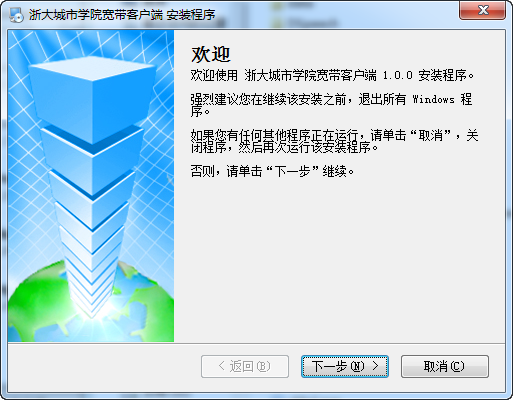
Screenshot of Zhejiang City University broadband client

FAQ

Zhejiang City University Broadband Client

Zhejiang City University Broadband Client v1.0 Free Edition

close