If you are looking for software to use, go to Huajun Software Park! software release AI product list

Hello, if there is a need for software inclusion, please package the software and attach the software name, software introduction, software-related screenshots, software icon, soft copy, business license (if you do not have a business license, please provide the front and back of the corresponding developer ID card and a photo of yourself holding the ID card), and send it to email http://softwaredownload4.com/sbdm/user/login

Close >>

Send to email:news@onlinedown.net

Close >>

Location: Home pagePC softwareNetwork softwareDial tool Broadband connection
Broadband connection

Broadband Connection 1.0 Official Version

QR code
  • Software licensing: free software
  • Software size: 1.05MB
  • Software rating:
  • Software type: Domestic software
  • Update time: 2025-07-23
  • Application platform: WinAll
  • Software language: Simplified Chinese
  • Edition: 1.0 official version

Dial-up tool reputation rankings

Download the service agreement at the bottom of the page

Software introduction Related topics FAQ Other versions Download address

Basic introduction
Broadband connection section first LOGO
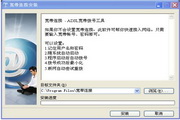
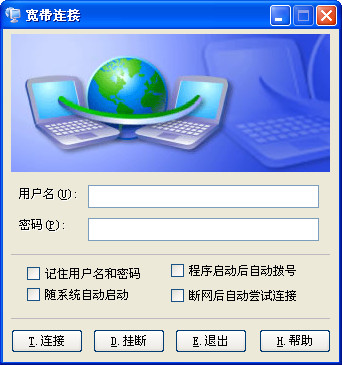
Broadband connection, to put it bluntly, is dial-up Internet access, but there are many ways to dial-up Internet access. Use this broadband connection - ADSL broadband dial-up tool to help you quickly access the Internet.

Broadband connection screenshot

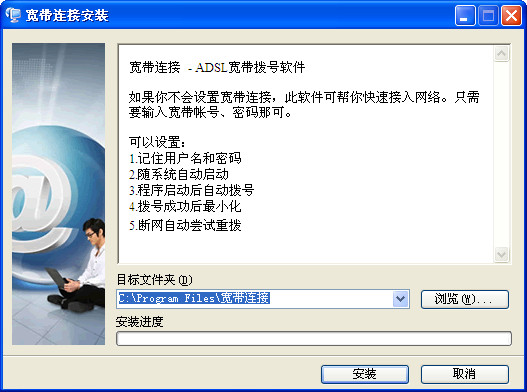
Broadband connection screenshot

Official introduction

Broadband connections in basic electronics and electronic communications describe extensions or electronic circuits that contain or are capable of processing a wide frequency range at the same time. It is a relative description. The larger the frequency range, that is, the higher the bandwidth, the greater the transmission data. The upper limit of dial-up Internet speed is 56KBps. Below 56KBps is called "narrowband", and above is called "broadband". For home users, it means that the transmission rate exceeds 1M, which can meet the needs of large amounts of information transmission such as voice and images. Including optical fiber, xDSL (ADSl, HDSL), ISDN, etc.

How to use

You only need to enter your broadband account and password to quickly access the network, a convenient and fast network access assistant.

Function settings

1. Remember username and password

2. Automatically start with the system

3. Automatically dial after the program starts

4. Minimize after successful dialing

5. Automatically try to redial when the network is disconnected.

FAQ

Broadband connection

Broadband Connection 1.0 Official Version

close