




KK player features
1.KK player has a new player core with smoother speed;
2. Brand new UI interface design, refreshing you;
3. Newly constructed transmission protocol, more stable and smooth;
4. KK Player’s brand new film library interface has a simpler style;
5. All menus have been reorganized to make operations more flexible;
6. Fix video aliasing under win7 and enhance compatibility.
7.KK player adds streamlined mode, automatic shutdown, cache management, etc.
KK player update log
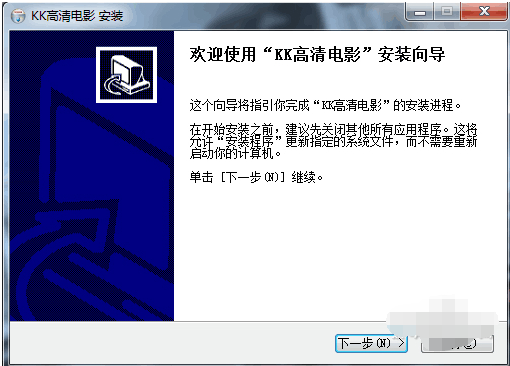
1. Double-click the KK HD Movie Player installation package to enter the KK HD Movie Player installation wizard, and click Next
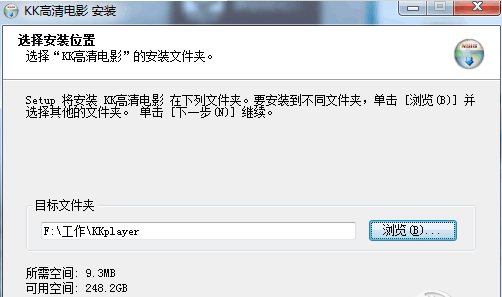
2. Customize the installation according to personal circumstances and click Next.
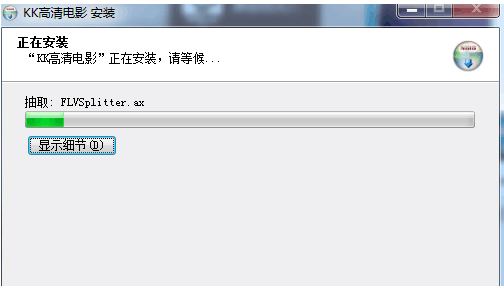
3. Wait for the installation progress
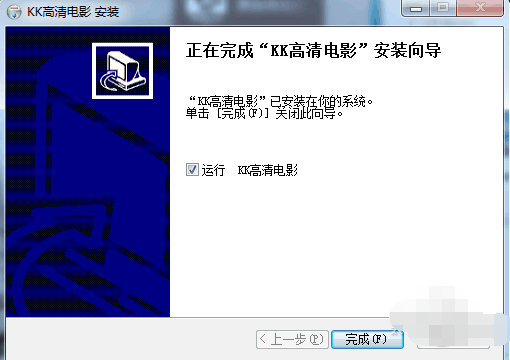
4. After completing the installation, you can enter the KK HD movie player experience
How to use KK player
How does KK HD Movie Player play videos using video file addresses?
1. Open KK HD movie player
2. Click to play network files
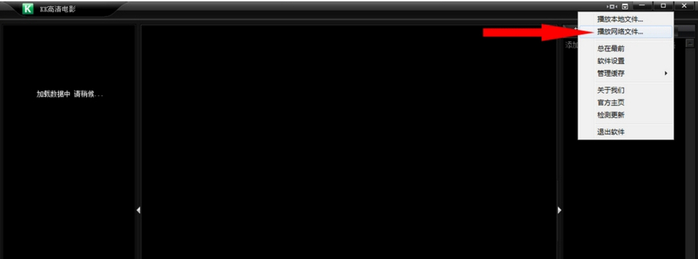
3. Enter the URL
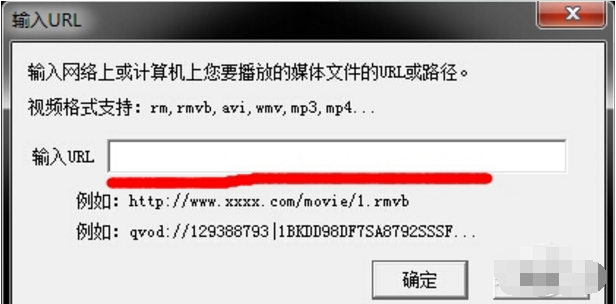
4. Ready to play
How to clear the cache of KK HD Movie Player?
1. Open our KK HD movie player
2. Select Manage Cache in the menu
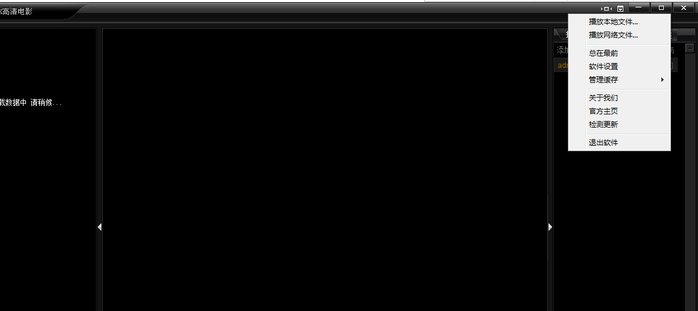
3. Select Clear Cache in this option.
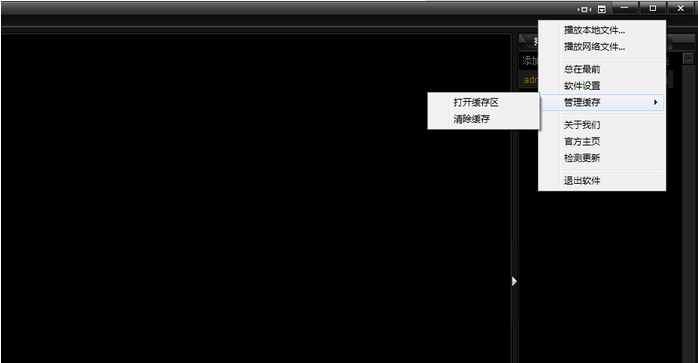
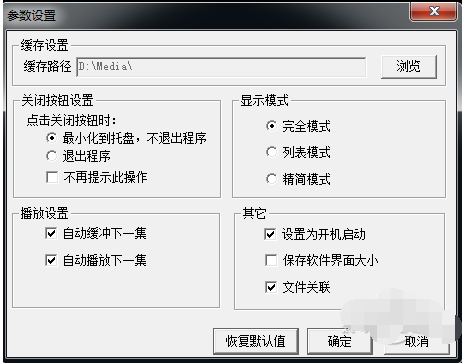
Where to check KK HD Movie Player cache path?
1. Open KK HD movie player
2. Open the software settings in the menu
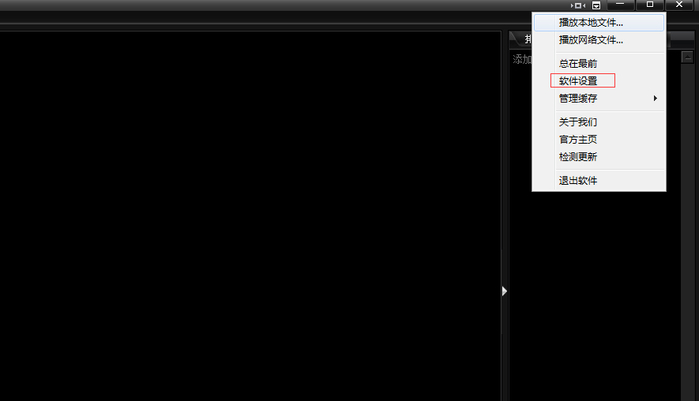
3. You can view the cache path in the cache settings.
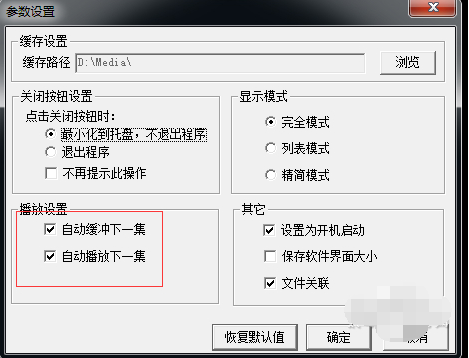
How to set the KK HD movie player to automatically buffer the next episode while watching?
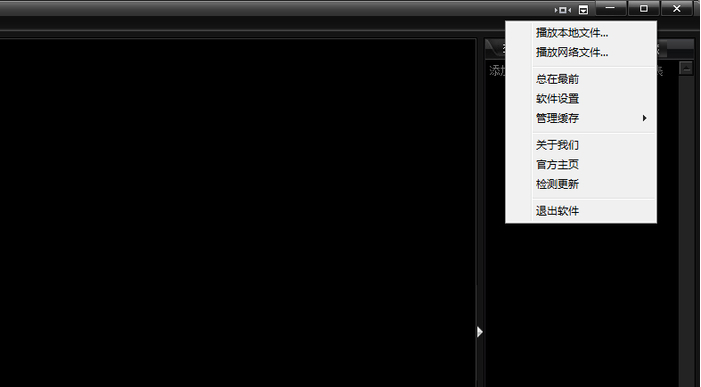
1. Open KK HD movie player
2. Click Software Settings in the menu bar
3. Check the box to automatically play the next episode in the playback settings.
How to set KK HD Movie Player to always be on top?
1. Open KK HD movie player
2. Click Always on top in the menu

3. After the setting is completed, the software will always be displayed at the front
KK player update log
V2.3 fixes the problem that IE8 cannot automatically upgrade, and fixes the problem that the next episode cannot be automatically buffered.
V2.4 fixes the problem of incorrect image display under IE8



















Useful
Useful
Useful