





CyberDuck Highlights
Intuitive interface design
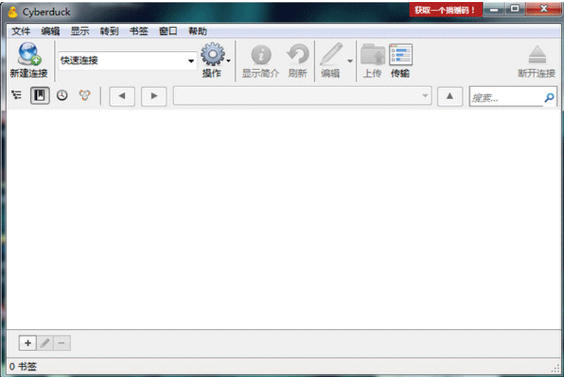
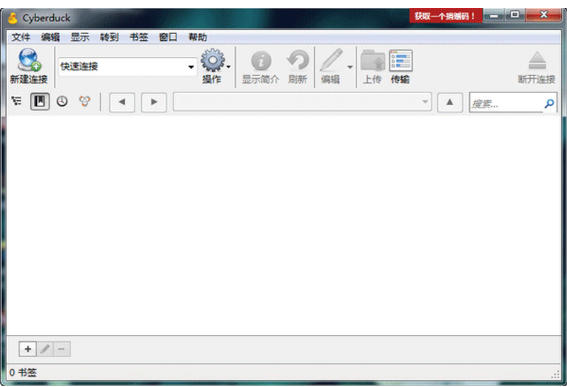
Using a simple graphical user interface (GUI), the file list is similar to a local resource manager, reducing learning costs.
Dual-window view: displays the local directory on the left and the remote directory on the right, supporting comparison of file structures.
Tabbed interface: allows multiple tabs to be opened at the same time and multiple transfer tasks to be processed in parallel.
Integrated editing and preview
Built-in text editor supports directly modifying remote files and saving them back to the server.
Integrate QuickLook (macOS) or third-party editors (such as VS Code) for quick preview and editing.
Supports HTTP URL generation to facilitate sharing file links.
Synchronization and version control
Local and remote directory synchronization: automatically update file versions to ensure data consistency.
Version management: Supports Amazon S3 version control and can roll back to historical versions.
Large file multi-part upload: Supports dynamic multi-part upload of files larger than 5GB, and supports breakpoint resumption.
CyberDuck Features
Web design and development
Frequently upload/download website files (such as HTML, CSS, images), support direct editing of server files and save them in real time.
Seamless integration with CMS systems such as WordPress via WebDAV protocol.
Server maintenance and management
System administrators can upload configuration files, logs or scripts in batches, and support SSH key authentication to enhance security.
Special needs for running publicfile (FTP) servers are supported via EPFL file lists.
Cross-platform file sharing
Team members can share files between different operating systems and support Bonjour Service Discovery (macOS) to automatically detect LAN servers.
Global file distribution with Rackspace Cloud Files or Azure Blob Storage.
Remote working and collaboration
Remote workers can securely access corporate FTP/SFTP servers and support temporary signed URLs to limit resource access.
Integrate Google Docs and Dropbox to realize collaborative editing of cloud documents.
CyberDuck Features
Multi-protocol support
Supports traditional protocols such as FTP, SFTP, FTPS, and WebDAV to ensure compatibility with various servers.
Integrating mainstream cloud storage services such as Amazon S3, Google Cloud Storage, and Dropbox, users can manage cloud files directly through a unified interface.
Expanded support for emerging storage solutions such as OpenStack Swift and Backblaze B2 to meet diverse needs.
Cross-platform compatibility
It provides Windows and macOS versions, and supports running on Linux systems through the command line interface (CLI) to achieve seamless collaboration across operating systems.
Specifically optimized for macOS, it deeply integrates Spotlight, QuickLook, Keychain and other system functions to enhance the localization experience.
Efficient file management
Drag-and-drop operation: Users can directly drag and drop files to complete upload/download, simplifying the operation process.
Bookmark management: Save frequently used server connection information to support quick access.
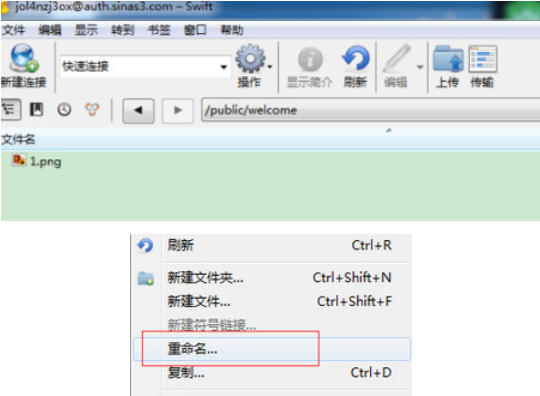
Batch operations: Supports batch renaming and creation of folder shortcuts to improve management efficiency.
File filtering: Filter files through regular expressions or wildcards to achieve accurate transmission.
security features
Encrypted transmission: Supports SSL/TLS and SSH encryption to ensure data security during transmission.
Multi-factor authentication (MFA): Enhances identity verification and prevents unauthorized access.
Permission management: Supports fine-grained access control lists (ACL) to ensure file operation compliance.
CyberDuck
Connection failed
Cause: Wrong IP, port, username or password; SFTP is not enabled on the server (SSH is supported by default but requires confirmation); firewall or network problems.
Solution: Check and confirm that the connection information is correct; confirm that the server has opened the SFTP service; try to turn off the firewall or check the network connection.
File permissions issue
Cause: The file permissions are set incorrectly.
Solution: Right-click the file, select "Permissions", and change it to 755 (executable) or 644 (normal file).
CyberDuck update log:
1.Fix some bugs
2. Optimized some functions
Huajun editor recommends:
This software is powerful and easy to operate. I hope you will like it. In addition, this site also hasCuteFTP,IIS7 batch FTP client tool software,8UFTP,FlashFXP,FTP CattleWaiting for software, welcome to Huajun Software Park to download!




Your comment needs to be reviewed before it can be displayed