




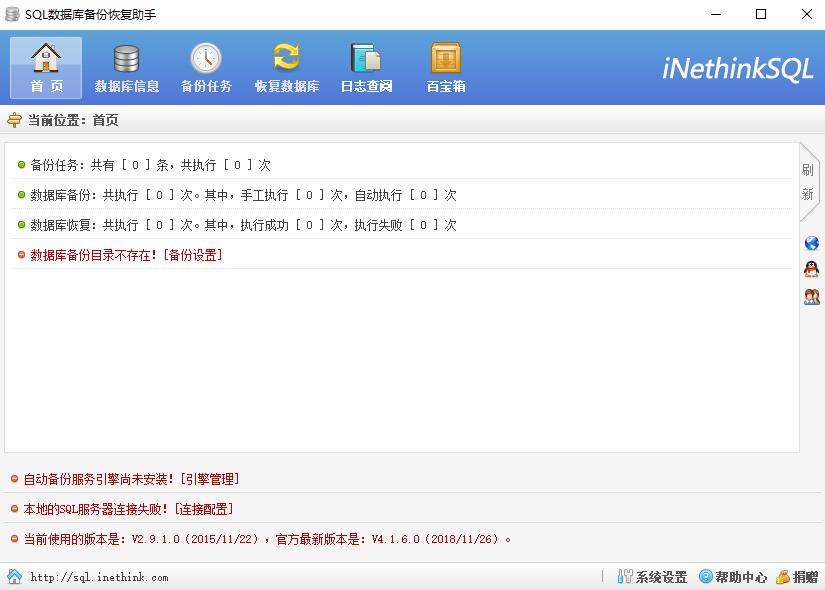
SQL Server Database Backup and Recovery Assistant Function Introduction
1) Automatic/manual backup of local or LAN (remote) SQL Server database;
2) Compress and encrypt database backup files through ZIP mode;
3) Store/transmit the backup files off-site through LAN/FTP/Cloud (Kingsoft Express)/EMAIL;
4) Send the corresponding backup log information to the specified EMAIL;
5) Automatically delete backup files stored in local/LAN/FTP/cloud (Kingsoft Express) within the specified period;
6) Restore SQL database in local connection state, with "intelligent recovery, powerful recovery, offline recovery" functions, which can restore any database backup file;
7) Detailed and comprehensive granular log information;
8) The continuously upgraded treasure box plug-in helps you manage and apply SQL Server more conveniently!
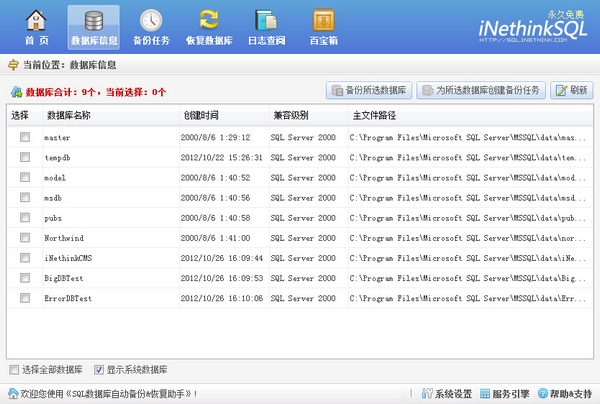
Advantages of SQL Server Database Backup and Recovery Assistant Software
1. Purely "green", permanently free, no installation required, and easy to operate;
2. Fully supports (32/64-bit) Windows operating system and SQL Server server;
3. Install the software locally and automatically/manually back up the remote SQL database;
4. Separate the logic of backup task analysis and database backup-related functions, and implement unified scheduling, non-interference with each other, and synchronous execution;
5. During the backup process, the current SQL Server connection environment is automatically analyzed and combined with original secure backup technology. The backup files are fully compatible with the current connection environment and will never damage the database;
6. N+1, unlimited number of backup task plans, you can add them as you want, and you can respond to massive tasks in real time;
7. DB+Mode, compound function selection, as you want, the backup strategy is freely determined by you;
8. Support any SQL database recovery operation, and create a unique SQL database backup data set display function;
9. Granular log management mode allows you to view and analyze SQL database backup/restore operation details;
10. Perfectly supports large SQL database backup (actual test: supports 300G or larger SQL database backup).
SQL Server Database Backup and Recovery Assistant Instructions
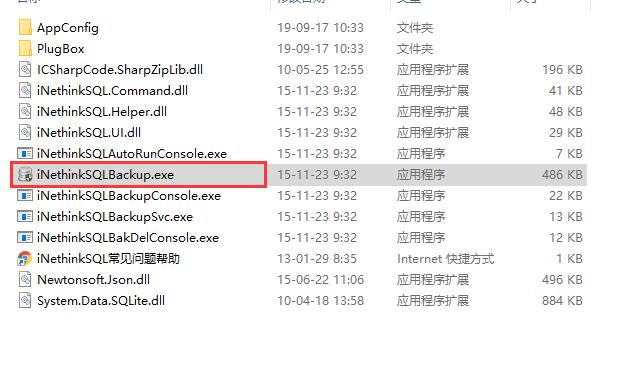
1. Download the SQL database backup and recovery assistant on this site and use360 compressionAfter decompressing the software, execute the main program "iNethinkSQLBackup.exe" to start the software;
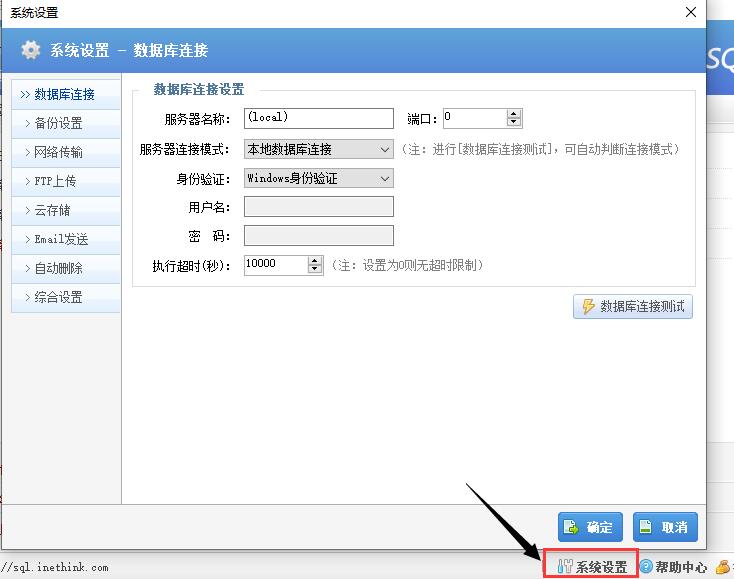
2. Click "System Settings" in the lower right corner to perform basic system settings;
3. If you need to use the "automatic backup" function, you need to install the "SQL database automatic backup engine" based on the Windows system service mode. That is: click "Service Engine" in the lower right corner to install and start the service.
SQL database backup common knowledge explanation
1. Full backup: Backs up all selected folders and does not rely on the archive attributes of files to determine which files to back up. (During the backup process, any existing flags are cleared and each file is marked as backed up, in other words, the archive attribute is cleared). A full backup is also called a complete backup.
2. Differential backup: Differential backup is for full backup: back up all files that have changed since the last full backup. (During the differential backup process, only those selected files and folders that are marked are backed up. It does not clear the marks, that is: the files are not marked as backed up after the backup, in other words, the archive attribute is not cleared).
3. Incremental backup: Incremental backup is for the last backup (no matter what kind of backup it is): it backs up all files that have changed since the last backup. (During the incremental backup process, only the selected files and folders that are marked are backed up, and it clears the marks, that is: the files are marked after backup, in other words, the archive attribute is cleared.)
4. Transaction log backup: The full database backup and the last differential backup (if any) performed before the specific transaction log backup. All transaction log backups performed after a full database backup or a differential backup performed before a specific transaction log backup (if you restored a differential backup). If you set the recovery mode to [Simple], you will not be able to use [Transaction Log] backup. SQL Server 2000 and SQL Server 2005: To create a transaction log backup, you must use the full recovery or bulk-logging recovery model.
5. Partial backup: The backup created by specifying READ_WRITE_FILEGROUPS is called a "partial backup". In simple recovery mode, filegroup backups are allowed only for read-only filegroups. Type of data backup to restore: database backup, partial backup, or file backup. For a database backup or partial backup, the log backup sequence must continue from the end of the database backup or partial backup. For a set of file backups, the log backup sequence must continue from the beginning of the entire set of file backups.
6. File backup: "File backup" contains all data in one or more files (or file groups).
7. Log chain: The sequence of continuous log backups is called "log chain". The log chain starts with a full backup of the database. Typically, a new log chain is started only when the database is backed up for the first time, or after the recovery model is switched from simple recovery model to full recovery model or bulk-logged recovery model. Unless you choose to overwrite the existing backup set when creating a full database backup, the existing log chain will remain unchanged. With this log chain intact, the database can be restored from any full database backup in the media set, and then all subsequent log backups up to the corresponding recovery point can be restored. The recovery point can be the end of the last log backup or a specific recovery point in any log backup.
Which database data recovery software is the best?
SQL Database Repair and Recovery Master: Super MSSQL database repair tool, supports MSSQL 2000 2005 2008 2008R2 2012 2014 2016 and supports various ERP databases such as Kingdee, Suda, UFIDA, Guanjiapo, etc. based on MSSQL databases. Supports errors such as failure to attach the database.
Excellent SQL database loss recovery tool: The sql database mdf ndf file is accidentally deleted, or the partition where the database file is located is mistakenly formatted. The database file recovered by the ordinary data recovery software downloaded by the customer from the Internet cannot be attached and cannot be used by the software. The prompt page is torn, 823 error, communication interruption, invalid file header and other errors. This is because the database file storage is not continuous, and there are still some fragments in the hard disk, but ordinary software cannot do anything about it. For example, the database is 0 bytes, then this software is needed. It fully supports SQL 6 7 2000 2005 2008 2008r2 version supports direct deletion of database files, deletion in Enterprise Manager, recovery of the partition where the database is located is mistakenly formatted, and the database becomes 0 bytes.
Excellent SQL database loss recovery tool download address:http://softwaredownload4.com/soft/989061.htm
SQL Server Database Backup and Recovery Assistant update log
1. Added cloud storage (Kingsoft Express) function;
2. Corresponding to the enabled "backup task", when the computer (automatic backup engine) restarts, if the "next backup time" has expired, the system will automatically correct it to: the next backup time closest to the current computer time;
3. Improved the operation logic of some details in "System Settings";
4. Fixed some known BUGs.
Huajun editor recommends:
SQL Database Backup and Recovery Assistant is a convenient and easy-to-use SQL database recovery tool. The software fully supports automatic/manual backup of local/LAN (remote) databases. In addition, there are data backup software, easy-to-use one-click system reinstallation, one-click restoration software, etc. available for download.




Useful
Useful
Useful