




Features of Xunbo GVOD player:
1. Add local videos and manage local files conveniently and quickly
2. Automatically scan local videos and quickly find video files
3. Support the most popular video formats: avi, m4v, mp, wmv, flv, mpeg, mpg, mov, rm, vob, asf, mkv, f4v, ts, tp, m3u, m3u8
4. Quick library scanning. It will scan your phone for videos and let you manage videos more easily
5. Support operations such as operating local videos, moving, deleting, etc.
6. High-definition video, subtitle reading, and fast-forward switching are easy to operate.
Xunbo GVOD player installation steps:
1. Download the Xunbo GVOD player from this site, unzip it and double-click the .exe. An installation wizard interface will appear. Click "Next" to continue.
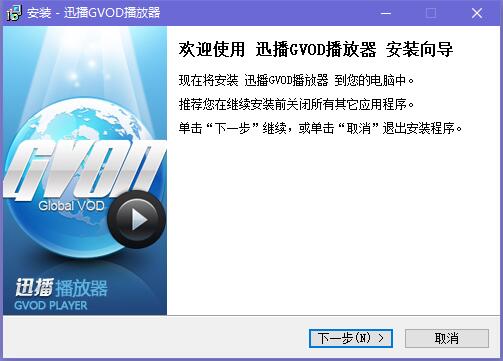
2. Read the Xunbo GVOD player license agreement and click "Next" to continue.
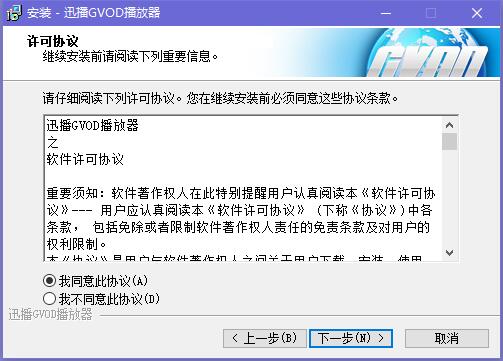
3. After selecting the installation location, click "Next" to continue.

4. Select the file association and click "Next" to continue.
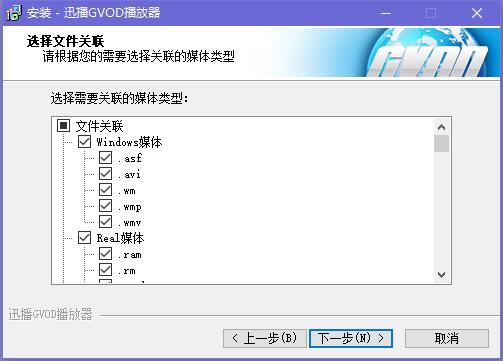
5. Prepare to install Xunbo GVOD player into your computer, click "Install"

6. Xunbo GVOD player is being installed. The process is very fast. Please wait patiently.

7. The installation of Xunbo GVOD player is completed, click "Finish"

How to use Xunbo GVOD player:
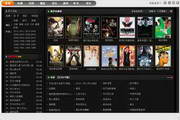
1. Open the desktop shortcut of Xunbo GVOD player. After opening the software, enter the main interface of the software. You can see the options of [Local File], [Torrent File] and [URL Address].
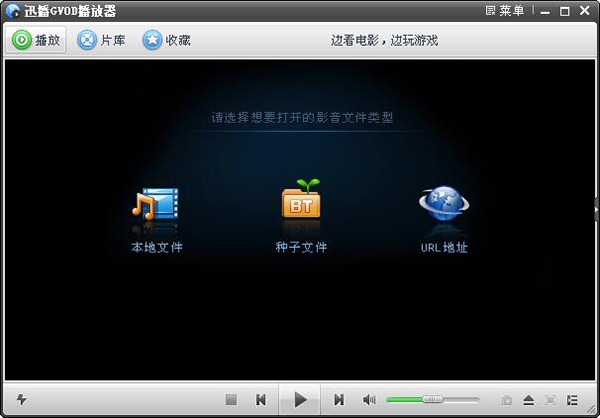
2. Click [Local File] and choose to open your local video file. After selecting, click [Open] to play it.

3. Click [URL Address] in the Xunbo GVOD player interface. In the window that opens, enter the URL address of the media file you want to play. After completing the input, click [OK] to also play.

Xunbo GVOD player update log:
1. Optimized BUG
2. Fixed AVI/MKV playback issues
|
Huajun editor recommends: Xunbo GVOD player is usedThunderA web independent player based on hyper-threading network transmission technology, Xunbo gvod player uses hyper-threading network transmission technology to transmit massive amounts of data to clients and save more effort on the server. In addition, there are HDP live broadcast, Meteor Internet TV, software video conferencing system, etc. recommended to everyone. If you need them, you can collect them! |









Useful
Useful
Useful