





Baidu Video Highlights
The interface is simple and intuitive: easy to operate, even first-time users can get started quickly.
Timely resource updates: Cooperate with multiple film and television platforms to launch the latest film and television works as soon as possible, and simultaneously update short video content such as Douyin and Kuaishou.
Pure and ad-free: Some versions (such as the green version) have no ads or pop-ups, providing a pure viewing environment.
Low resource usage: The installation package is small, startup is fast, and playback is stable. It is suitable for devices with lower configurations.
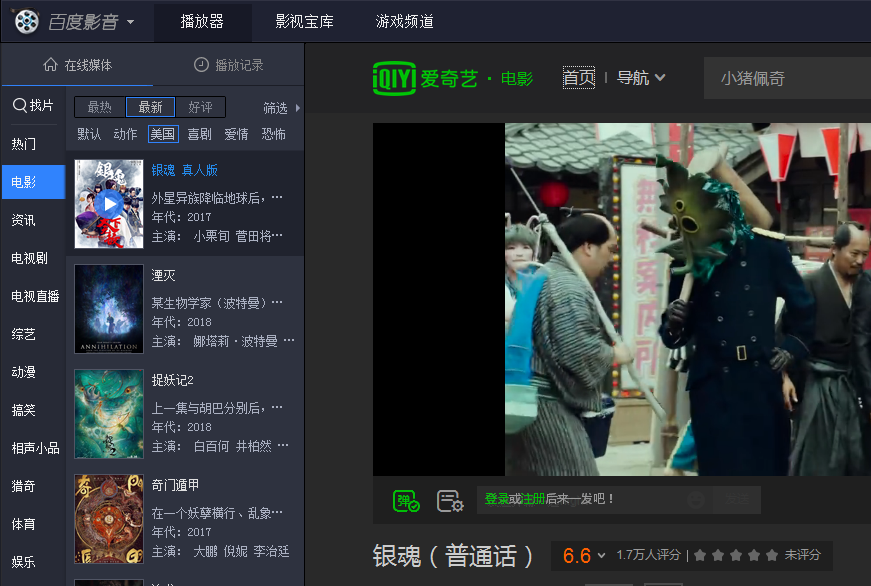
Baidu Video Features
Strong format compatibility
Supports almost all common video formats (such as MP4, AVI, MKV, FLV) and audio formats (such as MP3) without worrying about format compatibility issues to meet local playback needs.
Online video search and playback
Integrating Baidu's powerful search technology, users can quickly find film and television resources across the entire network, covering movies, TV series, variety shows, animation, children and other content. The resources are rich and updated in a timely manner.
It supports high-definition image quality playback, provides a smooth online viewing experience, and can jump to cooperative platforms for viewing with one click.
Play while downloading and offline caching
Supports playback while downloading, allowing users to watch videos online while downloading them locally for offline viewing.
Provides video caching function, so you can continue to watch downloaded content even when the Internet is disconnected.
Intelligent recommendations and personalization
Based on users’ viewing habits, it intelligently recommends popular film and television content to improve the efficiency of discovering new films.
Supports custom shortcut keys, screen ratio, sound effect adjustment, etc. to meet personalized needs.
Playback control and screenshot function
Provides rich control options such as fast forward, rewind, playback speed adjustment, subtitle loading, audio track switching, etc.
Supports screenshot function, can save the current screen to local and customize the saving path.
Multi-platform support
Available in Android and iOS versions, the functions on the mobile phone are synchronized with those on the PC, and it supports synchronization of viewing records across devices.
Baidu Video installation steps
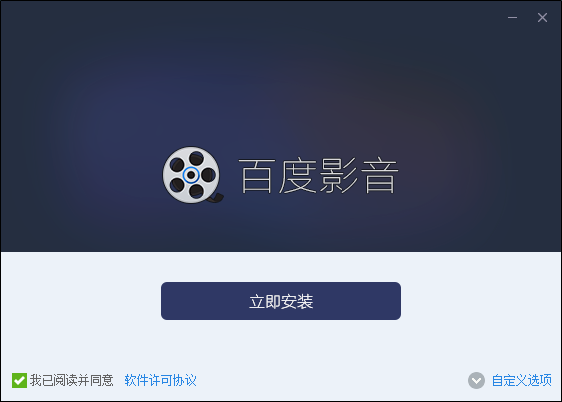
1. First, you need to find the download address on this page, select any address to download the Baidu audio and video software package to your local, and after downloading, double-click to decompress and find the .EXE format program in the package and run it. as follows:
Two installation methods:
1. Click [Install Now] directly to avoid tedious installation steps.
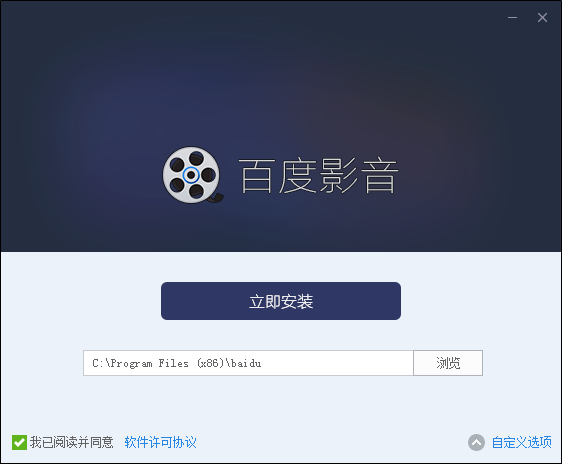
2. Select [Custom Options] to install and set the path location of Baidu Video installation file. The editor chooses the custom installation method and clicks [Custom Options] to enter the setting interface.
2. After selecting the custom installation method, enter the installation setting interface of Baidu Video. We can select the [Browse] button to set the specific installation path according to the screenshot below. After setting, click [Install Now] to start the installation.
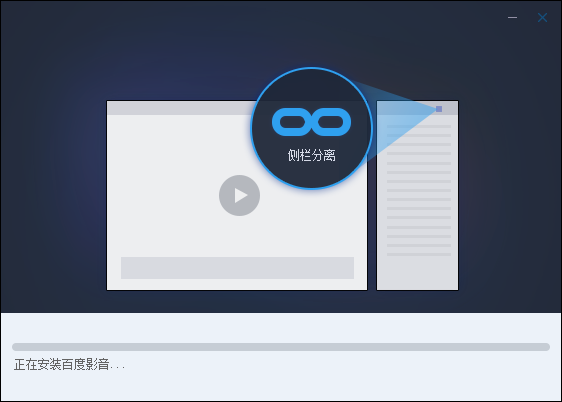
3. Finally, enter the Baidu Video installation progress bar interface and wait until the installation is completed to start experiencing Baidu Video.
Baidu Video usage tutorial
How to play local files on Baidu Video
1. First you need to run and open Baidu Video Player
2. After opening Baidu Video, we select the triangle button in the upper left corner - [Open local video...]
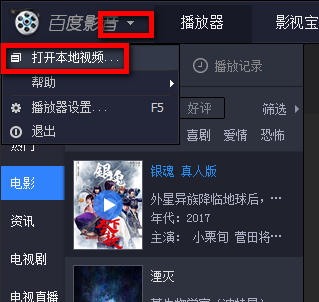
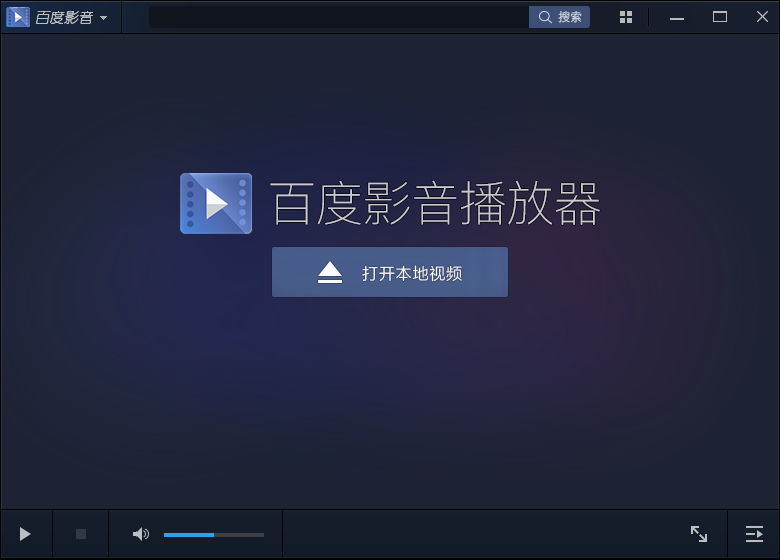
3. Enter the Open Local Video interface and select the [Open Local Video] button to select the local video you want to play.
Baidu Video Player FAQ
How to download videos from Baidu Video? How to download TV series from Baidu Video?
1. First you need to run and open Baidu Video Player, as follows:
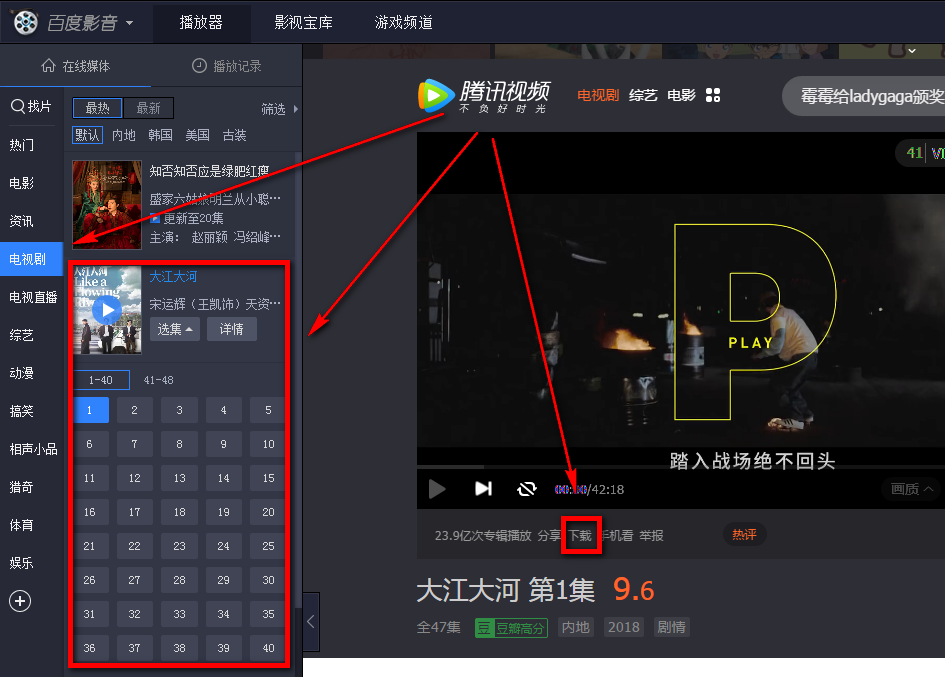
2. Open Baidu Video Player, select the type of video you need to download in the function bar on the left, or directly search for the video resources you need in [Find Movies].

3. After finding the video TV series you need to download, select the number of episodes you need to download to open it, and then select the [Download] button in the picture to download according to the prompts.
How to search Baidu Video?
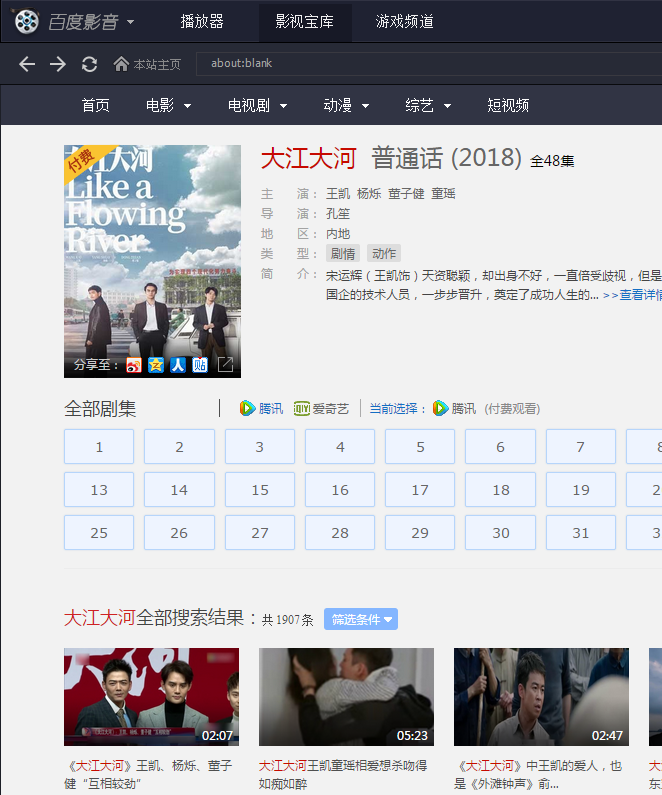
1. Run and open Baidu Video, then find the [Find Movies] function on the upper left side, click the mouse and enter the name of the resource you want to search to search.
2. Example: Baidu Video Search "大江大河" displays the results:
How to take screenshots on Baidu Video?
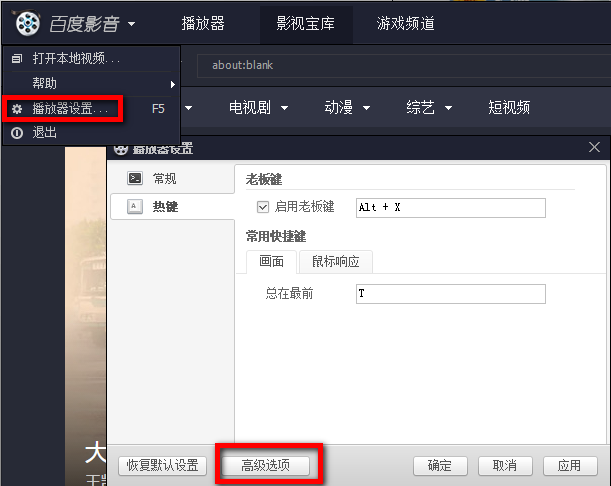
1. First run Baidu Video, then select the triangle button in the upper left corner to select [Player Settings...] - [Advanced Options]
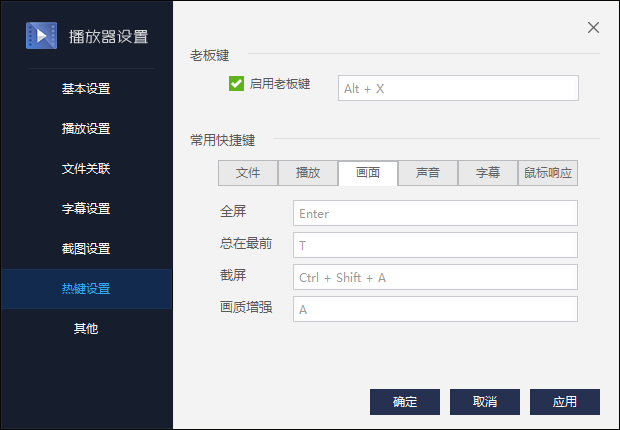
2. After entering the advanced option setting interface of Baidu Video, we follow the prompts to find [Hotkey Settings] - [Screen], and then you can set the shortcut key to take a screenshot, as follows: The shortcut key for taking a screenshot is Ctrl + Shift + A. Simply press these three shortcut keys at the same time to start the screenshot function.
Baidu Video update log
1. Online video function upgrade, experience extremely fast playback experience
2. Optimize the search function, and search all the videos on the Internet
3. Overall optimization of product details to enhance product experience
4. Aggregate more popular content and provide richer video resources
|
Huajun editor recommends: Baidu Video has relatively large video resources, and the operation interface is simple, clear and easy to use. Relying on the support of Baidu Company and the technology of Baidu search engine, Baidu Video allows friends to search for all the video resources they want in Baidu Video. In addition, Baidu Video also supports functions such as streaming while downloading and shortcut key screenshots. In addition, the editor of Huajun has also collected and compiled other [video playback] tools for you to choose and download, such as: Jiujiu Video Player, Xigua Video, etc. |














Useful
Useful
Useful