





Oulu Dictionary For Mac Features
It is carefully designed based on Apple's style and usage habits, and provides powerful functions.
- Full support for the latest Retina screen, a better dictionary reading experience, showing clear and exquisite details
-Smart Dictionary: Supports word fuzzy search, spelling correction, and online dictionary
- Translation of articles and short sentences
- pronunciation reading of words and whole sentences
- Use mouse to pick up words and translate words
- Contains learning functions such as new vocabulary books and historical records
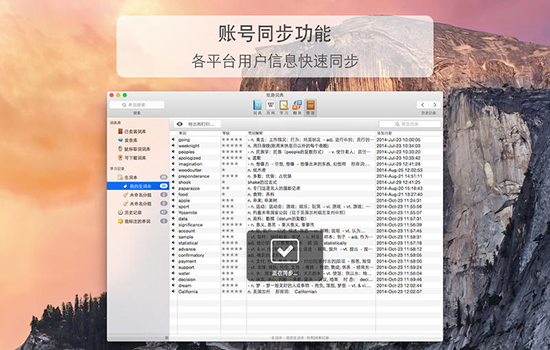
The first dictionary software to support Mac system screen word picking and word search
- Provides Mac system screen word picking and word search, supports any Mac program, and has the highest accuracy
- Specially optimized for Mac systems and does not interfere with the normal operation of other programs
- Supports word and phrase selection, and can also translate entire sentences
- A large number of word extraction settings to facilitate users with different operating habits
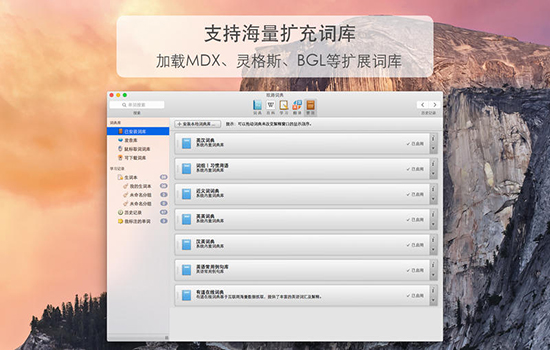
Massive lexicon and enriched dictionary
- There are 300,000 commonly used English and Chinese terms and 400,000 professional terms. The professional thesaurus covers more than ten fields such as medicine, economics, engineering, and computers.
- Synonyms and antonyms database
- Complete and authoritative WordNet English-English dictionary, containing 100,000 English-English explanations
- A library of 500,000 commonly used examples, you can search for examples without an Internet connection
- Article short sentence translation function
LightPeek is a quick word search, full-text translation and reading tool
- Translate the entire document
- Optimized pronunciation engine, which can not only pronounce words, but also read the whole sentence aloud
- Save pronunciation content to iPod or iPhone
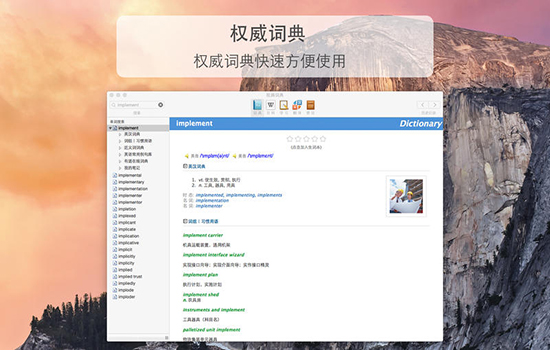
Powerful expansion functions
- Provides a massive expanded vocabulary, covering multiple languages
Download the dictionary supports resumption of downloading at breakpoints, saving downloading time
Oulu Dictionary For Mac FAQ
Abnormal or silent pronunciation of speech
Reason:
The voice pack is not downloaded or is corrupted.
System volume setting problem.
Solution:
Download voice pack:
Go to Settings > Voice Settings.
Download the offline voice pack in the desired language.
Check the volume: Make sure that the system volume is not muted and that the Eurolu Dictionary volume is not turned to minimum.
Oulu Dictionary For Mac update log:
1.Fix some bugs
2. Optimized some functions
Huajun editor recommends:
Of course, in addition to a very convenient application software such as Oulu Dictionary For Mac, our Huajun Software Park also haseZip,Paste,ChemDraw Professional,Freeze Point Restore For Mac,WeChat For MacRelated software is available for download. If you need it, please click to download and use it.











Useful
Useful
Useful