
If you are looking for software to use, go to Huajun Software Park! software release AI product list

Hello, if there is a need for software inclusion, please package the software and attach the software name, software introduction, software-related screenshots, software icon, soft copy, business license (if you do not have a business license, please provide the front and back of the corresponding developer ID card and a photo of yourself holding the ID card), and send it to email http://softwaredownload4.com/sbdm/user/login

Close >>

Send to email:news@onlinedown.net

Close >>

Location: Home pageAndroid softwareApplicationsystem tools One-click icon change

91.39%

8.61%
QR code

Scan the QR code to access the mobile version

Permissions: View

The following important permissions need to be called
Reinforcement information: 360 reinforcement
----------------------------
App permissions(16)
INTERNET access network access network connection, may generate GPRS traffic
WRITE_EXTERNAL_STORAGE Write to external storage Allows the program to write to external storage, such as writing files on an SD card
READ_EXTERNAL_STORAGE Access external storage Permission to access external storage
ACCESS_NETWORK_STATE Get network status Get network information status, such as whether the current network connection is valid
ACCESS_WIFI_STATE Get WiFi status Get the current WiFi access status and WLAN hotspot information
CAMERA photo permission allows access to the camera to take pictures
SET_WALLPAPER Set desktop wallpaper Set desktop wallpaper
REQUEST_INSTALL_PACKAGES Unknown permissions
INSTALL_SHORTCUT unknown permissions
UNINSTALL_SHORTCUT unknown permissions
READ_PHONE_STATE Read phone status Access phone status
ACCESS_COARSE_LOCATION Obtain rough location through WiFi or mobile base stations to obtain the user's incorrect longitude and latitude information. The positioning accuracy is approximately 30~1500 meters.
GET_TASKS Get task information Allows the program to obtain the currently or recently running application
ACCESS_FINE_LOCATION Obtain precise location. Receive satellite positioning information through GPS chip. Positioning accuracy is within 10 meters.
WAKE_LOCK wake lock allows the background process to still run after the phone screen is turned off.
QUERY_ALL_PACKAGES Unknown permissions

One-click icon change Android version v3.03.1015

Special area
Software size:19.1MB
software language:Simplified Chinese
Software rating:
Software type:Domestic software
Software licensing:shareware
Update time:2025-02-18
Application platform:Android
Software classification:system tools
version:Android version v3.03.1015
Registration number:Shanghai ICP No. 19021965-12A
Software vendor:Shanghai Qiu Tinghe Network Technology Co., Ltd.

Software introduction Related topics FAQ Download address

Basic introduction
Change icon section first LOGO with one click
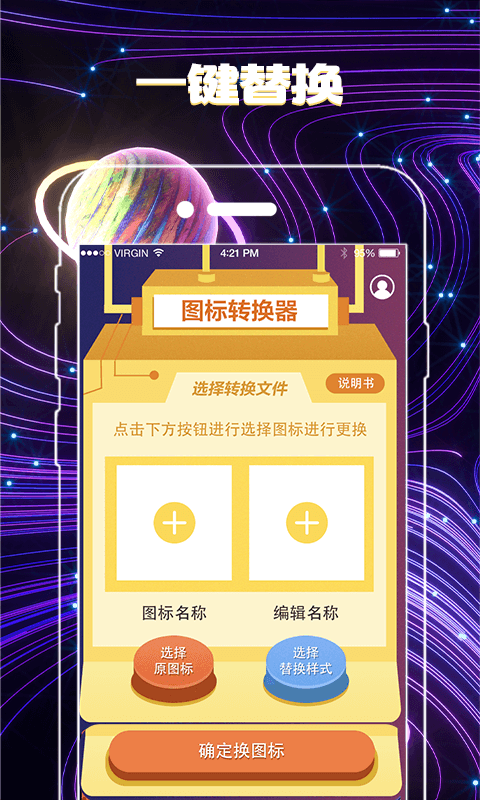
The one-click icon change app can easily replace the application icon on your mobile phone desktop with other pictures. You can change the icon freely. The operation is very simple. You can not only change the icon but also the name of the icon. You can also change the name freely. There are also many beautiful beautification themes. It has many functions and the interface is very fashionable. Huajun Software Park provides you with one-click icon change Android version download, come and experience it!

One-click icon change screenshot

Introduction to one-click icon changing software

Helps you change and customize the icon and name of any application. New icons can be selected from the gallery, other application icons and many personalized icon packs. The application will create a shortcut with the new icon on the home screen.

One-click icon changing software features

Helps you change and customize the icon and name of any application.

New icons can be selected from the gallery, other application icons and many personalized icon packs.

​​The app will create a shortcut with the new icon on the home screen.

​​Create a sense of ritual on your desktop. There are surprises every day.

High-definition watermark-free beautiful pictures——>Perfectly adapted to high-definition large screens
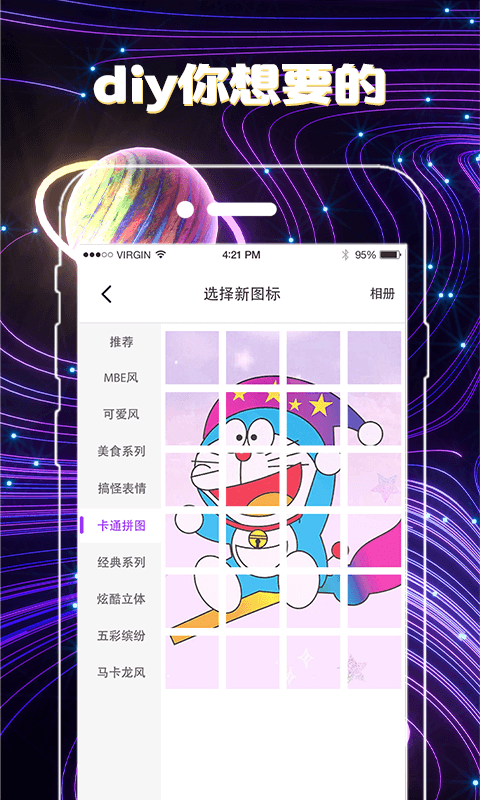
One-click icon change screenshot

Highlights of one-click icon changing software

​ 1. Create customized application shortcuts for you!

​ ​ 2. You can change the application icon!

​​ 3. Use the program to create new shortcuts on the home screen!

4. Define your icon!

FAQ


What should I do if the new icon cannot be recognized or displayed?

If the new icon cannot be recognized or displays problems, users need to check whether the format and size of the new icon file are correct. Generally speaking, the icon file should be in a .png or .ico format, and should be of moderate size to ensure clear display on the mobile phone screen. If the problem persists, you can try changing other icon files or contact software customer service for help.

What should I do if the icon change cannot take effect?

If there is a problem that the icon cannot take effect after changing it, the user needs to check whether the changes have been saved correctly and exit the software. Also, making sure the phone has restarted or reloading the desktop will help make the changes take effect. If the problem persists, you can try clearing the software cache or contact software customer service for a solution.

One-click icon change update log

​​ 1.bug fix

​​ 2. Functional system optimization

Huajun editor recommends:

If you are dazzled by the introduction of so many functions above, then quickly download the one-click icon changer. This site also providesQuickShortcutMaker,Hero Creative,Bipbip,Deep Recovery Master,Master Lu 2021Waiting for you to download.

FAQ

close