



Things to note:
inmacWhen downloading and installing software, you will generally encounter the following three error situations. Now the editor of Huajun will give you the answers. If you encounter errors, please read them carefully:
1."...The software is corrupted and cannot be opened. You should move it to the Trash"
2."Can't open...software because it comes from an unidentified developer"
3."Can't open...software becauseAppleUnable to check if it contains malware"
When encountering the above three situations, we should:
1. First set:Open any source
2, most software settings can be downloaded and installed normally after opening any source; a small number of softwareiosRestrictions on unsigned application permissions require the execution of command line code to bypass application signature authentication. Therefore it is necessary to:Execute command bypassiosnotarizationGatekeeper.
3. If none of the above operations can solve the problem, then you need to:CloseSIPSystem integrity protection.
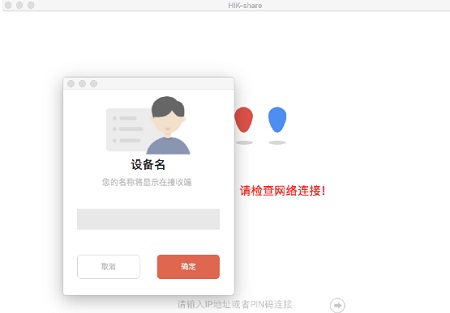
Introduction to Hikvision Screen Mirroring Mac Software
Hikvision Screen Mirroring Mac version is a screen mirroring software for Mac computers. Hikvision Screen Mirroring Mac version supports reverse control, split-screen display, screen groups, and multi-terminal support.
Hikvision Screen Mirroring Mac version is another domestic screen mirroring software for Apple Mac computers. In addition to the basic screen mirroring function, the software also supports remote control of the computer via mobile phones or tablets. Hikvision Screen Mirroring Mac version supports reverse control, split-screen display, screen groups, and multi-terminal support. This software can be installed on ordinary Windows computers and can also be used to reversely control the mobile terminal on the PC, which is very convenient.
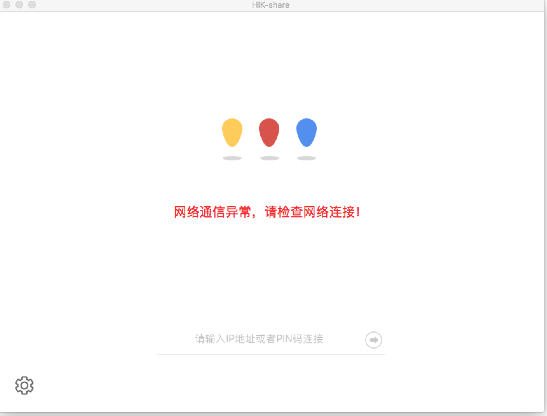
Hikvision screen mirroring Mac software functions
1. Wireless sharing
The mobile terminal can share the screen, audio and video, pictures, and documents to the PC.
2. Support remote control via mobile phone/tablet
Mobile phones/tablets can control the PC side through the touchpad or motion mouse function;
Mobile phones/tablets can use the desktop synchronization function to synchronize the PC screen to the mobile terminal and control it.
3. Reverse control
Supports reverse control of mobile terminals on macOS/Windows systems on the PC side.
4. Master control mode
Supports the master control mode function, and the request from the sender must be approved by the receiver before it can be carried out.
5. Multi-platform compatible
PC software can be installed on seewo smart tablets and ordinary Windows computers;
The mobile terminal supports mobile phones or tablets with Android and iOS systems, and computers with macOS and Windows systems.
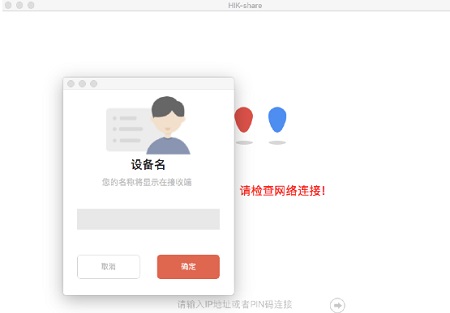
Features of Hikvision Screen Mirroring Mac Software
You can enter the connection code or IP address to connect to achieve quick screencasting
After the screencasting is successful, you can view the computer screen on the remote device
Supports automatic detection, which can automatically detect connectable devices of the same LAN class
Easy to operate, you can cast your screen in just a few steps
You can cast the screen on your computer to your mobile phone or tablet
When sending out a screen casting invitation, it can be set to automatically accept or require authorization.
The picture quality after casting is still clear and the original picture quality is maintained
You can view the operations performed on the computer through screen projection, which is convenient for presentations
Hikvision Screen Mirroring Mac Update Log
1.Fix some bugs
2. Optimized some functions
Huajun editor recommends:
Hikvision Screen Mirroring for Mac is an excellent software among applications. The editor strongly recommends it to you. Once you download it, you will know how good it is. The editor has also prepared for youPaste,ChemDraw Professional,Freeze Point Restore For Mac,WeChat For Mac,Hand-drawn mind mapping software iMindMap9 For Mac










Useful
Useful
Useful