





- Green versionView
- Green versionView
- Green versionView

iQiyi Mac function introduction
Free to use, rich content
Specially designed for the OS X platform, with smooth viewing and stable operation
Free download and installation, enjoy all free high-definition genuine videos of iQiyi
The latest movies and TV shows, popular variety shows, classic animations, iQiyi productions, and archive documentaries are all available on iQiyi Video Mac
Compatible with OS X 10.8 and above systems and Retina Display
Supports Mountain Lion system, interface icons are optimized for Retina, start experiencing it immediately
Playback record
Intelligent memory playback record, exciting and uninterrupted
全民追剧,不看才怪
热播好剧,不容错过
Exclusive broadcast: Descendants of the Sun, Weird Stories, Urban Monsters, Big Names vs. Aces
Episodes: New Xiao Shiyilang, The Legend of Qingqiu Fox, The Mystery of Time Travel
their their lives
Variety Show: Amazing Challenge 24 Hours The Strongest Brain 3
Anime: One Piece, Dragon Ball Super, Crayon Shin-chan, Naruto
To watch videos on Mac, just use “iQiyi”
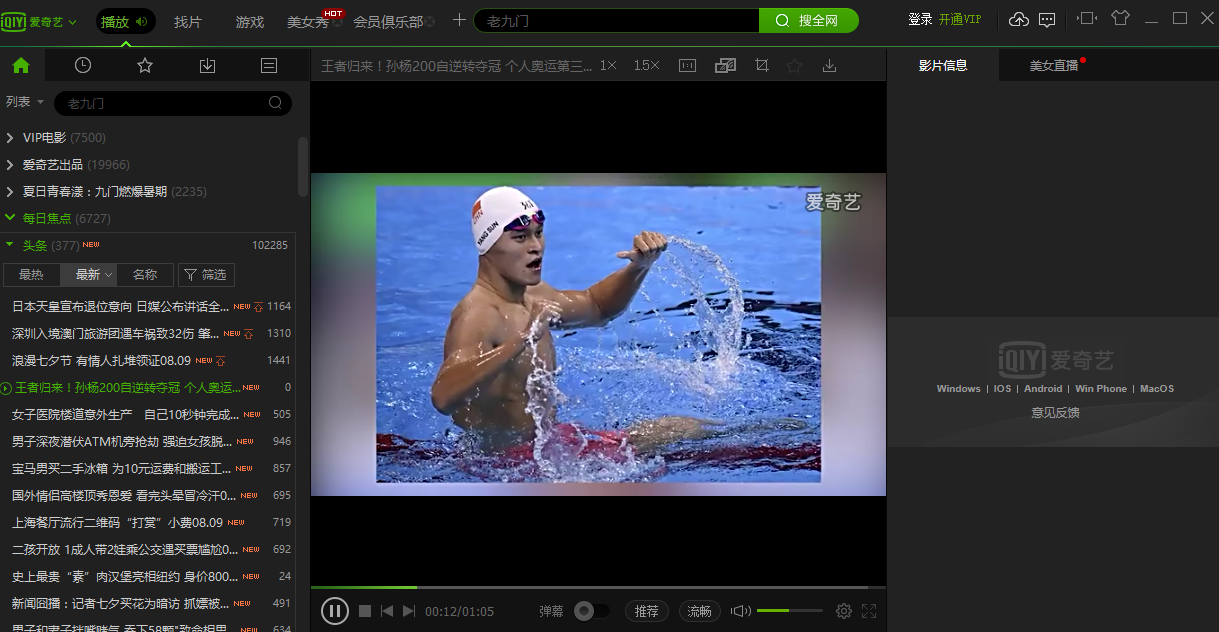
The Mac version of iQiyi supports both local playback and online playback. Local playback can quickly drag in subtitle files, so you no longer have to worry about no subtitles when watching American TV series and movies.

iQiyi Mac software features
The first video playback software that can “transform”
One software, two modes! List or graphics, black or white, you can choose.
Content personalization, you decide your preferences
Recommended video content that best suits your taste based on your viewing preferences
Collect videos from all over the Internet
网罗爱奇艺、优酷、土豆、腾讯、搜狐、乐视等全部视频,一个软件看遍全网!
All genuine high definition
The videos on iQiyi are all genuine and authorized and there is no legal risk. It’s time to ditch those pirated software!
Watch movies instantly and avoid lagging
Using the HCDN network transmission technology developed by iQIYI, you will no longer be stuck watching movies!
Fully supports 1080p, the picture is clear and sharp
Supports high definition, ultra-clear 720p, 1080p, and 4K resolution, intelligent and manual switching as you wish!
VIP members can enjoy Hollywood blockbusters exclusively
More than 6,000 blockbuster movies are free to watch, and popular TV series such as "Tomb Raiders" are available to VIP members first!
Enjoy many privileges as a VIP member
Free of ads, download acceleration, distinguished member crown, and many privileges waiting for you to discover.
FAQ
How to loop playback on iQiyi Universal Player?
Sometimes some videos need to be played continuously and repeatedly within a certain period of time, commonly known as AB loop playback, so that they can be easily played in a loop without intercepting the video itself. This can be achieved using iQiyi Universal Player, so let’s talk about how to do it.
1. First run a video, then set the video to the starting point that needs to be played in a loop, then right-click on the playback interface - [Play] - [A-B Repeat], click [Set A Point], the shortcut key is CTRL+1.
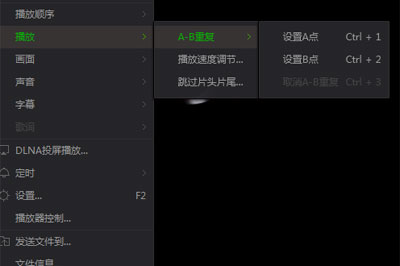

2. Then drag the video progress bar below to the end point of the loop playback, and use the same operation as above, click [Set Point B], and the shortcut key is CTRL+2.

3. Then you can see the AB cycle time period on the progress bar, and the video will automatically jump to point A for playback. During this period, you can still adjust the progress bar to play at any time period, but in the natural playback state, the video will automatically loop between the two times you set.
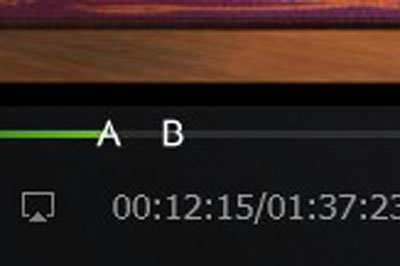
4. If you want to cancel AB playback, click the shortcut key CTRL+3 to cancel.
iQiyi Mac update log
iQIYI Video Mac new features:
?
Added DLNA screencasting function (Airplay is not supported yet)
Optimize the security of account login and registration
Huajun editor recommends:
If you are dazzled by the introduction of so many functions above, then download iQiyi quickly. This site also providesResearcher,YiMeiBao,Adobe Photoshop Lightroom For Mac,scissor master,iQiyi video playerWaiting for you to download.

























Useful
Useful
Useful