




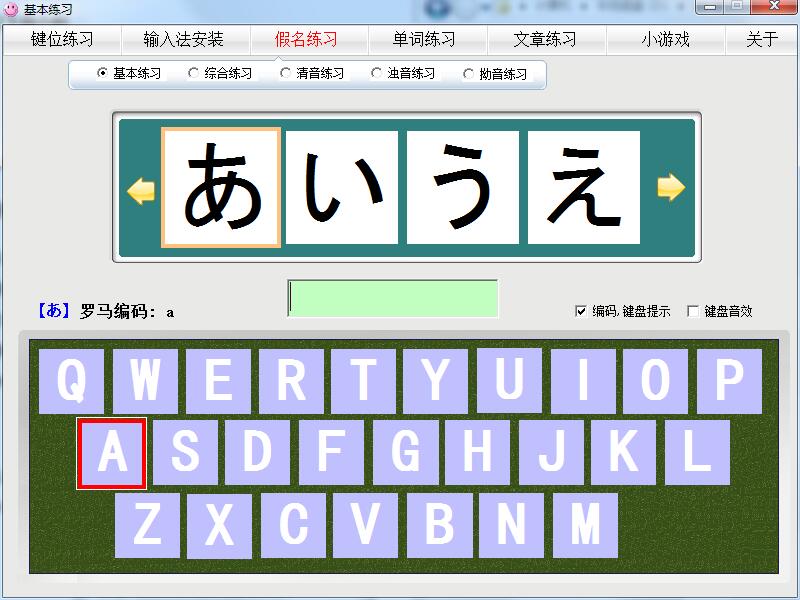
Features of Japanese typing practice software
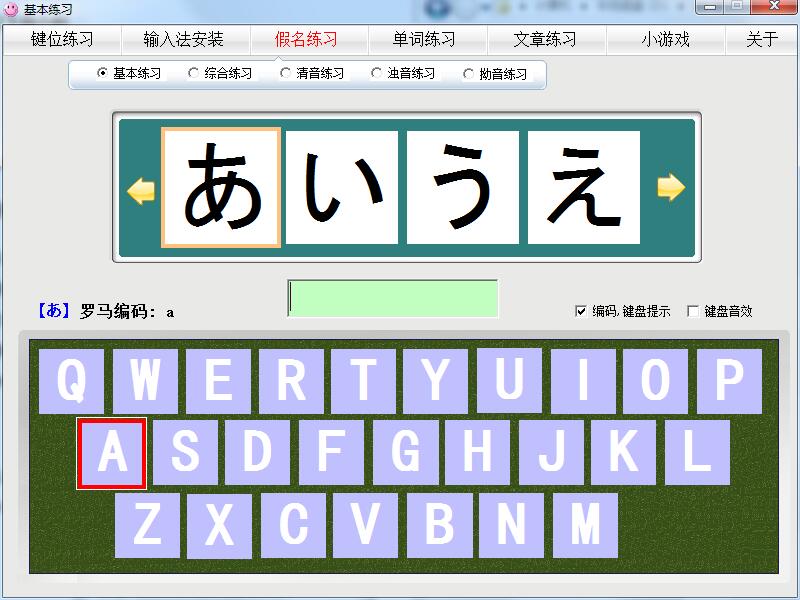
1. Keyboard fingering practice and article practice are similar to Kingsoft Typing. You can control the practice. It has real-time typing speed and accuracy display. Basic Japanese exercises include Kana practice, Japanese common Chinese character practice, and common vocabulary practice.
2. For beginners who are learning Japanese typing, this software is very simple to operate and easy to use. You can choose to use it. It is very helpful for friends who want to speed up Japanese typing and learn Japanese.
3. When practicing Japanese words and articles, there are hints of Roman phonetic coding, so Japanese typing practice is no longer difficult.
Japanese typing practice installation steps
1. Download the installation package of the official version of Japanese typing practice at Huajun Software Park
2. After downloading, unzip the compressed package and double-click the "exe" program
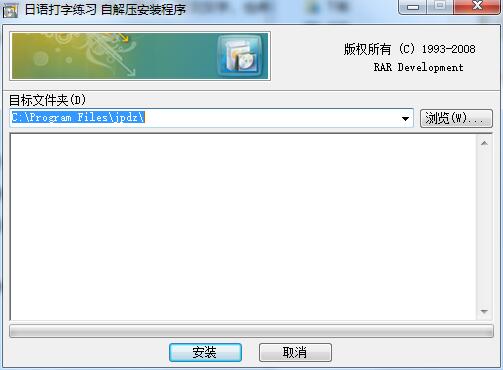
3. Click "Browse" to select the installation folder, select the program decompression location, and click Install
4. Open the folder you just decompressed and double-click "jpdz.exe".
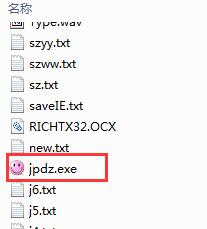
5. Japanese typing practice installation completed
Japanese typing practice update log
The developer of GG said that there are really no bugs this time~
Huajun editor recommends:
Japanese typing practice is a good typing practice software. If you are interested, please download it and use it. I believe you will like it.Kingsoft Typing,86 Wubi typing exercises,typing practice pass,Jiajia listening and speaking practice,Yuyang Typing PassIt is also a good software and is recommended for students to download and use.




Useful
Useful
Useful