




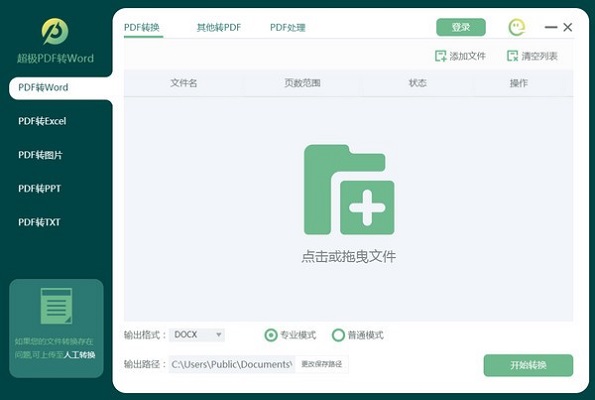
Features of Chaoji PDF to WORD software
Batch conversion
Supports multiple files to be converted at the same time, one-click drag and drop saves time, effort and worry
Accurate conversion
全新高智能识别内核,准确识别文件字体、字号、图片大小,保留原始排版
Safe conversion
Conversion within the software is safer and more convenient, with a high conversion safety factor
Technical consultant
Provide high-quality technical service consultants who can answer any technical questions you have, making your conversion worry-free
SuperJi PDF to WORD installation steps
Download the official version of Chaoji PDF to WORD software package from Huajun Software Park, unzip it, and run the "exe. file"
Double-click to open, enter the installation wizard, click Customize

Select the installation location, the default is C drive, click Install Now
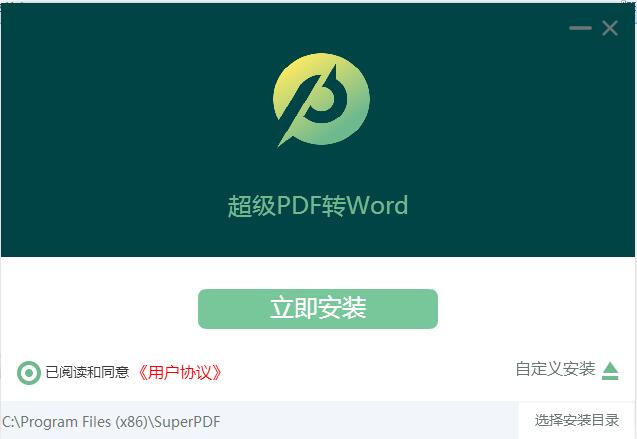
The official version of Super PDF to WORD is being installed, please wait patiently.

The installation is complete, click to experience it now and exit the installation wizard

How to use Chaoji PDF to WORD
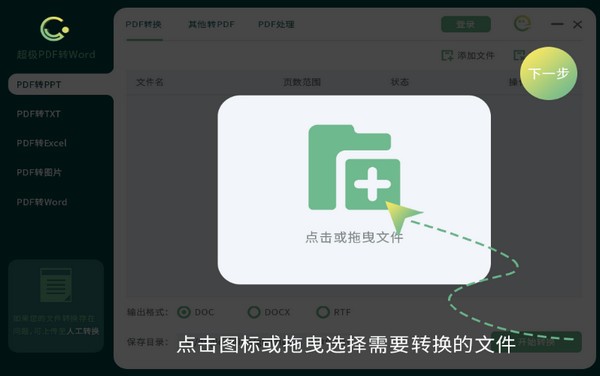
1. Select/drag files into the software
Click the "Add File" button to select a file from your computer folder,
Or directly drag and drop files to the software interface.
2. Select the file format to be converted
Open the software interface and select the function you need, Super PDF to WORD
Supports mutual conversion of multiple formats!
3. Click the [Start Conversion] button
Click the "Start Conversion" button to start file format conversion.
After the conversion is successful, you can open the file.
Super PDF to WORD update log
1. Sweep the bug out and carry it out to the end
2. The most stable version ever
Huajun editor recommends:
What? I haven’t used Chaoji PDF to WORD yet. Do you know that all your good friends are using it? Come and download it. The editor has also prepared for youPDF to Word,Quick PDF converter,Beidou PDF Converter,WinScan2PDF,PDF cat PDF to PPT




Useful
Useful
Useful