





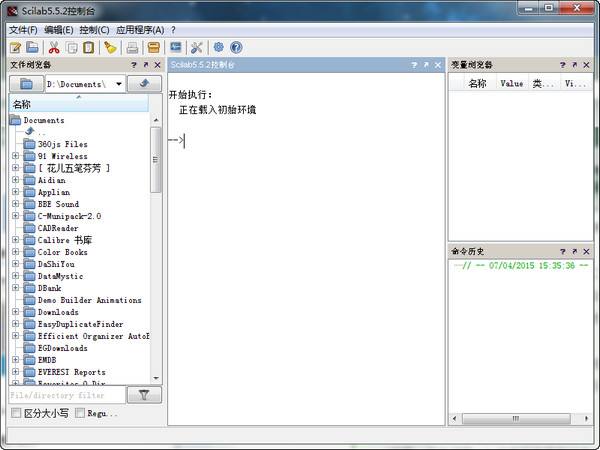
Scilab software features
Hundreds of mathematical functions
High-level programming language
2-D and 3-D graphics
Advanced data structures and user-defined data types
Hybrid dynamic system modeler and simulator Xcos
Scilab software features
1. Provides a powerful open environment numerical calculation and scientific computing software package for engineering and scientific applications
2. Source code through the Internet is accompanied by free distribution
3. It is currently used in educational and industrial settings around the world
4. Includes mathematical functions with hundreds of possibilities to add interactivity from
5. It has advanced data including lists, polynomials, rational functions, linear systems, etc.
Scilab installation steps
1. Download the Scilab official version installation package from Huajun Software Park, unzip it, and double-click the exe program
2. Read the license agreement, click "I accept..." and click Next
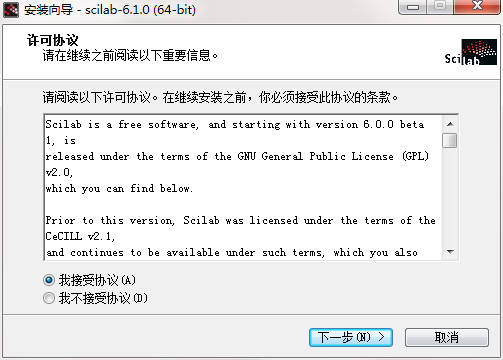
3. Click "Browse" to select the installation folder. Generally, it is installed on the C drive of the computer by default. It is recommended to install on the D drive. Click Next.

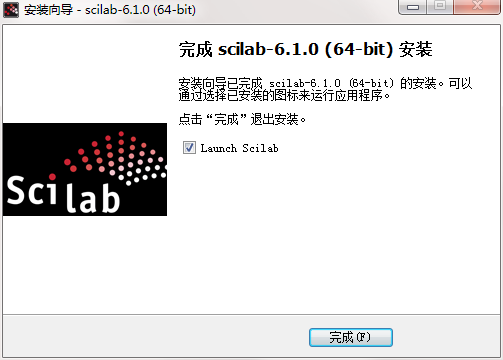
4.Scilab installation is complete, click Finish to exit the installation wizard
Scilab update log
1. The pace of optimization never stops!
2. More little surprises are waiting for you to discover~
Huajun editor recommends:
If you are dazzled by the introduction of so many functions above, then download Scilab quickly. This site also providesJidao Junior High School Physics VR 3D Virtual Simulation Laboratory (Demo Version),ZX mathematical function grapher,GeoGebra 5.0.299.0,Gear parameter calculator,Enjoy Chemistry AssistantWaiting for you to download.




Useful
Useful
Useful