
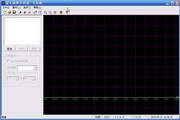



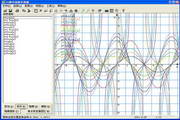
The software provides you with great convenience in use. For example, it has the following functions that are convenient for you to use:
1. The drawn function graph can be enlarged or reduced arbitrarily.
2. The coordinate system can be moved arbitrarily.
3. Fully supports the mouse wheel. As long as you roll the mouse wheel, you can enlarge or reduce the function image; press the wheel and then move the mouse, you can easily move the function image.
4. You can set the coordinate scale arbitrarily, and the row coordinate scale and the comprehensive coordinate scale can be different. When you want to draw a trigonometric function, it may bring great convenience to your vision. For example, you can set the X-axis scale to 3.14 and the Y-axis scale to 1.
5. If necessary, you can hide the X-axis or Y-axis, or hide the scale numbers of the X-axis or Y-axis separately or at the same time.
6. You can display the X-axis or Y-axis scale numbers in different positions according to your needs. For example, the X-axis scale numbers are displayed at the bottom of the window, and the Y-axis scale numbers are on the left side of the Y-axis.
7. Any function image drawn can be temporarily not displayed, so that the display window will not appear crowded and confusing because of too many function images. When you need to display it, just click the mouse below.
8. Each function image will be displayed in a different color. Of course, you can also change the color of the image arbitrarily.
9. The domain of each function can be set arbitrarily.









Useful
Useful
Useful