





- Green versionView
- Green versionView
- Green versionView

BitGenie is a BT download tool with powerful management functions. During the download process, files are created only when needed, and files in each torrent can be selectively downloaded, intelligently and controllablecachefunction, as much protection as possiblehard drive, clear program running status, intelligent and controllable website collector, monitoring clipboard, practical global and individual PEERtrafficControl, limit on the number of PEERs, download queue, and scheduled downloads, friendly and easy-to-use interface, etc.
BitGenie installation steps
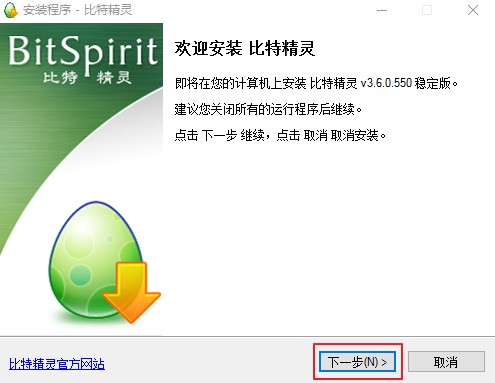
1. After downloading the BitElf software package from this site, double-click to open the installation file and click Next
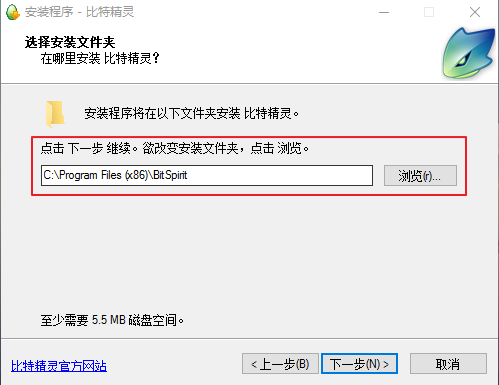
2. Enter the installation location interface, select the location where BitElf is installed, and then click Next
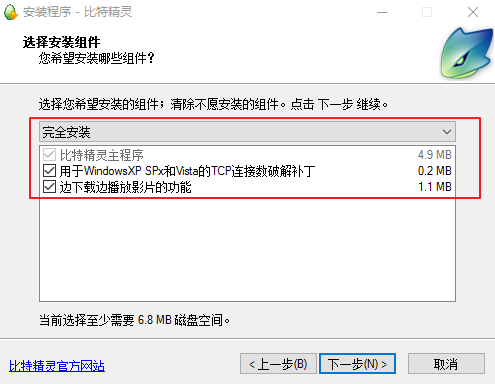
3. Select the components to install and click Next
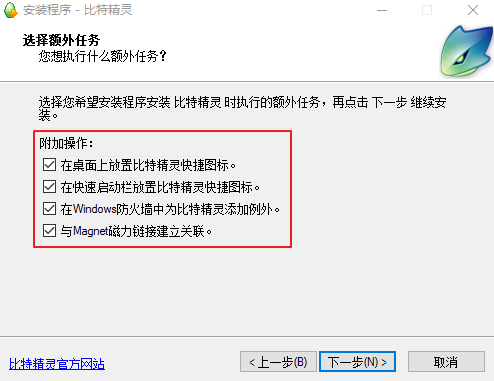
4. Select the additional tasks to install and click Next
5. Wait for the installation to be completed before you can use it.

How to use Bit Wizard
1. Why is the download speed of BitGenie slow?
Open the "Options" column of your own BitComet, "Personal Settings"-"networkSettings" to set the global maximum download speed
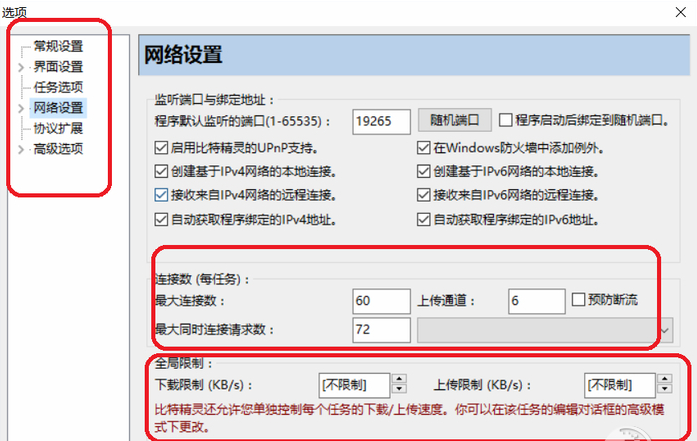
2. Does BitGenie support http proxy? Where should I go?Configuration?
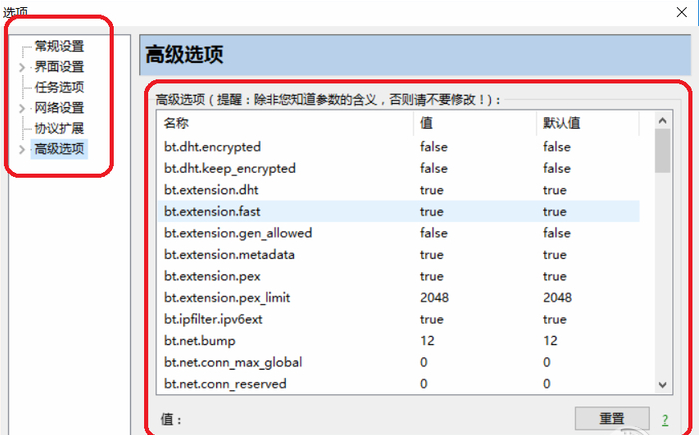
Bit Elf supports http proxy starting from version 1.2.0, and supports sock4/sock5 proxy after version 2.0. Please go to Options->;Personal Configuration->;Advanced Options to make relevant configurations.
BitGenie FAQ
What should I do if the download speed of BitGenie is 0?
Some torrent files have a download speed of 0. Solution: Check whether other files are downloaded at the same time and check whether the network is being browsed normally.web page, some seeds cannot play the downloading effect of seed resources due to the small amount of resource downloads.
Can BitGenie be used on an intranet?
Yes, as long as you have normal access to the Internet, you can use itbitsElf.
How can I reduce BitGenie's memory usage?
If you want to reducememoryUsing, you can edit the task properties and change the maximumcacheSet the number of blocks smaller. Secondly, the "Try to free up memory..." option in "Options->;Personal Settings->Other Options" will also be helpful. In addition, Bit Elf has launched memory pool technology since version 1.1.0 to manage and utilize memory more effectively. If you are using version 1.1.0 or newer, it is recommended to select the "Compress memory pool..." option in "Options->;Personal Settings->;Advanced Options".
Why does BitGenie not try again when the connection fails sometimes?
There are three situations where BitElf will not try to retry: First, when the trackerserverWhen an HTTP40X error number is returned, it means that the file you requested does not exist; secondly, when you select "Upload as a seed", but the local seed file has errors; thirdly, the number of retries of the task has reached the maximum number of retries (can be set in "Options->;Personal Settings->;Task Properties")
bit sprite andbit cometWhich one is better?
The main problem of BitComet is that there are too few users. If there are not so many people using itThunder, if more people use Comet, the speed will definitely be faster! And Bit Elf is faster thanThunderThere are fewer users and more people use it than Comet. Relatively speaking, in terms of download speed and link resources, Bit Elf is better than Bit Comet, so Bit Elf is recommended.
BitElf update log
Improvement: Add a "#" column to the task list, and the startup sequence of tasks in the waiting state follows the number of this column;
Improvement: supports dragging and dropping multiple files at one time or linking to the mini bar for batch addition (please refer to: batch addition);
Improvement: Tasks can be configured to automatically stop after reaching a certain sharing rate (>=1) (please refer to: Advanced Options);
Fix: For tasks with DHT enabled and large files, upload exceptions may occur in rare special circumstances;
Huajun editor recommends:
After continuous official updates and iterations, BitSpirit has become very stable and powerful, meeting all your needs. The editor has also prepared for youP2psearcher,Thunder Express Edition,National specification downloader,BitComet 2011,GetRight


















Useful
Useful
Useful