
Hot search terms: 360 Security Guard Office365 360 browser WPS Office iQiyi Huawei Cloud Market Tencent Cloud Store
Hot search terms: 360 Security Guard Office365 360 browser WPS Office iQiyi Huawei Cloud Market Tencent Cloud Store

Download tools Storage size: 2.25MB Time: 2022-01-18
Software introduction: BitSpirit is a completely free, high-speed, stable, powerful, and advertising-free BT download software. Since its release, BitSpirit...
Dear friends, do you want to know how to enable the boss button function in Bit Elf? Here is the simple method compiled by the editor to enable the boss button function in Bit Elf. Come and take a look. I hope it can help you!
In the "Options" interface, click to expand the "Interface Settings" option on the left.
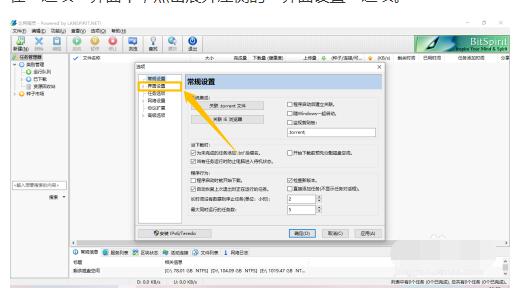
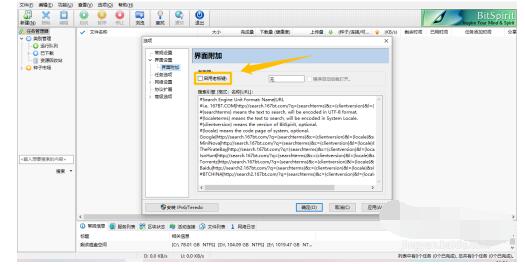
In the "Interface Settings > Interface Additional" option, select the check switch for the "Enable Boss Key" option.
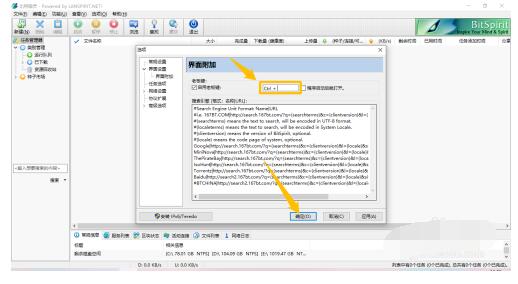
After checking the check switch of the "Enable Boss Key" option, set the operation shortcut key to enable the Boss Key, and click the "OK" button below, so that the Boss Key function of Bit Elf can be enabled.
The above is all the content brought to you by the editor. Have you all learned it?

 How to draw a lottery in 360 Software Butler - How to draw a lottery in 360 Software Butler
 How to collect software in 360 Software Manager - How to collect software in 360 Software Manager
 Microsoft Edge browser
 Steam
Steam
 Tencent Video
 WPS Office
 iQiyi
iQiyi
 Sohu video player
 Lightning simulator
 MuMu emulator
 Eggman Party
 What to do if there is no sound after reinstalling the computer system - Driver Wizard Tutorial
 How to switch accounts in WPS Office 2019-How to switch accounts in WPS Office 2019
 How to clear the cache of Google Chrome - How to clear the cache of Google Chrome
 How to fire bullets in scratch-How to fire bullets in scratch


