




- Green versionView
- Green versionView
- Green versionView
- Green versionView
- Green versionView
DOSBox software features
1. Can support a lot of games to run normally
2. Able to express the sound perfectly
3. Run DOS games on any WIN platform
4. Supports many classic old games
5. A perfect solution for running DOS games on Windows systems
DOSBox installation steps
1. Download DOSBox from Huajun Software Park and extract it to the current folder. Click on the DOSBox0.74-win32-installer.exe application to enter the installation wizard interface, and then click Next.

2. Select the software installation location interface. Huajun editor recommends that users install it on the D drive, select the installation location and click Next.

3. When the DOSBox installation is completed, click to close.

How to use DOSBox
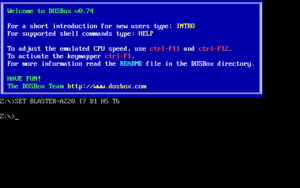
1. Run the program file
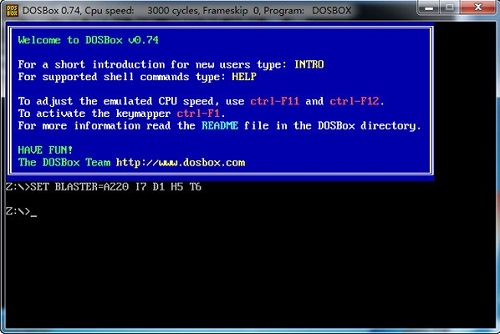
2. In the input box state z:>
z:>mount c d:dos ===>"z:>" This is the prompt "c" as the virtual C drive "d:dos" the folder location you want to virtualize.
To put it simply, you replace the location of the folder you want to virtualize with D:DOS
3. Enter c: at the prompt just now, which will switch to the virtual c drive, which is the game directory you want.
4. Run the game in the C directory, and press DOS commands for subsequent operations.
DOSBox FAQ
Question: How to use DOS program in dosbox
Answer: Prepare the programs we need to run. Note down the path of the process. Note that there cannot be Chinese characters in the path, and it is best not to be too long.

Open DOSBox and enter: mountc [path to program].

You can start the program.

You can also directly drag the file to be executed onto the DOSBox shortcut icon.
Question: How to switch discs when playing DOS games on DOSBOX?
Answer: Use imgmount d 1.iso 2.iso -t cdrom command to load two discs at the same time. When the game prompts, just "ctrl+F4" to change discs without cutting out or modifying the configuration.
Comparison of similar software
NDS emulatorThe latest version is an NDS game emulator built for gamers. The official version of NDS emulator can help you run NDS format games on your computer. The DS emulator has excellent compatibility with all NDS format games. You can customize the settings operation keys through "Options" - "Settings". Moreover, the NDS emulator also supports various game saves and sounds. It's very realistic, no different from playing on a handheld console.
PCSX2is a Playstation 2 'emulator', an attempt to copy the Playstation A free program for 2 consoles that lets you play PS2 games on your PC. This PCSX2 simulator is released under the GNU General Public License and is a green, free and open source game auxiliary tool.
Huajun editor recommends:
DOSBox can also support running on Windows, Linux, Mac OS X, BeOS, palmOS, Android, webOS, os/2 and other systems. In addition, Huajun Software Park provides you withGod General World Modifier,Ora star modifier,Rock Kingdom Feifei auxiliary latest version,Kunshan city games,Mini World Angel AssistantIt’s also a pretty good software, you might as well download it and give it a try if you need it! The editor is waiting for you in wind and rain!





Useful
Useful
Useful