




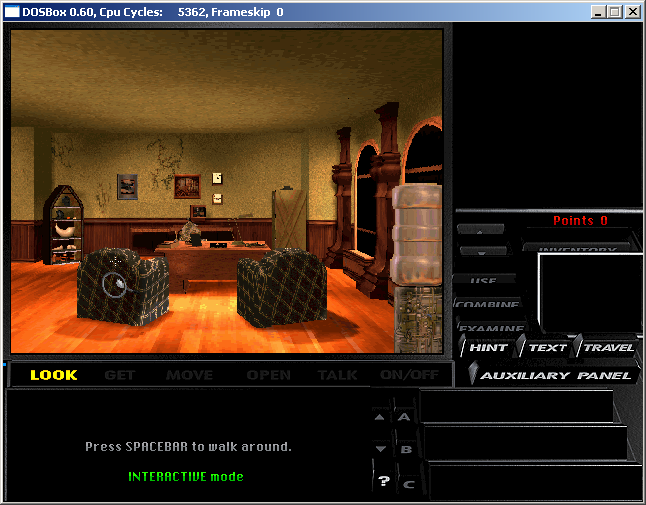
DOSBox installation tutorial
1. Download the DOSBox software from this site for download and installation. If you run the DOSBox installer directly, it will be installed on the system's C drive by default.
2. The specific storage location of DOSBox can be found under C:Program FilesDOSBox-0.74. If you have not set the installation path, you can find the required files in this directory.
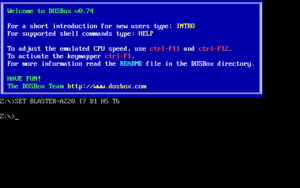
3. In the above steps, find the file shown in the picture and run it.
4. Enter in the input box in the picture: z:>mount c d:dos ===>"z:>" The "C" used in this code is a virtual disk (C drive), and "d:dos" indicates the specific location of your virtual folder. This command will replace the location of the folder you want to virtualize with the location mentioned above.
5. D:DOS Enter c: at the prompt just now. This will switch to the virtual c drive, which is the game directory you want. Run the game in the C directory, and press DOS commands for subsequent operations.
DOSBox software installation case tutorial
Take the DOS version of "Legend of Sword and Fairy" as an example.
1. First download DOSbox [1] version 0.74.
2. After the download is completed, start the installation. It can be installed to any directory. After the installation is completed, a program group will be generated in the start menu. The DOSBox.conf file is the configuration file of DOSbox. Just keep the default configuration.
To run the game smoothly, alt+enter can go to full screen. If you feel that the game running speed is not suitable, you can modify cycles=3000 and resize 3000 appropriately.
3. Run DOSBox and two DOS windows will open. We only need to type in the following window
Mount ch:pal
The function of this command is to mount h:pal as the C drive, and h:pal is the directory where "Legend of Sword and Fairy" is located.
4. Type c: to enter the C drive, and type pal.exe to enter the game, as shown below:
5. The game can now be run normally.
6. Drag the executable program of the game directly to the shortcut of DOXbox, and you can run it directly without entering any commands.
DOSBox usage tips
1. Run directly to open DOSBox.
2. Use Alt + Enter on the keyboard to enter the DOSBox full-screen interface.
The above is the DOSBox full-screen operation that the editor shared with you.
DOSBox update log:
1. Optimized some functions
2. Solved many unbearable bugs
|
Huajun editor recommends: You can "relive" the good old days with the help of DOSBox, which can run tons of old classics that don't want to run on your new computer! DOSBox also emulates CPU: 286/386 real mode/protected mode, directory file system/XMS/EMS, Tandy/Hercules/CGA/EGA/VGA/VESA graphics, SoundBlaster/Gravis Ultra sound card has excellent sound compatibility with old games... In addition, the editor of Huajun has also collected and compiled other [emulator] tools for you to choose and download, such as: dos emulator, RPcs3, etc. |





Useful
Useful
Useful