




- Green versionView
- Green versionView
- Green versionView
- Green versionView
- Green versionView

ea platform highlights
Comprehensive coverage of EA games:
Covers all EA games, including popular series such as "FIFA", "Apex Legends", "The Sims" and "Battlefield", as well as independent games and 3A masterpieces.
Cross-platform synchronization:
Supports PC and console (such as Xbox, PlayStation) game progress synchronization, players can seamlessly switch devices to continue the game.
Quick download and launch:
Optimize download speed and reduce the number of clicks, allowing users to find and launch their favorite games in less time.
Friend system:
Integrated friends list, players can check friends' online status, game dynamics, and directly invite team members.
Community interaction:
Provides community functions such as forums and event pages to facilitate players to exchange strategies, participate in events, and share game achievements.
Home Sharing:
Support parents to monitor their children's game time and limit the game time through the "Play Time Control" function.
ea platform features
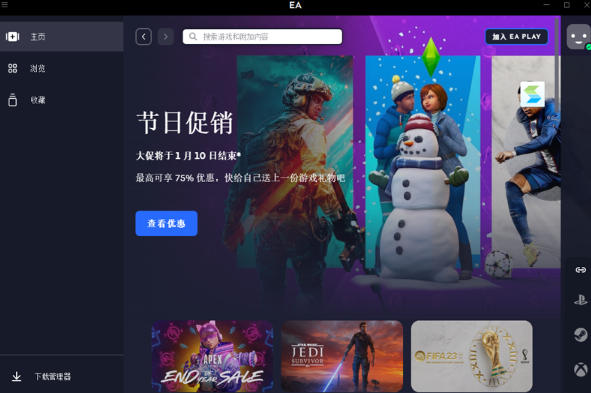
Efficient game management: Supports quick search, download and launch of games, covering a huge resource library from independent games to AAA masterpieces. Supports cross-platform account interoperability, and can import friend lists from different platforms to achieve multi-terminal online collaboration.
Network acceleration and stability: Provides multi-region server selection, optimizes connection speed in real time, and reduces game delays and freezes. It uses frameless technology to directly access game servers and services around the world to ensure network stability.
Privacy and security protection: The "super data leakage prevention" mechanism is enabled by default to prevent personal privacy, IP address and geographical location information from being tracked or stolen by third parties.
Simple interface: shorten the startup and download process and improve user experience.
Social interaction: Display friends’ game updates in real time and recommend EA’s popular new games.
Continuous updates and optimization: regularly add server areas and functional modules to improve user experience.
ea platform functions
Game management and download
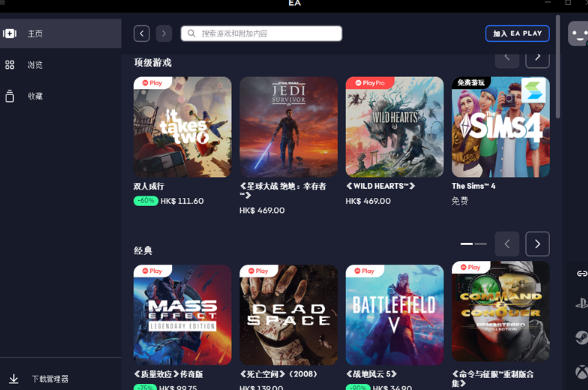
It provides one-stop game purchase, download and update services. Users can directly obtain popular games from EA and partner manufacturers through the platform.
Supports cloud archiving function to ensure game progress is synchronized across devices and avoids data loss.
Social Interaction and Community
Built-in social functions support adding friends, chatting, team games, and display of game achievements and rankings.
Provides a community forum and Q&A center where users can exchange strategies, feedback questions or obtain technical support.
Family Management Functions
Supports parental control, and can set game duration, consumption limits and content filtering for youth accounts to ensure healthy gaming for minors.
Multi-platform support
Covering mainstream devices such as PC (Windows/macOS) and consoles (Xbox/PlayStation) to achieve a cross-platform gaming experience.
Personalization
Users can customize their avatar, nickname, status (online/invisible, etc.), and adjust language, notification preferences and game time tracking through the "Settings" menu.
Subscription Service Integration
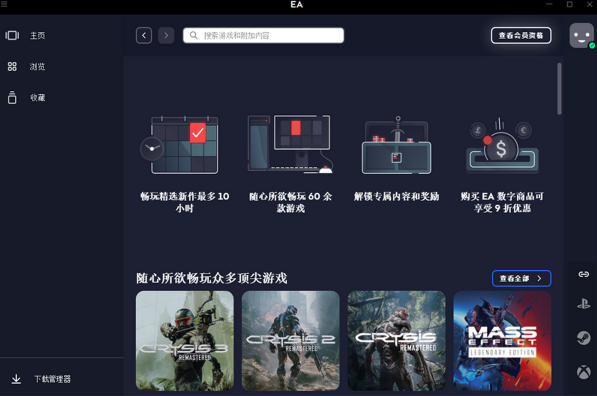
Integrated with the EA Play subscription service, members can enjoy privileges such as free game libraries, exclusive content, and member discounts.
ea platform FAQ
Login and account issues
Account registration:
You need to use a legal email (such as QQ email, Gmail), set a complex password (including uppercase and lowercase, numbers, symbols), and your date of birth must be 18 years or older.
Two-step verification:
It is recommended to enable dynamic verification codes such as Google Authenticator to improve account security.
Account ban:
After registration, it is recommended to log in immediately and download a free game (such as "Apex Legends") to simulate real user behavior to reduce the risk of being banned.
EA game platform computer installation steps
Download the latest version of the platform installation package from the EA official website (official channels are recommended to ensure file security and no bundling);
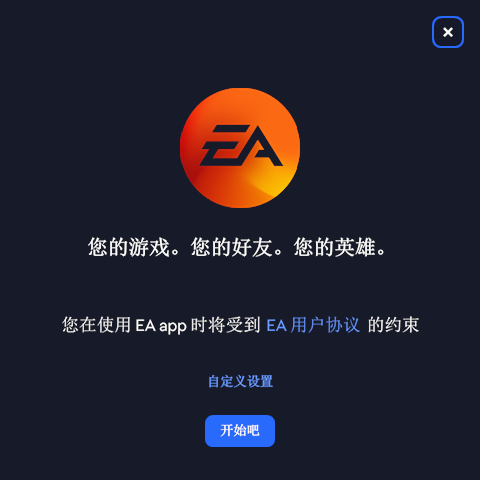
Double-click the installation package to start the installation program, follow the pop-up wizard to complete path selection, component check and other settings. After the installation progress is completed, you can start the EA game platform.
EA game platform account registration process
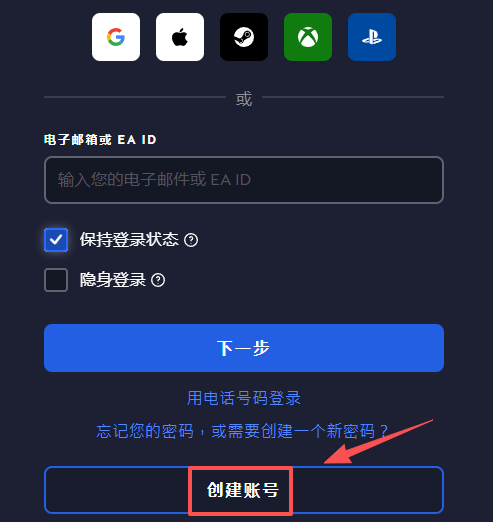
Open the EA game platform login page and click the "Create Account" button below;
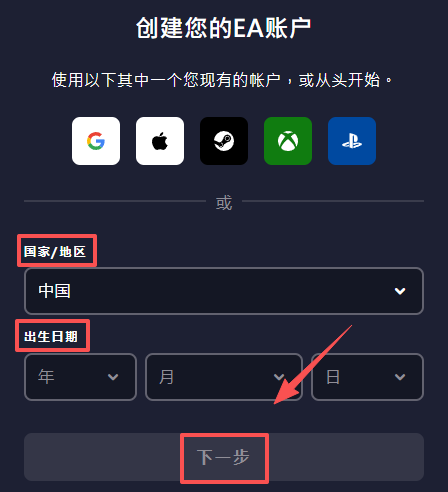
Select your country/region on the new page, fill in your date of birth, and click "Next" after confirmation;
Enter the email address used for registration, custom account ID and password in sequence (the password must meet the requirements of uppercase and lowercase + numbers/special symbols), and click "Next";
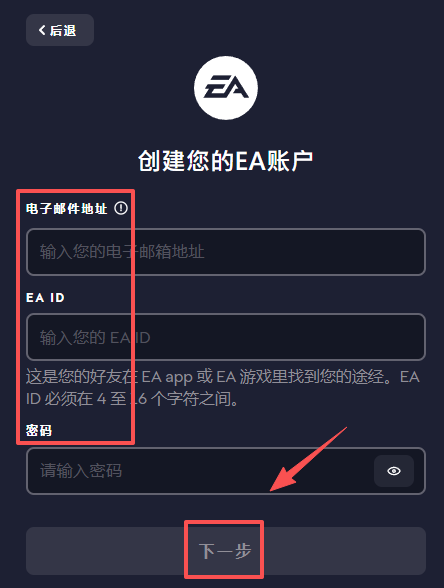
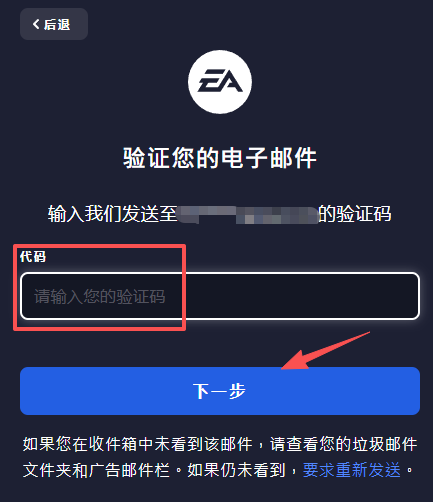
Click "Create Account", then check the verification code in the registration email and enter it;
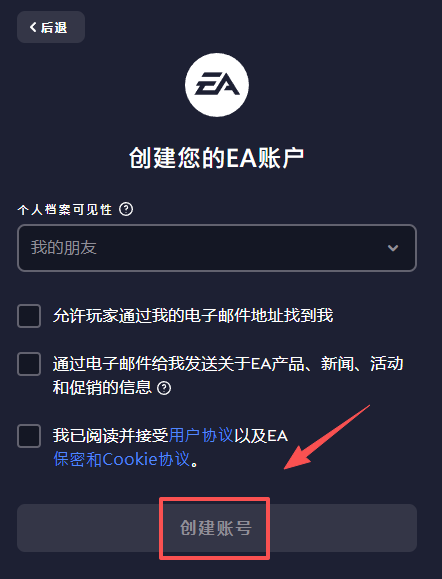
After the verification is passed and the account information is confirmed to be correct, the account will be successfully registered.
Add game to shopping cart on EA game platform
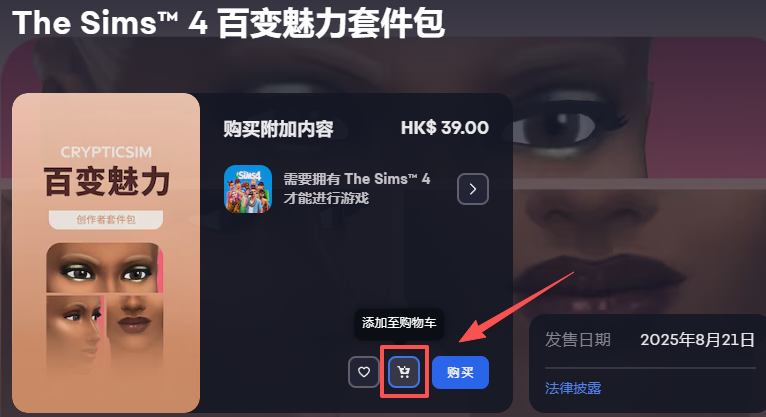
Open the EA game platform, find your favorite game on the homepage or game category, and click to enter the game details page;
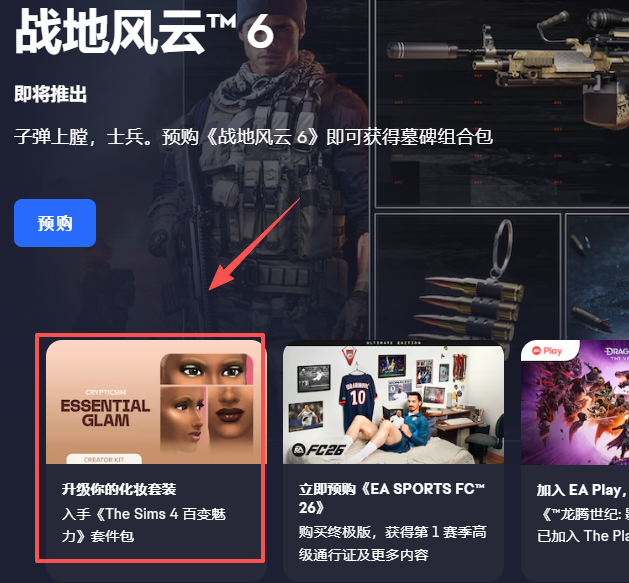
Find the "Add to Cart" button on the details page and click it. The game will be automatically added to your personal shopping cart, which can be viewed or settled in the shopping cart.
EA game platform redemption code steps
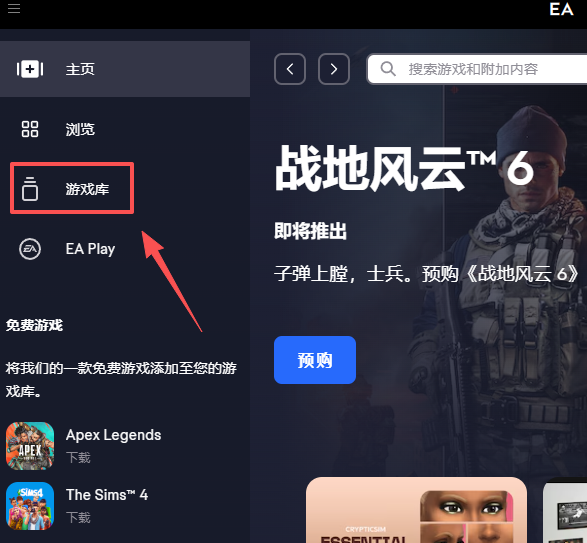
Open the EA game platform and click "Game Library" in the left navigation bar;
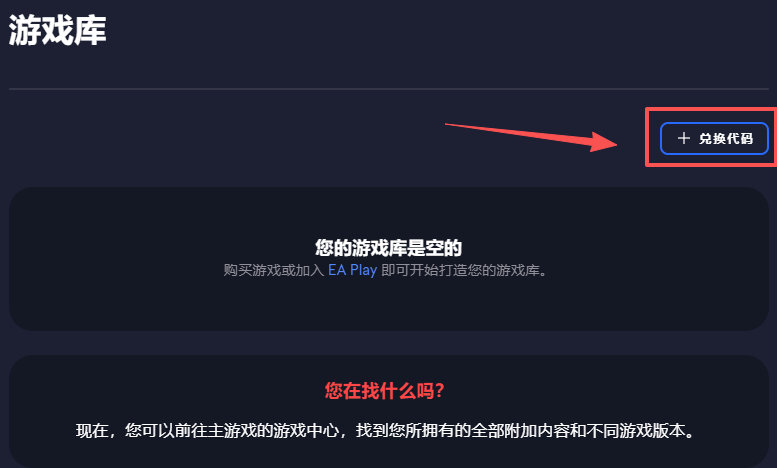
In the upper right corner of the game library page, find and click the "Redeem Code" button;
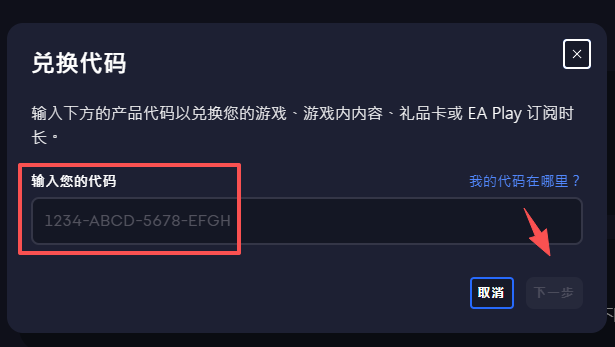
In the pop-up redemption window, accurately enter the obtained game redemption code, click "Next", and follow the prompts to complete the verification to redeem the corresponding content.
ea platform update log:
1. Fixed BUG, the new version has a better experience
2. Some pages have been changed
Huajun editor recommends:
It is highly recommended to download the ea platform. Whoever uses it will know. Anyway, I have already used it. In addition,God General World Modifier,Ora star modifier,Rock Kingdom Feifei Auxiliary latest version,Kunshan city games,Mini World Angel AssistantIt is also a good software. Welcome to click to download and experience it!













Your comment needs to be reviewed before it can be displayed