





Baicao Furniture Purchase, Sales and Inventory Expert Function Introduction
1. Based on the actual business wholesale business scenario design, it integrates customer price management, customer receivables, advance payment management, customer tracking, sales and procurement management, multi-warehouse transfer, inventory, and financial management to provide enterprises with complete purchase, sales, inventory, and financial solutions.
2. Baicao supports product multi-specification management, and supports scanning QR codes for ordering, with fast wholesale ordering speed; sales orders support batch intelligent conversion to purchase orders, which greatly improves operating efficiency and eliminates missed and wrong purchases.
Features of Baicao Furniture Purchase, Sales and Inventory Expert Software
1. Simple, easy to use, easy to use; easy-to-use enterprise management software.
2. Updated every two weeks, the software functions keep pace with the times. Throw away the complicated traditional software such as Kingdee, UFIDA, Guanjiapo, etc., and use cloud software for business.
3. All platforms are supported on computers, tablets, and mobile phones, and a WeChat version is available for you to check inventory and place orders anytime and anywhere.
4. Share products, sales orders, and statements to customers through WeChat. Order delivery management is clear and logistics status can be checked in real time.
5. In the WeChat ordering mall, customers can place orders online independently, and the inventory manager handles them directly, making sales easier and process collaboration more efficient.
6. Understand the industry and business, and have deeply optimized the sales and purchase, sale and inventory management of digital home appliances, clothing, shoes and hats, food and beverages, furniture and building materials, auto parts and hardware, daily necessities, jewelry accessories, wholesale and retail, and fast-moving consumer goods industries, and be your professional business manager.
7. Print template customization, public account inventory reminder, product batch number and other functions will not be described one by one, waiting for you to discover.
Baicao Furniture Invoicing Expert Installation Steps
1. Download the latest installation package of Baicao Furniture Invoicing Expert from Huajun Software Park. After unzipping, double-click the exe program to enter the installation wizard and click Install.

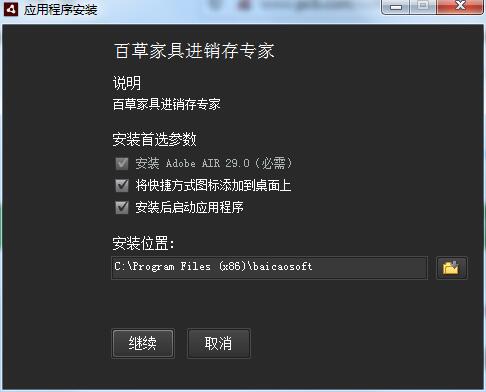
2. Click to select the installation folder. It is generally installed on the C drive of the computer by default. It is recommended to install on the D drive. Click to continue.
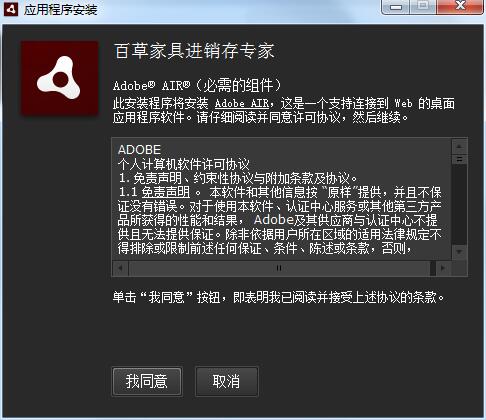
3. Read the license agreement and click I agree
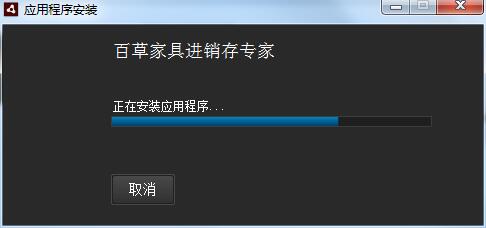
4. Baicao Furniture Purchase, Sales and Inventory experts are installing, please wait patiently.
Baicao Furniture Purchase, Sales and Inventory Expert Update Log
1. Added enterprise network disk, unified management of documents and files
2. Added a new corporate photo album and unified management of company photos
3. Added new personnel management, personal information, and salary management
4. Added new task management, who has the task in hand and the execution status is clear
5. Added new production process management, making it clear which step of the production process
6. Supports English version, overseas employees can also use it
7. Fix the installation failure problem of XP system
Huajun editor recommends:
Are you already ready to take action after seeing the introduction provided by the editor of Huajun Software Park above? Then quickly download Baicao Furniture Invoicing Expert to use it. Huajun Software Park also providesYiba purchase, sale and inventory management software stand-alone version,Export tax rebate declaration system for production enterprises,Meiping Member Management System,Haofangtong ERP Elite Edition,General computer quotation systemWaiting for you to download and use.




Useful
Useful
Useful