





Jianyu Bioxun official version is a commercial office bidding software created by Jianyu official. In Jianyu Bid News, you can learn about the latest bidding information, keep abreast of national consultations, super search, search by industry and amount, and the results can be displayed in tables. Jianyu Biaoxin not only provides national bidding information, but also provides services such as bidding search, bidding subscription, proposed project acquisition, and project attention. Huajun Software Park provides download services for Jianyu Baoxun software. To download other versions of Jianyu Baoxun software, please go to Huajun Software Park!
Introduction to the features of Jianyu Biaoxun
Technical architecture: developed based on cloud computing and big data analysis technology, supporting flexible docking with internal systems.
Data source: Covering 6,700-9,000 government and enterprise bidding websites across the country, with more than 100,000 new pieces of data added every day.
Update speed: Data collection is completed within 42 minutes after the original website information is linked to the Internet, and subscription matching and push are completed within 52 minutes.
Data accuracy: The search accuracy is as high as 98.5%, with less duplicate data.
Swordfish Signal Software Features
Tender information search:
Unlimited viewing of national bidding and procurement information without blocking any content (such as project name, number, bidding agency, contact person and phone number).
Supports multi-dimensional filtering by keywords, industry, amount, time, region, etc.
Tender information subscription:
Intelligent subscription to industry-wide bidding and procurement information, supporting multiple information types (such as bidding announcements, proposed projects, bid winning announcements, etc.).
Real-time push through WeChat + APP dual platforms, supporting free subscription of 10 groups of keywords.
Proposed project acquisition:
Obtain project information in advance during the preparation and approval periods to help users seize the opportunity.
Interested companies pay attention to:
Track the bidding, tendering, winning and procurement dynamics of interested companies, and assist in the formulation of bidding strategies.
Tender project attention:
View the entire process of bidding and procurement projects in real time on your mobile phone, and support WeChat + APP smart reminders.
Inquiries about winning bidders:
Directly obtain the detailed bid data information and historical bid winning reports of the companies that intend to win the bid over the years.
Data export and customization:
Supports exporting bidding data in the form of Excel tables, and users can accurately lock information through keywords, time, region and other conditions.
Provide customized services such as data interface docking, data mining, and analysis reports.
Tendering training:
Online bidding courses are provided, covering bidding management, bidding practices, bid-winning skills and procurement case sharing.
Swordfish Signal Installation Steps
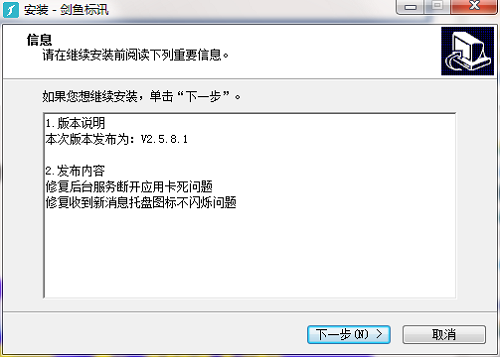
1. Download Jianyu Biaoxun from Huajun Software Park and extract it to the current folder. Click on the JianYu_for_Windows.exe application to enter the installation wizard interface, and then click Next.
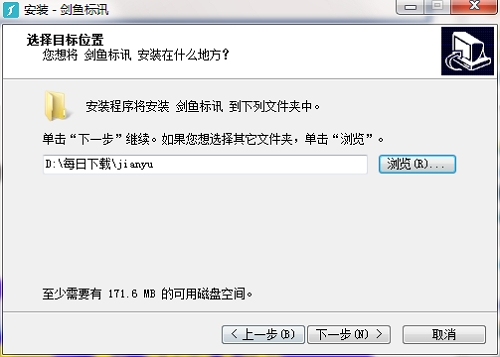
2. Select the software installation location interface. Huajun editor recommends that users install it on the D drive, select the installation location and click Next.
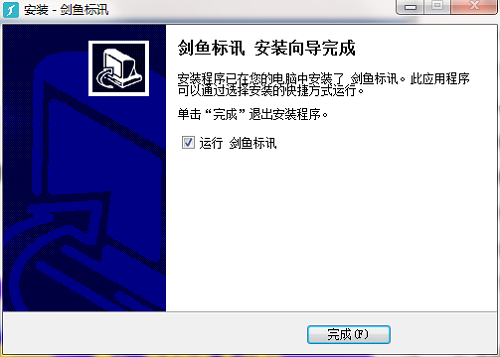
3. The installation of Jianyu Biaoxin is completed, click Finish.
How to use swordfish signal
1. Double-click the software shortcut on the computer desktop to open the Swordfish Signal Software
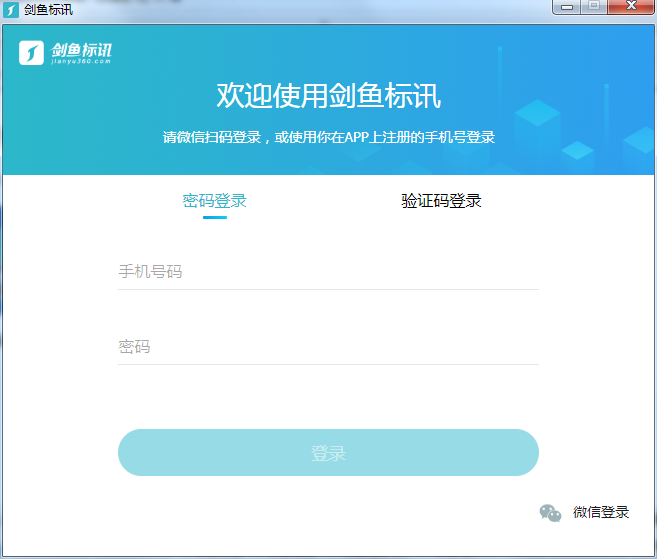
2. To log in to the software, we can enter our mobile phone number and password to log in, or we can choose to log in with a mobile phone SMS verification code.
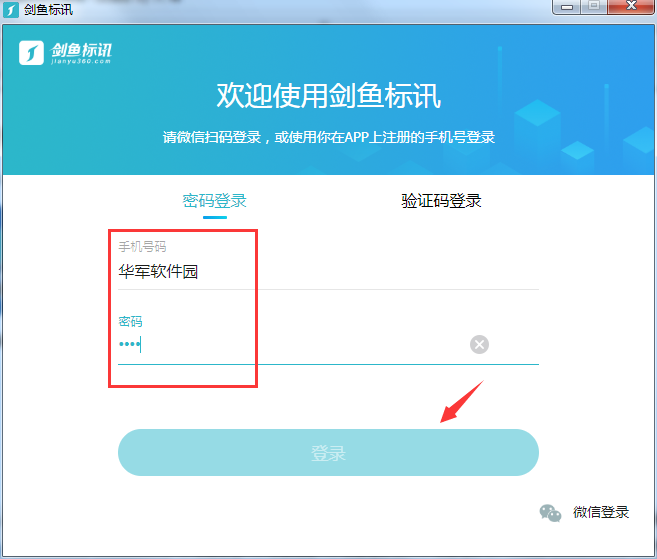
3. Of course, the software also provides a WeChat login function. Just scan the QR code on WeChat to log in.
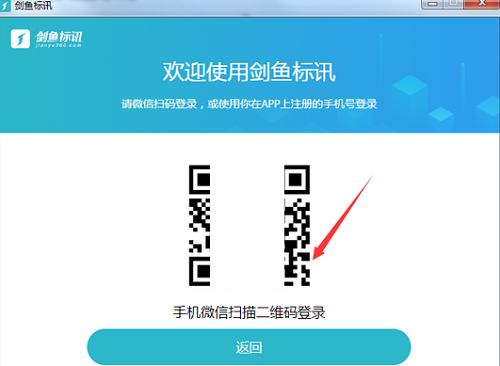
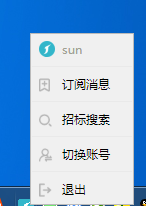
4. After logging in, we can view subscription information or conduct bidding searches
Swordfish Standard FAQ
Question: How can Jianyu Bidding News check the water conservancy project bidding announcement?
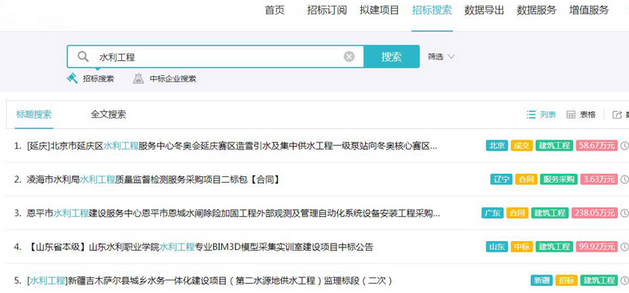
Answer: First open the software, you can see a search box on the homepage, where you can directly enter keywords to search for specific bidding announcements. For example, if you enter the search term "water conservancy project", you can search for the latest water conservancy project information across the country;
3. If you don’t want to use the search directly, you can also choose to click on the “Tender Search” column in the navigation;
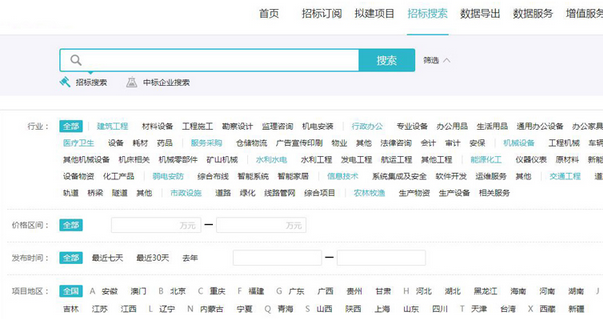
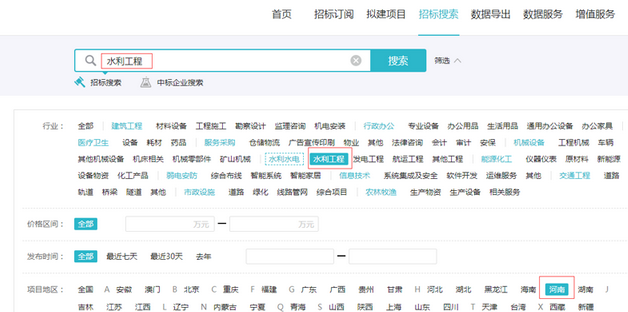
4. The bidding search column is actually a search function, but it can define richer filtering conditions to achieve accurate information search and filter out invalid information. Taking the water conservancy project as an example, you can enter the keyword "water conservancy project" and select the industry, region, time, amount, information type and other conditions in the filter conditions. In our region, select "Henan Province", the information type selects "Tender Announcement", and the industry selects "water conservancy project". Click to search to get the latest water conservancy project bidding announcement in Henan Province;
5. In addition, you can also use the bidding subscription function of Jianyu Bioxun, but it needs to be used on WeChat or APP, and cannot be used on the PC. The bidding subscription function is suitable for people who do not want to view bidding information. Through the bidding subscription function, set subscription keywords and select specific subscription conditions, such as region, information type, etc., the bidding information you are interested in can be automatically pushed. Once the latest water conservancy project bidding information is released, your mobile phone can receive reminders, which is convenient and efficient, saving time and worry.
Question: How to uninstall Swordfish?
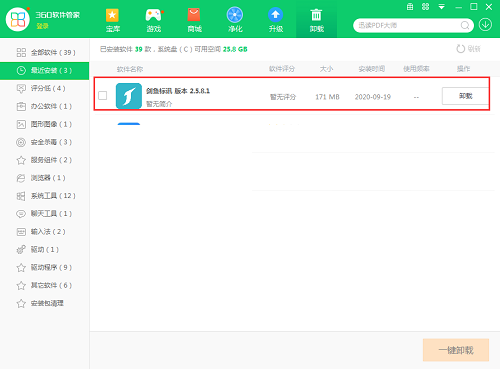
Answer: Method 1: Install and open the computer housekeeper software, select the software management option, click the uninstall option, find Swordfish News in the list, and click uninstall
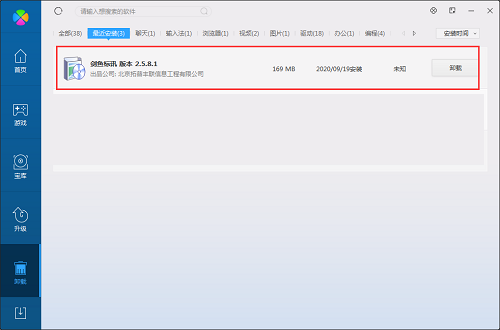
Method 2: Install and open360 software manager, find Jianyu Baoxun in the list of uninstall options, and click Uninstall.
Comparison of similar software
Chollima Tendering NetworkThe official version is an information service client built for the bidding and bidding industry. The official version of Qianlima Bidding Network covers bidding projects in multiple industries, including financial banking, power engineering, transportation, decoration construction, fire protection engineering, etc. The bidding project information provided in the Qianlima Bidding Network APP is true and reliable.
Tender search softwareIt is a very professional vertical search tool for the bidding industry. The green version of the bidding search software has comprehensive functions and gathers all the data from the national bidding information website. The bidding search software is easy to operate and can help you easily query information approval and bidding information. Users only need to search for relevant keywords to view useful bidding information.
Swordfish Signal Update Log
Fixed the problem of application stuck when background service is disconnected
Fixed the problem that the tray icon does not flash when receiving new messages
Huajun editor recommends:
Jianyu Biaoxin not only provides national bidding information, but also provides services such as bidding search, bidding subscription, proposed project acquisition, and project attention. If you are not used to this software, you might as well give it a tryYiba purchase, sale and inventory management software stand-alone version,Export tax rebate declaration system for production enterprises,Shaanxi Coal Trading Center Trading Client,Meiping Member Management System,Haofangtong ERP Elite EditionWait for the software, I hope you like it!
















Useful
Useful
Useful