




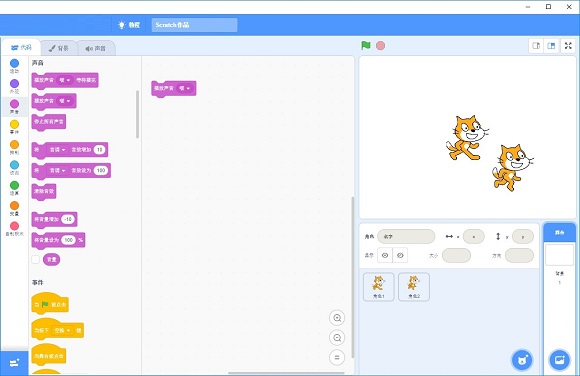
Scratch Desktop software features
1. Scratch Desktop provides animation design functions. Learn how to design animations through programming through this software.
2. The software interface has many functions, and many motion scripts have been provided and can be used directly.
3. Drag the relevant script commands to the design area to control the movement of your character
4. In the character control interface, you can copy the current character and add new scenes
5. You can use the officially provided scenes to design new content, or you can add your own local background.
6. Provides rich character models. You can choose the characters or vector design works provided by the software.
7. Support local material upload function, add characters and sounds directly from local
8. You can use this software to make music, create stories, make catch-up games, and make elimination games.
9. Support table tennis games, create talking animations, video detection, add a character, add a background
10. Supports sliding around, recording sounds, rotating letters, adding effects, etc.
Scratch Desktop software features
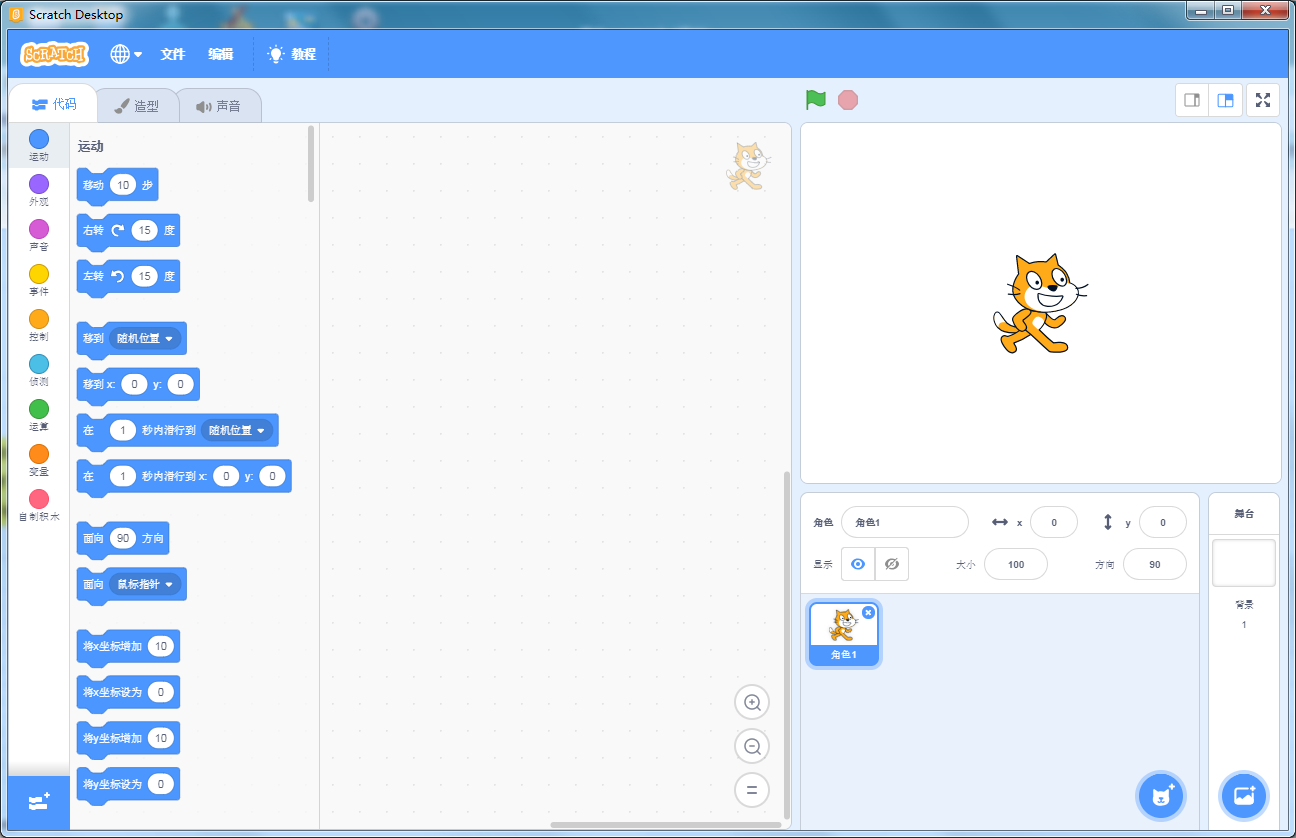
1.scratch is in Chinese language and is convenient for all domestic users to use;
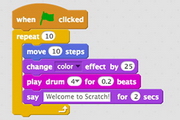
2. The commands and parameters that make up the program are implemented through building block-shaped modules;
3. Use the mouse to drag the module to the program editing bar;
4. The middle part is the edited program code;
5. On the left are the functional modules that can be selected;
6. The upper right part is the program preview and running window;
7. The lower right part of the Chinese version of scratch is the character window;
Scratch Desktop latest features
1. Kernel update
The official version of Scratch Desktop is written in H5 and JS languages, which is the current mainstream technical framework. The advantage of this is that it breaks down the barriers between PC and mobile terminals and strengthens one of Scratch's core ideas of "sharing". Works created on the computer can be opened directly on the mobile phone to facilitate the dissemination of the work.
2. Interface update
The Scratch 3.0 interface has been updated, moving the stage area to the right and placing programming in the middle, making it easier for programmers to program; the building block area is no longer strictly divided, and blocks can be selected by sliding the mouse, reducing the click rate and increasing the user experience.
3. More extensions
Scratch3.0 integrates and adds plug-in modules, such as the text reading module, which allows characters to truly "speak"; the translation function can translate multiple languages; the Makey Makey plug-in is expanded to add creative and interesting hardware; Lego EV3 can be used in the new version, adding application scenarios.
4. Character and background editing can be input in Chinese
In version 2.0, the most frustrating thing is that there is no way to input Chinese and the text box cannot be selected twice. This function has been optimized in the updated version 3.0. Chinese can be entered in the edited text box, and the written text box can continue to be checked. Greatly facilitates editing efficiency.
5. The center point of the shape is fixed
Children who have just started to use Scratch 2.0 will definitely be heartbroken when they set up the shape center, because when you drag the shape once, the position of the shape center will move, giving people the illusion that the shape center is constantly changing. However, the center position is fixed in version 3.0. Just drag the shape to the center position.
Scratch Desktop slot analysis
1. The fonts in the new version are too small. I have to use all the strength of my eyes to see the characters clearly. Moreover, I cannot adjust the font size, which makes me shed tears. It can only be matched with a kind smile.
2. I promised to "let your program speak", but when I added Chinese, the program actually became mute.
3. The version is unstable! The version is unstable! The version is unstable! During the actual operation, it was found that the program opened slowly or even failed. There were problems with the program compatible with version 2.0, such as garbled notes and shifting, and the shape could not be saved to the local computer.
Although there are some minor flaws in the just-updated Scratch 3.0, the overall changes and progress are very large, especially the "sharing" of core ideas has been done better. Subsequent versions will improve these minor flaws, and I believe Scratch programming will be taken more and more seriously!
Scratch Desktop installation steps
1. Download Scratch Desktop from Huajun Software Park, extract it to the current folder, and then click the Scratch Desktop Setup 1.2.1.exe application. Unzip the downloaded compressed package, find the Scratch file, and double-click it.

2. At this time, the software will be installed automatically. Users must wait patiently for the progress bar to be full.
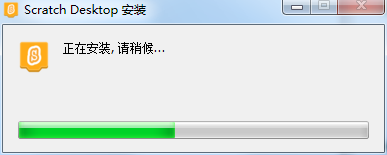
3. After the Scratch Desktop software is installed, an interface will appear. We need to click Yes, I'd like to help improve Scratch.

4. You can use it directly now!
How to use Scratch Desktop
How to make the character move with the mouse in scratch?
1. First we need to run and open scratch, and then we need to prepare a character (the software has already prepared a default character for us, just use this one, you can replace it if you have other needs)

2. Then we select the script and select the instructions that need to make the character move.

3. Select the move mouse pointer in the action again and drag it out.

4. The editor here selects [Repeat Execution] in the control and drags it to the gray area on the right.

5. Finally, fill in the mouse pointer into the repeated execution, as shown below:

6. After completing the operation according to the tutorial, click the Repeat Execution box and you can see the graphics moving with the movement of the mouse.
Scratch Desktop FAQ
1. Can I use Scratch Link to connect to extensions?
OK. However, Scratch Link needs to be connected to the Internet to use it.
2. Can I share it in Scratch desktop software?
It is not supported yet. Currently, you can save your work in the Scratch desktop software, upload it to your Scratch account, and then share it on the website. We will add the function of directly uploading to Scratch accounts in future versions of Scratch desktop software.
3. When will Scratch desktop software support Chromebooks?
The Chromebooks version of Scratch desktop software has not yet been released. We are developing it and expect to release it later in 2019.
4. When will the Linux version of Scratch desktop software be released?
Scratch desktop software currently does not support Linux. We are working with our partners and the open source software community to determine how to support Linux in the future. Please stay tuned for further news!
Scratch Desktop update log
1. Modify user-submitted bugs
2.Add new features
Huajun editor recommends:
In addition to Scratch Desktop, which is very convenient, there are alsoFast table software,AlphaEbot action editing software,Automated testing tool AutoRunner,Easy GUI,Little turtle LOGO languageRelated software is available for download. If you need it, please click to download and use it.










Useful
Useful
Useful