





FeishuThe PC version is an enterprise-level collaboration platform created by ByteDance that integrates instant messaging, audiovideo conferencing, cloud document collaboration, task management and other core functions, supporting multi-terminal synchronization and cross-platform operations. Featured functions include "Flying Reading Meeting", AI assistant and online seminars (ten thousand people can participate in the meeting at the same time, controlled by roles). Built-inFeishu People, Feishu Project, Feishu Contract and other modules, combined with secure encryption and open platform API, process over 100 million messages per day and serve over 10 million enterprise users.remoteOne-stop solution for office and cross-department collaboration.

Features of Feishu PC version software
Make meetings more efficient
Say goodbye to repeated communication, real-time multi-person collaboration in meetings makes discussions more efficient
Make goals clearer
Through Feishu OKR, we can "clearly see" and "align" organizational goals and key results, so that corporate strategies can be implemented layer by layer, so that every employee can move forward on their own.
Flexible working
No matter on the computer or mobile phone, you can easily start or join the audiovideo conferencing, seamless switching between multiple devices, making it more convenient to work on the go while on a business trip.
Mobile friendly
Convenient communication, interaction and collaboration can also be carried out on the mobile terminal, and mobile phones and computers can be synchronized anytime and anywhere.
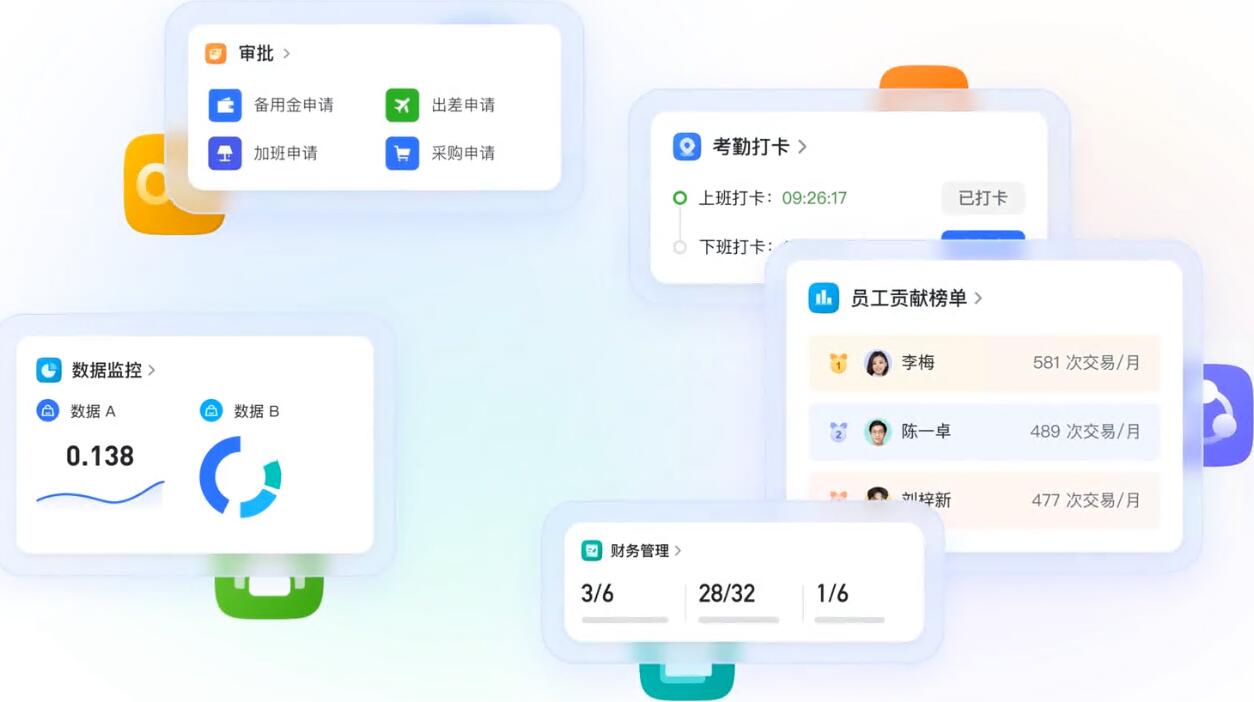
Feishu PC version function optimization
1. The mobile terminal supports previewing the content in the chat folderpicturesand videos, and can switch between list and grid view
2. Added creator information to the task details page to help you effectively prioritize tasks.
3. The multi-dimensional form on the mobile terminal supports searching for single-select and multi-select fields, making information query more convenient
4. Email search optimization, support search for attachmentsTitle, mail positioning is faster
5. In non-conversation email mode, right-click > "View related emails" to browse emails between you and your contacts or under the same topic.
6. Set Feishu as the system defaultEmailAfterwards, click on any email address to open the writing interface.
7. You can choose more fonts when composing emails.
8. The approval initiation application center has been completely revised to facilitate you to quickly find the application initiation entrance.
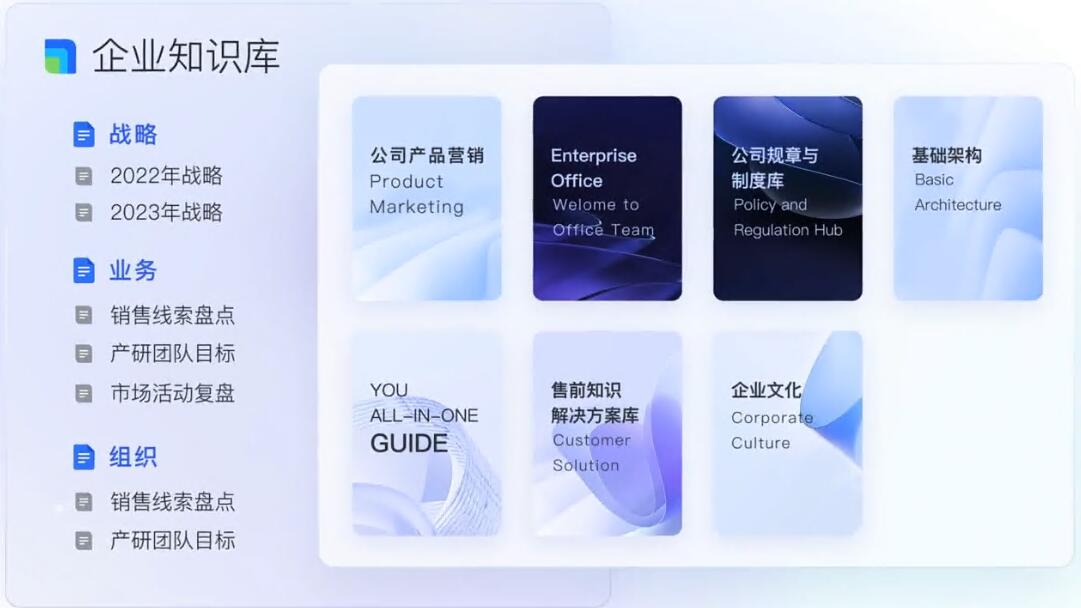
Frequently Asked Questions about Feishu PC Version
Unable to download or installFeishu
Solution:
Make sure the network connection is normal and try to download the Feishu installation package again.
Check whether the operating system version is compatible with Feishu. If not, please upgrade the operating system or download the corresponding version of Feishu.
Turn off security software or firewalls to prevent them from blocking the download or installation of Feishu.
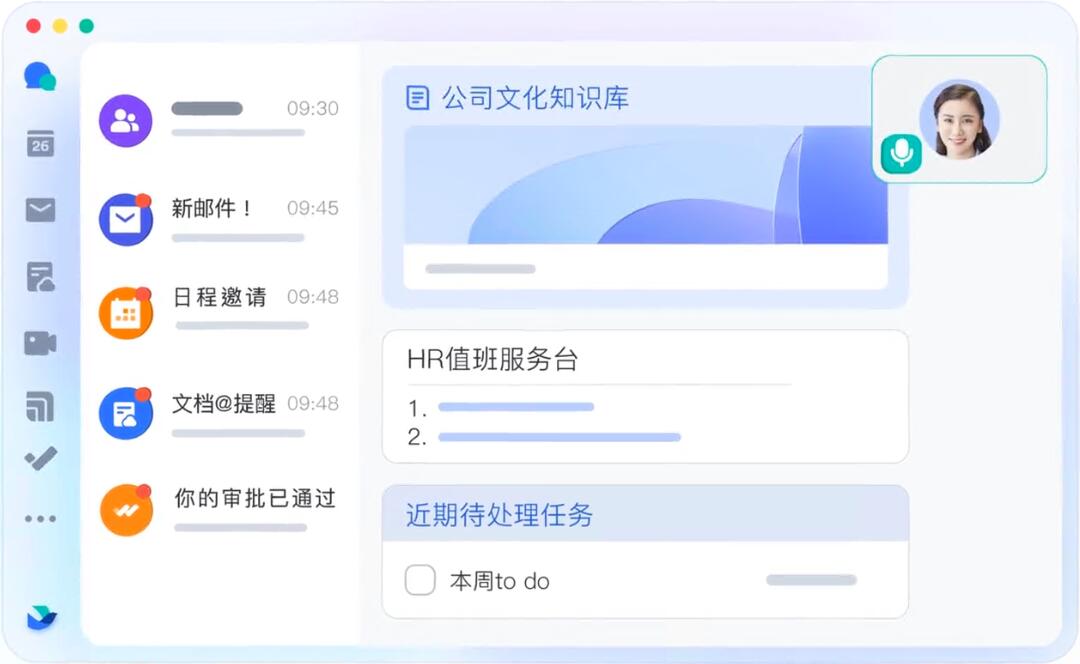
How to exit the company in Feishu
Ordinary user operations:
Click "Me" in the lower right corner of Feishu → "Settings" → "Exit Enterprise" and confirm to exit.
If the company has been authenticated or the account is abnormal, you need to contact the administrator to handle the resignation or freeze status.
Company founder exits:
First transfer the creator identity to other members, and then exit according to the normal steps.
How to authenticate with Feishu
Basic certification:
Enter "Me" → "Personal Information" → "Real-name Authentication", enter your name, ID number and upload your ID photo.
Some scenarios require face verification (such as unblocking an account). Click "Start Verification" to complete the liveness detection.
Enterprise requirements:
If the enterprise compels real-name authentication, it must be completed according to the guidelines after receiving the prompt, otherwise some functions will be limited.
How to join an enterprise in Feishu
Via invitation code/link:
Open Feishu → "Join Company" → enter the invitation code or click the invitation link, fill in the information and submit it for review.
Scan the code to join:
Scan the QR code shared by the enterprise administrator, enter your mobile phone number and name, and join after verification.
Multiple account switching:
After logging in, click the avatar in the upper left corner → "Switch Company", select the company you have joined or add a new account.
How to create a group on Feishu
Internal group creation:
Click "+" in the upper right corner → "Create Group" → search or select company members, fill in the group name and click "Create".
On the mobile terminal, you can quickly operate through "Contact Book" → "My Groups" → "Create Group".
External group creation:
Add at least 1 external contact (not a member of the company) and the "External" label will appear next to the group name.
Automated group creation:
Use multi-dimensional tables to automate processes, automatically create groups and add members based on form data.
How to change name in Feishu
Personal modifications:
Desktop: Click the avatar → "Edit" → modify the name or alias.
Mobile terminal: Enter "Me" → "Personal Information" → click on name to edit.
Permission restrictions:
If it cannot be modified, you need to contact the enterprise administrator to enable the "Members can modify their names independently" permission in the background.
How to scan the QR code on Feishu
Entrance location:
Mobile terminal: Click "+" in the upper right corner of the homepage → "Scan", or long press the application icon to select "Scan".
Desktop: Click on the avatar → "Scan" to support identifying QR codes to join the company, sign in for meetings, etc.
Functional scenario:
Scan the conference room QR code to quickly check in or reserve a venue.
How to change line in Feishu
Text input:
In a chat or document, press Shift + Enter for a soft line break (without starting a new paragraph).
Document layout:
If you need to force a line break, you can use "Insert → Line Break" or adjust the paragraph format.
How to check in on Feishu
Regular check-in:
Enter "Workbench" → "Attendance" → click "Clock in" or "Clock in after get off work". Some companies need to operate within a designated range or Wi-Fi.
Special check-in method:
Photo check-in: Click the check-in button to take a photo of the scene, which will take effect after the upload is successful.
Face recognition check-in: Follow the prompts to complete the face verification. If it fails, you can apply for re-entry or switch to other methods.
Exception handling:
If the clock-in time is abnormal, you can click "Update Punch-in" in the attendance record to correct the time.
Recommendations of the same type as Feishu PC version
The PC version of Enterprise WeChat is an office communication tool for enterprises designed by the Tencent WeChat team. In addition to the chat functions of single chat and group chat, Enterprise WeChat also has small programs, payment and other capabilities. Enterprise WeChat integrates functions such as announcements, attendance, and leave requests to help enterprises efficiently work and manage.
Download link:http://softwaredownload4.com/soft/578119.htm
DingTalk PC version is a very powerful smart office software. The PC version of DingTalk can quickly create hierarchical team management; can communicate internally and externally, make intelligent video calls; encrypt transmission of key corporate information, secure storage and other features. Is this all you want for DingTalk? Of course not! I have contributed to the fight against the epidemic - DingTalk certified national new professional digital managers to help organizations better respond to the call for online working and homeschooling, and help organizations successfully achieve remote and efficient collaboration.
Download address:http://softwaredownload4.com/soft/579188.htm
Feishu PC version update log
The multi-dimensional table workflow is newly launched. It is an extension of the automated process and can implement more complex logic such as "conditional branching". It is more suitable for complex processes with multiple nodes, and collaboration efficiency continues to improve.
Workflow supports the use of conditional judgment function, which can automatically determine whether the conditions are met and execute subsequent steps according to your settings. The process configuration is more flexible and the application scenarios are more diverse.
Huajun editor recommends:
Feishu is a software that is simple to operate, powerful, and easy to use. You can download it and try it. Everyone is welcome to download it. This site also provides360 browserWaiting for you to download.





























Useful
Useful
Useful